
India’s digital economy has grown rapidly, making online banking, UPI payments, shopping, and other internet services a part of everyday life. However, this growth has also led to a sharp increase in Online Scams, with cybercriminals using increasingly sophisticated techniques to target unsuspecting users.
In 2026, scammers are no longer relying only on fake lottery messages or simple phishing emails. They use artificial intelligence, deepfake voice calls, fake customer support numbers, malicious QR codes, KYC fraud, investment scams, and social engineering to steal money and personal information.
Anyone can become a target, including students, working professionals, business owners, and senior citizens. Understanding how these scams operate is the first step toward protecting your money, personal data, and digital identity.
This comprehensive Tech Naga guide explains the most common Online Scams in 2026, how they work, warning signs to watch for, and practical cybersecurity tips to help you stay safe while using digital services.
What are Online Scams?
Online Scams are fraudulent schemes carried out through the internet, mobile applications, emails, social media platforms, phone calls, or messaging services. Their primary goal is to trick people into revealing sensitive information, such as passwords, OTPs, banking details, or personal data, or to persuade them to transfer money to fraudsters.
Modern scammers use a combination of phishing, fake websites, malicious links, QR code scams, impersonation, and social engineering to gain the victim’s trust. Instead of attacking banking systems directly, they manipulate users into voluntarily approving fraudulent transactions or sharing confidential information.
In 2026, Online Scams have become more sophisticated with the use of artificial intelligence, deepfake voice calls, fake customer support services, and organized networks of mule accounts that help criminals move stolen money quickly. Understanding how these scams operate is the first step toward protecting your finances, personal information, and digital identity.
The Architecture of a Modern Online Scam
To defeat a scammer, you must understand their infrastructure. Modern Online Scams in India operate like a professional business.
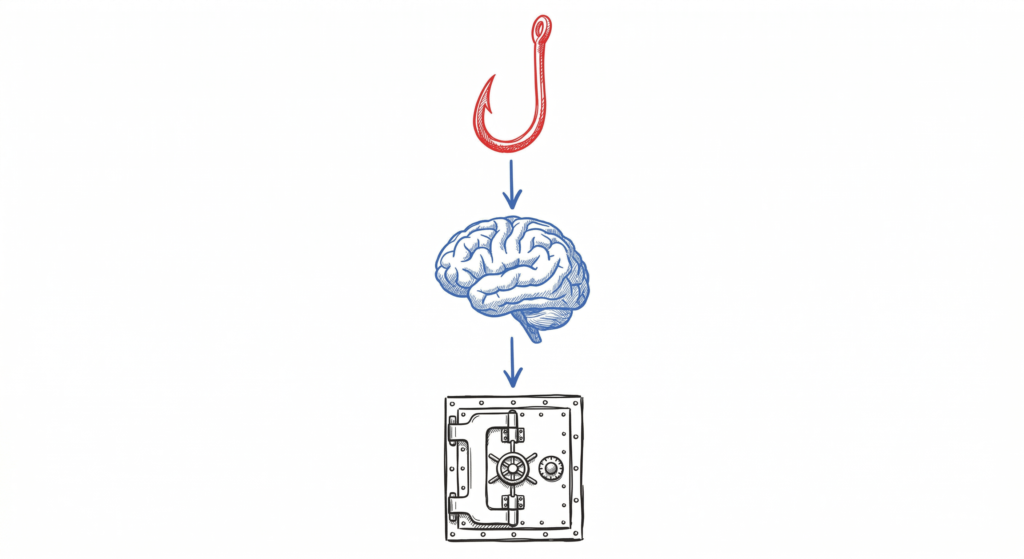
1. The Lead Generation Layer
Scammers use “scraping” tools to gather your phone number from social media or leaked databases. They then use automated bots on WhatsApp and Telegram to send thousands of “hooks” per minute.
2. The Social Engineering Layer
This is the “pitch.” Scammers use psychological triggers like Urgency (Your account will be blocked!), Fear (You are under digital arrest!), or Greed (Earn ₹5000 per day!).
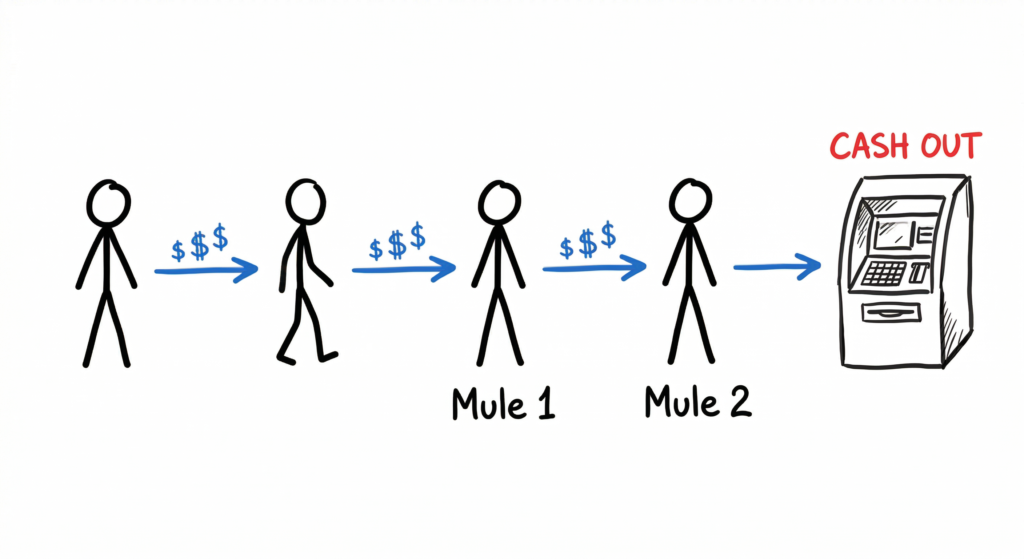
3. The Money Laundering (Mule) Layer
Once the victim transfers money, it doesn’t go to the scammer’s personal account. It goes to a “Mule Account”—a bank account belonging to an innocent person (often in Tier 2 or 3 cities) who has “rented” their account to the syndicate for a small fee.
15 Most Common Online Scams in India for 2026
1. Digital Arrest Scam
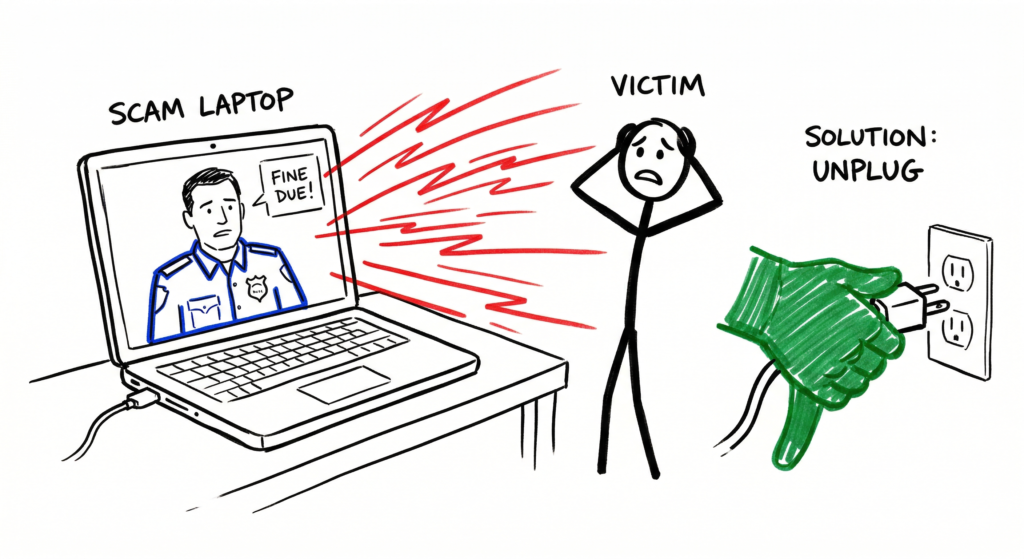
The Digital Arrest Scam has emerged as one of the most dangerous Online Scams in recent years. In this scam, fraudsters impersonate officials from government agencies such as the CBI, Enforcement Directorate (ED), Narcotics Control Bureau (NCB), or local police. They falsely claim that your Aadhaar number, mobile number, or bank account has been linked to illegal activities, such as money laundering, drug trafficking, or the delivery of prohibited items.
To make the scam appear genuine, criminals often use fake identity cards, forged legal documents, official-looking email addresses, and video calls displaying individuals dressed as law enforcement officers. Victims are told they are under a “digital arrest” or “virtual investigation” and are instructed not to disconnect the call or speak to anyone.
Real-Life Example
In one widely reported case, a woman in Bengaluru was kept on a video call for nearly 48 hours after fraudsters convinced her she was under “virtual custody.” Believing she was cooperating with a legitimate investigation, she transferred approximately ₹2 crore to multiple bank accounts under the false promise of verifying her funds.
Warning Signs
- Unexpected calls claiming to be from government agencies.
- Threats of immediate arrest or legal action.
- Demands to remain on a continuous video call.
- Requests to transfer money for “verification” or “safe custody.”
- Instructions not to contact family members, lawyers, or local police.
How to Protect Yourself
- Remember that no law enforcement agency in India conducts arrests through video calls.
- Government officials will never ask you to transfer money to prove your innocence or verify your bank account.
- End the call immediately if someone threatens you with arrest over the phone.
- Verify any legal notice directly with the concerned government department.
- Report the incident to the National Cyber Crime Reporting Portal and your local police if you receive such a call.
2. AI Voice Cloning Fraud (The Family Emergency Scam)
AI Voice Cloning Fraud is one of the fastest-growing Online Scams. Using artificial intelligence, cybercriminals can clone a person’s voice with just a few seconds of audio collected from social media videos, voice messages, or online recordings.
Once the voice is cloned, scammers call the victim’s family members while pretending to be a son, daughter, sibling, or close relative. They create a false emergency, claiming they have been involved in a road accident, arrested by the police, kidnapped, or urgently need money for medical treatment. The realistic voice often causes victims to panic and transfer money without verifying the story.
Real-Life Scenario
A fraudster uses a short video posted on social media to clone a student’s voice. The scammer then calls the student’s parents, convincingly imitates their child’s voice, and claims to need immediate financial assistance after a serious accident. Believing the call is genuine, the parents transfer money to the scammer’s bank account.
Who Is Most at Risk?
- Senior citizens
- Parents with children studying or working away from home
- Families that frequently share videos on social media
- Individuals who act quickly during emergencies without verification
How to Protect Yourself
- Create a family safe word or secret password that only close family members know.
- Always verify emergency requests by calling the person directly using their known phone number.
- Never transfer money based solely on a phone call or voice message.
- Be cautious of callers creating urgency or asking you not to contact anyone else.
- Limit the amount of personal audio and video content you share publicly on social media.
Security Tip: Even if the caller sounds exactly like a family member, always verify the emergency through another trusted communication channel before sending money.

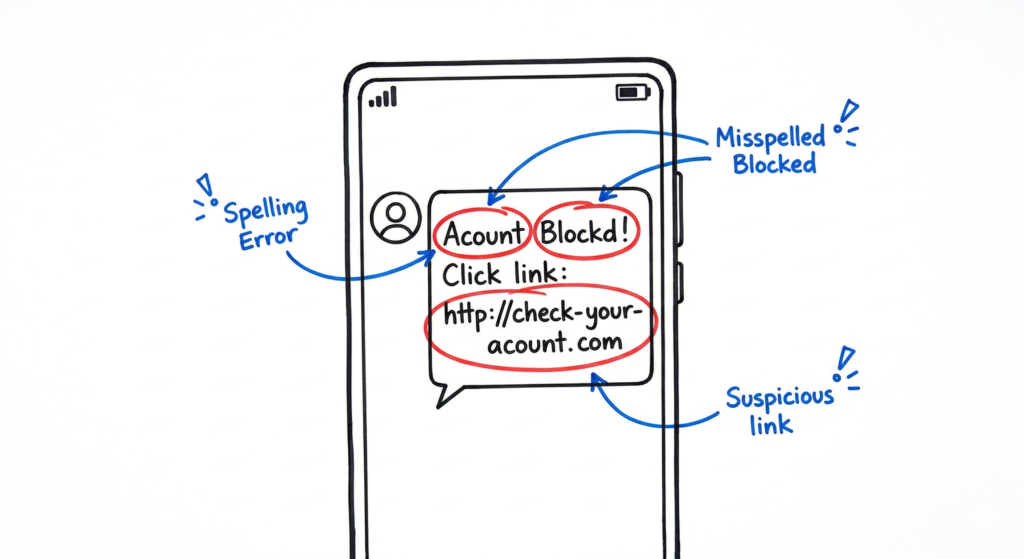
3. KYC Update Phishing
You receive an SMS: “Dear Customer, your SBI/HDFC KYC has expired. Your account will be blocked in 24 hours. Click here to update: bit.ly/fake-link.”
- Architecture: The link leads to a “Mirror Website” that looks exactly like your bank’s login page.
- How to Avoid: Banks never send clickable links for KYC. Always use the official mobile app.
4. Part-Time Task Scam (YouTube and Google Maps)
The Part-Time Task Scam is one of the fastest-growing Online Scams targeting students, job seekers, homemakers, and people looking for extra income. Fraudsters promise easy money for simple online tasks such as liking YouTube videos, reviewing hotels on Google Maps, subscribing to social media channels, or rating products.
To build trust, scammers initially pay small amounts, such as ₹100 or ₹200, after completing a few tasks. Once the victim believes the opportunity is genuine, they are told they must purchase a “VIP Membership,” “Premium Task Package,” or “Investment Plan” to unlock higher-paying assignments.
After the victim deposits money, the scammers continue demanding additional payments by claiming taxes, processing fees, account verification charges, or withdrawal fees. Eventually, communication stops, and the victim loses all invested money.
Real-Life Example
A victim joins a messaging group offering ₹50 for every YouTube video liked. After receiving ₹200 for completing a few tasks, the victim is convinced the job is legitimate. They invest ₹1,000 to unlock premium tasks. Over several days, they continue paying larger amounts in the hope of withdrawing their earnings and ultimately lose nearly ₹10 lakh before realizing it was a scam.
Warning Signs
- Promises of high income for very simple online tasks.
- Requests to pay registration fees or invest money before receiving work.
- Guaranteed returns with little or no effort.
- Communication only through messaging apps such as WhatsApp or Telegram.
- Pressure to recruit other people or upgrade to premium task levels.
How to Protect Yourself
- Never pay money to get a job or unlock higher-paying tasks.
- Research the company before accepting any online work.
- Be cautious of offers promising unusually high earnings for simple activities.
- Verify job opportunities through official company websites.
- Remember this simple rule: If you have to pay money to earn money, it is almost certainly a scam.
5. Electricity Bill Scam
The Electricity Bill Scam is a common Online Scam that creates panic by claiming your electricity connection will be disconnected due to an unpaid or overdue bill.
Victims typically receive an SMS or WhatsApp message stating that their electricity service will be disconnected within a few hours unless they immediately contact a provided “customer support” number.
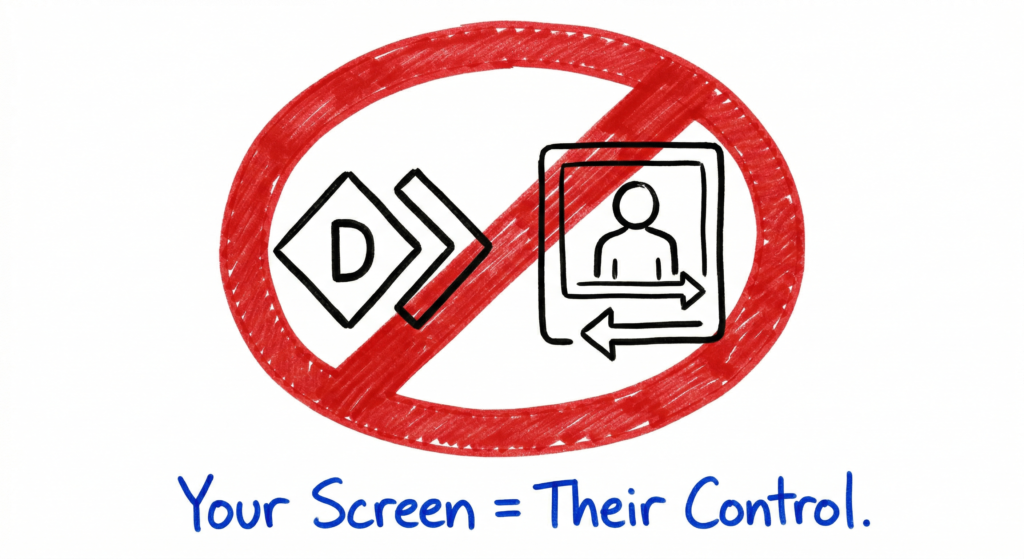
When the victim calls, the scammer pretends to be a representative from the electricity department and asks them to install a remote access application such as AnyDesk, TeamViewer, or another screen-sharing tool to “assist” with the payment process.
Once remote access is granted, the scammer can view the victim’s screen, capture banking credentials, observe OTPs, or trick the user into approving unauthorized transactions.
Warning Signs
- Messages threatening immediate electricity disconnection.
- Requests to call unofficial customer care numbers.
- Instructions to install remote access applications.
- Demands for urgent payment through unfamiliar methods.
How to Protect Yourself
- Pay electricity bills only through the official electricity board website, mobile application, or trusted payment platforms such as BBPS.
- Never install remote access software at the request of someone claiming to be customer support.
- Verify bill-related notifications through the official customer service number listed on your previous electricity bill.
6. UPI “Money Received” Scam
This Online Scam frequently targets people selling products on platforms such as OLX, Facebook Marketplace, and other online marketplaces.
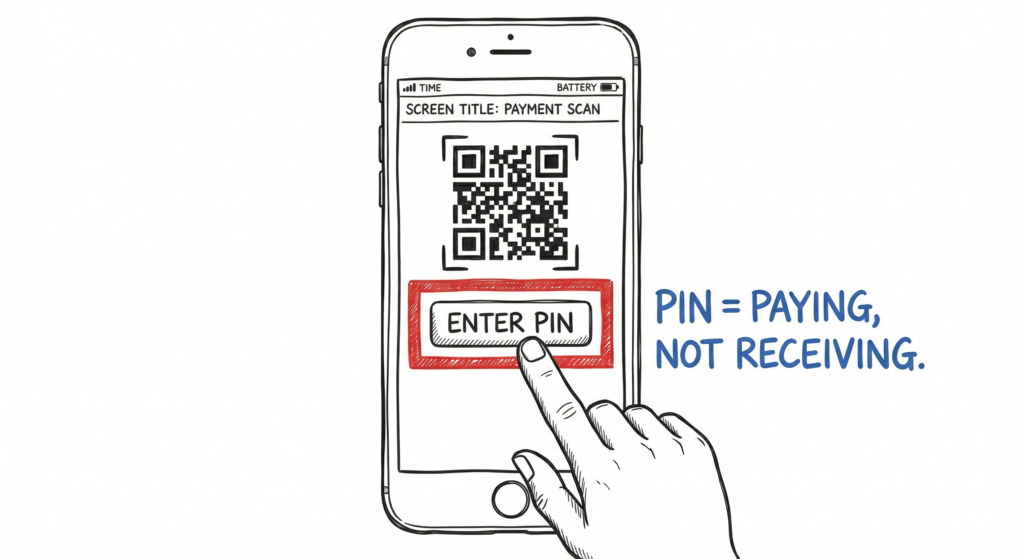
A scammer contacts the seller and agrees to purchase the item. Instead of sending money, they send a QR code and instruct the seller to scan it to “receive payment.”
Many victims believe scanning the QR code will credit money to their account. After scanning the code, they are asked to enter their UPI PIN, unknowingly authorizing a payment to the scammer.
Technical Explanation
Scanning a QR code and entering your UPI PIN authorizes sending money, not receiving it. You never need to enter your UPI PIN to receive a payment.
How to Protect Yourself
- Never scan a QR code to receive money.
- Never enter your UPI PIN when someone claims they are sending you money.
- Verify payment notifications directly through your banking or UPI application before handing over any product.
7. Investment and Trading Scam (Fake Apps)
Investment scams have become one of the fastest-growing Online Scams. Fraudsters create WhatsApp or Telegram groups where fake investment experts claim to provide guaranteed stock market profits, cryptocurrency returns, or exclusive trading opportunities.
Victims are encouraged to download fake trading applications that display fabricated profits and account balances. Everything appears legitimate until the victim attempts to withdraw funds. At that point, scammers demand additional payments for taxes, processing charges, account verification, or withdrawal fees.
In many cases, these fake applications are distributed outside official app stores to avoid security reviews and malware detection.
Warning Signs
- Guaranteed investment returns with little or no risk.
- Pressure to invest immediately.
- Requests to install applications from unofficial websites.
- Withdrawal requests requiring additional payments.
- Investment advice shared only through messaging groups.
How to Protect Yourself
- Invest only through SEBI-registered brokers and licensed financial institutions.
- Download trading applications only from official app stores.
- Verify investment platforms before transferring money.
- Be cautious of anyone promising guaranteed or unusually high returns.
- Never pay withdrawal fees or taxes before receiving your investment proceeds.
8. Parcel and Courier Scam (FedEx Impersonation)
The Parcel and Courier Scam is one of the fastest-growing Online Scams targeting people across India. Victims receive a phone call claiming that a parcel sent in their name to another country, such as Cambodia or Taiwan, has been seized because it allegedly contains illegal items like drugs, fake passports, or prohibited goods.
The caller pretends to be from a courier company and then offers to transfer the call to a fake police officer or government official. This usually leads into a Digital Arrest Scam, where victims are threatened into transferring money.
Warning Signs
- Unexpected calls about international parcels you never shipped.
- Claims involving drugs, passports, or money laundering.
- Pressure to stay on the call or speak with the “police.”
- Demands for immediate payment or identity verification.
How to Protect Yourself
- Disconnect the call immediately.
- Verify your shipment using the official courier website and your tracking number.
- Never share banking information or Aadhaar details over the phone.
9. Romance and Honeytrap Scam
Romance scams remain one of the most emotionally manipulative Online Scams. Fraudsters create fake social media profiles using stolen photographs or AI-generated images and gradually build trust with victims over weeks or months.
Eventually, they claim to be travelling to India with expensive gifts but are stopped at customs. The victim is then asked to pay customs charges, airport fees, or emergency expenses.
Who Is Targeted?
- People seeking online relationships.
- Senior citizens.
- Individuals living alone.
How to Protect Yourself
- Never send money to someone you have never met in person.
- Verify identities through trusted sources.
- Be cautious if conversations quickly become emotional or financial.
10. Customer Care Spoofing Scam
Customer Care Spoofing is another common Online Scam. Fraudsters create fake customer support websites or purchase online advertisements displaying fraudulent customer care numbers.
When victims call these numbers, scammers request booking details, banking information, OTPs, or payment credentials under the pretext of processing refunds or resolving complaints.
How to Protect Yourself
- Contact companies only through the official Contact Us page on their website or mobile application.
- Never share OTPs or banking credentials with customer support agents.
11. Fake Loan App Scam
Fake loan applications are increasingly used in Online Scams targeting people looking for instant personal loans. These applications promise quick approval with minimal documentation but secretly collect sensitive personal information.
After installation, many fake apps request excessive permissions, including access to contacts, photos, SMS messages, and call logs. Fraudsters later use this data to threaten, blackmail, or harass victims into paying far more than the original loan amount.
How to Protect Yourself
- Download financial applications only from trusted sources.
- Verify whether the lender is registered with the Reserve Bank of India (RBI).
- Review app permissions before installation.
12. Sextortion Scam
Sextortion is one of the most harmful Online Scams affecting internet users today. Victims receive video calls from unknown individuals who engage in explicit behavior while secretly recording the interaction.
The scammers later threaten to share the recording with the victim’s family, friends, or employer unless money is paid immediately.
How to Protect Yourself
- Never accept video calls from unknown contacts.
- Block and report suspicious accounts immediately.
- Cover your front-facing camera when it is not in use if you have privacy concerns.
- Never pay blackmail demands.
13. Screen Sharing Fraud
Screen Sharing Fraud is an Online Scam where criminals impersonate technical support representatives, bank employees, or service providers. They persuade victims to install remote access software such as AnyDesk, RustDesk, or TeamViewer.
Once connected, attackers can view everything displayed on the victim’s screen, including passwords, OTPs, banking applications, and confidential information.
How to Protect Yourself
- Never install remote access software at the request of an unknown caller.
- Never share your screen with someone claiming to be customer support.
- Disconnect the session immediately if you suspect suspicious activity.
14. SIM Swap Scam
The SIM Swap Scam is a sophisticated Online Scam that allows criminals to intercept banking OTPs and account verification messages.
Fraudsters use fake identity documents or social engineering techniques to obtain a replacement SIM card linked to the victim’s mobile number. Once activated, they receive all calls and SMS messages intended for the victim.
Warning Signs
- Your mobile network suddenly stops working.
- You stop receiving calls and SMS messages.
- Unexpected banking notifications appear.
How to Protect Yourself
- Contact your mobile service provider immediately if your SIM suddenly loses service.
- Inform your bank and temporarily freeze online banking if you suspect SIM swapping.
15. QR Code Brushing Scam
QR Code Brushing is an emerging Online Scam where victims receive unsolicited parcels, promotional letters, or gifts containing QR codes that promise rewards, discounts, or free products.
Instead of claiming a reward, scanning the QR code may redirect users to malicious websites, phishing pages, or fraudulent applications designed to steal sensitive information or install malware.
How to Protect Yourself
- Never scan QR codes received from unknown sources.
- Verify promotional offers through the company’s official website.
- Avoid downloading applications from untrusted links after scanning a QR code.
- Keep your smartphone and security software updated to protect against malicious downloads.
Real-World Enterprise Example: How Indian Banks Fight Online Scams
Behavioral Biometrics: How Banks Detect Online Scams
In 2026, major Indian banks such as ICICI Bank and HDFC Bank are strengthening their defenses against Online Scams by using behavioral biometrics. This advanced technology is becoming an essential part of modern banking security because Online Scams increasingly rely on stolen credentials, remote access attacks, and social engineering rather than direct attacks on banking systems.
Instead of relying only on passwords or OTPs, modern banking applications analyze how customers normally interact with their devices. This additional layer of security helps banks detect suspicious activity before money is transferred during Online Scams.
How It Works
When you log in to your banking application, the system continuously evaluates several behavioral patterns, including:
- Keystroke Dynamics: How quickly and naturally you type.
- Touch and Mouse Movement: The way you tap, swipe, or interact with the screen.
- Device Position: The angle and orientation at which you normally hold your smartphone.
- Usage Patterns: Your regular login time, device information, and transaction history.
AI-Based Fraud Detection
If a cybercriminal gains remote access to your device using applications such as AnyDesk or TeamViewer, your interaction patterns immediately change. The bank’s AI-powered fraud detection system identifies these unusual behaviors as anomalies. When suspicious activity is detected, the transaction may be blocked automatically, additional authentication may be requested, or the customer may receive a fraud alert.
Behavioral biometrics provide an additional layer of protection against Online Scams because they verify not only what you know, such as passwords or PINs, but also how you normally use your device. This advanced security approach helps financial institutions detect account takeovers early and significantly reduce the success rate of Online Scams.
Best Practices: The 2026 Security Checklist
Protecting yourself from Online Scams requires awareness, secure habits, and quick action. Following these best practices can significantly reduce your risk of becoming a victim of Online Scams.
Follow the 3-Second Rule
Before clicking any link received through SMS, email, WhatsApp, or social media, pause for three seconds and inspect it carefully. Look for spelling mistakes, suspicious domain names, and shortened URLs. For example, sbi-bank.net is not the official sbi.co.in website. This simple habit can prevent many Online Scams.
Use Strong Multi-Factor Authentication
Whenever possible, use authentication applications such as Google Authenticator or Microsoft Authenticator instead of relying only on SMS-based OTPs. App-based authentication provides stronger protection against SIM swap attacks and reduces the risk associated with Online Scams.
Enable Banking Security Features
Many Indian banks now allow customers to freeze digital transactions, temporarily block debit or credit cards, and disable internet banking directly from their mobile applications. Enabling these security features provides an extra layer of defense against Online Scams.
Report Fraud Immediately
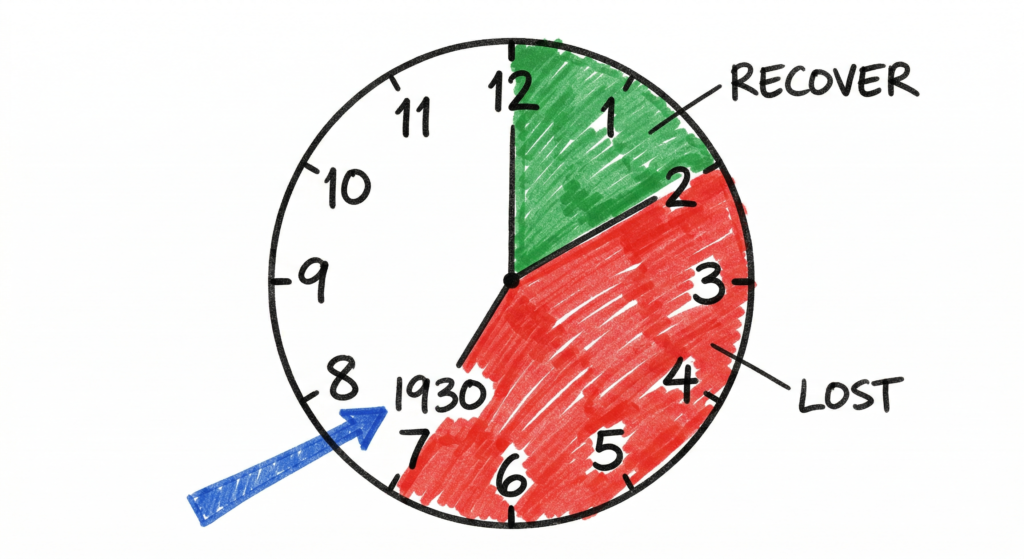
If you believe you have become a victim of Online Scams, act immediately. Contact your bank without delay and report the incident through the National Cybercrime Helpline (1930) or the National Cyber Crime Reporting Portal. Reporting fraud within the first few hours greatly improves the chances of freezing fraudulent transactions before the money is withdrawn.
Stay Alert and Verify Everything
Most Online Scams succeed because attackers create fear, urgency, or excitement. Always verify unexpected calls, messages, QR codes, payment requests, and customer support numbers before taking any action. A few moments of verification can prevent significant financial loss.
By following these practical security measures, you can greatly reduce your chances of becoming a victim of Online Scams, protect your personal information, and keep your financial accounts secure.
Common Mistakes to Avoid
Even security-aware users can become victims of Online Scams if they overlook basic precautions. Understanding these common mistakes can help you avoid many types of Online Scams and protect your personal and financial information.
Trusting Caller ID Alone
One of the most common Online Scams involves caller ID spoofing. Scammers manipulate caller identification systems to make their phone number appear as a bank, government department, police station, courier company, or other trusted organization.
Even if the caller ID looks legitimate, never rely on it alone. Always verify the caller through the organization’s official website or customer support number before sharing personal or banking information.
Storing Passwords in Notes Apps
Saving passwords, banking PINs, OTPs, or other sensitive information in your phone’s Notes application can increase your risk if your device is lost or compromised. Many Online Scams begin after attackers gain access to stored credentials.
Instead, use a trusted password manager protected by strong authentication.
Using Public Wi-Fi for Banking
Public Wi-Fi networks are not always secure and may expose sensitive information to attackers. Avoid accessing internet banking, UPI applications, or making financial transactions while connected to public Wi-Fi. Using mobile data or a trusted VPN connection significantly reduces the risk of Online Scams targeting unsecured networks.
Future Trends: What to Expect Beyond 2026
Cybercriminals continue to adopt emerging technologies, making Online Scams more sophisticated every year.
Agentic AI Scams
The next generation of Online Scams will increasingly use Agentic AI, where AI-powered systems can hold realistic conversations, answer questions naturally, and adapt their responses based on the victim’s behavior. These intelligent bots may become difficult to distinguish from legitimate customer support representatives or trusted individuals.
Cryptojacking Attacks
Cryptojacking is another emerging threat associated with modern Online Scams. Malicious software secretly uses a victim’s smartphone, laptop, or computer to mine cryptocurrency without permission. This often results in slow performance, excessive battery drain, overheating, and higher resource consumption.
Cybersecurity Interview Questions: Online Scams
Q1: What is a Mule Account, and why is it important in cybercrime?
Answer: A mule account is a legitimate bank account that criminals use to receive, transfer, or withdraw money obtained through fraudulent activities. By moving stolen funds through multiple mule accounts, attackers make it much harder for investigators to trace the money back to the individuals responsible for Online Scams.
Q2: What is a Man-in-the-Middle (MITM) attack?
Answer: A Man-in-the-Middle (MITM) attack occurs when an attacker secretly intercepts communication between two parties. In financial systems, attackers may attempt to capture or manipulate information exchanged between a user and an online service. Modern banking applications use encryption, authentication, and secure communication protocols to reduce the risk of Online Scams involving MITM attacks.
Frequently Asked Questions
Can I recover money lost in an Online Scam?
Yes. If you become a victim of Online Scams, immediately contact your bank and report the incident by calling the National Cybercrime Helpline (1930) or submitting a complaint through the National Cyber Crime Reporting Portal. Reporting the incident quickly improves the chances of freezing fraudulent transactions before the funds are withdrawn.
Is biometric login safe for banking applications?
Yes. Fingerprint and facial recognition provide stronger protection than passwords alone when combined with an updated operating system, secure device settings, and multi-factor authentication. These technologies also help reduce the risk of Online Scams involving stolen credentials.
How can I identify a fake loan application?
Always verify that the lender is registered with the Reserve Bank of India (RBI) or operates through a regulated financial institution. Download applications only from official app stores, review developer information, and verify permissions before installation. Taking these precautions helps prevent many Online Scams involving fake financial applications.
Conclusion
The nature of Online Scams continues to evolve as cybercriminals adopt artificial intelligence, social engineering, and other advanced techniques to target individuals and organizations. Instead of attacking banking systems directly, many Online Scams succeed by manipulating people into revealing sensitive information or authorizing fraudulent transactions.
Staying informed is one of your strongest defenses against Online Scams. By recognizing common scam techniques, verifying unexpected requests, protecting your personal information, and following safe online practices, you can significantly reduce your chances of becoming a victim of Online Scams.
Remember to think before you click, verify before you trust, and report suspicious activity immediately. Sharing awareness about Online Scams with your family, friends, and colleagues can help protect others and build a safer digital community.you trust, and report suspicious activity immediately. Sharing this knowledge with your family and friends can also help protect others from becoming victims of Online Scams.
Cybersecurity Basics
What Is Cybersecurity and Why It Is Important Today
https://technaga.com/what-is-cybersecurity-and-why-it-is-important-today/
Complete Network Security Basics Guide for Beginners 2026
https://technaga.com/what-is-networks-and-network-security-basics-2026/
Top 10 Cybersecurity Best Practices for 2026
https://technaga.com/top-10-cybersecurity-best-practices-2026/
Banking & Payment Security
9 Essential Ways to Stop UPI Fraud: Complete Guide 2026
https://technaga.com/upi-fraud-complete-guide-2026/
Password Security Guide 2026: 10 Essential Tips
https://technaga.com/password-security-guide-2026/
Multi-Factor Authentication (MFA): Critical Guide to Secure Your Systems (2026)
https://technaga.com/multi-factor-authentication-mfa-guide-2026/
Identity and Access Management in 2026
https://technaga.com/identity-and-access-management-cloud-security-2026/
Social Engineering & Phishing
How to Identify Phishing Attacks in 2026 (Complete Guide)
https://technaga.com/how-to-identify-phishing-attacks-in-2026/
Essential Steps: Hacked Android, iPhone Guide 2026
https://technaga.com/android-iphone-mobile-hack-remediation/
Enterprise Security
Critical API Security Risks
https://technaga.com/api-security-cloud-risks-best-practices-2026/
Zero Trust Security in 2026
https://technaga.com/zero-trust-security-2026-guide/
Security Information and Event Management (SIEM) Guide
https://technaga.com/security-information-and-event-management-2026/
Cloud Security Basics 2026
https://technaga.com/cloud-security-basics-2026/
AI Security
Preventing Agentic AI Cyber Attacks in 2026
https://technaga.com/preventing-agentic-ai-cyber-attacks-2026/
External Links
Government & Banking
National Cyber Crime Reporting Portal
https://cybercrime.gov.in/
National Cybercrime Helpline (1930)
https://cybercrime.gov.in/Webform/Helpline.aspx
Reserve Bank of India (RBI)
https://www.rbi.org.in/
RBI Sachet Portal (Financial Fraud Awareness)
https://sachet.rbi.org.in/
National Payments Corporation of India (NPCI)
https://www.npci.org.in/
UPI Official Information
https://www.npci.org.in/what-we-do/upi/product-overview
CERT-In
https://www.cert-in.org.in/
Security Awareness
Google Safety Center
https://safety.google/
Microsoft Security
https://www.microsoft.com/security
OWASP
https://owasp.org/
AI & Scam Awareness
Google Scam Protection
https://safety.google/security/
Meta Privacy & Safety
https://about.fb.com/safety/








Expliciete webplatform biedt een reeks video’s voor adult entertainment.
Kies voor betrouwbare platforms voor een veilige ervaring.