If you think your iPhone is hacked or your Android phone has been compromised, it’s important to identify the warning signs quickly. A hacked smartphone can expose your personal data, banking information, passwords, photos, and social media accounts to cybercriminals.
In this guide, you’ll learn how to know if your phone is hacked, the most common signs of a compromised device, and the steps you can take to remove malware, secure your smartphone, and prevent future attacks. Whether you use an Android device or an iPhone, these practical security tips will help you protect your privacy and keep your data safe.
How to Know If Your Phone Is Hacked and What a Mobile Hack Means
A mobile hack occurs when cybercriminals gain unauthorized access to your smartphone, its operating system, apps, or personal data. If your iPhone is hacked or your Android device is compromised, attackers may steal sensitive information, monitor your online activity, install malicious apps, or gain access to your accounts without your knowledge.
Modern mobile attacks include phishing, malicious apps, spyware, zero-click exploits, and unsafe app sideloading. Once a device is compromised, attackers may be able to access contacts, messages, photos, emails, passwords, location data, banking information, and other sensitive files, depending on the level of access they obtain.
If you notice unusual battery drain, unexpected pop-ups, unknown apps, excessive data usage, or unauthorized account activity, your smartphone may have been compromised. iPhone users and Android users should recognize these warning signs and take immediate action to secure their devices and prevent further damage.
12 Critical Signs Your Android or iPhone is Hacked
Recognizing whether your iPhone is hacked or your Android device has been compromised requires looking beyond simple battery drain. Modern mobile malware is designed to remain hidden by disguising itself as legitimate system processes or trusted applications. Knowing the warning signs can help you detect a security breach before it causes serious damage.
1. Rapid Battery Drain and Overheating
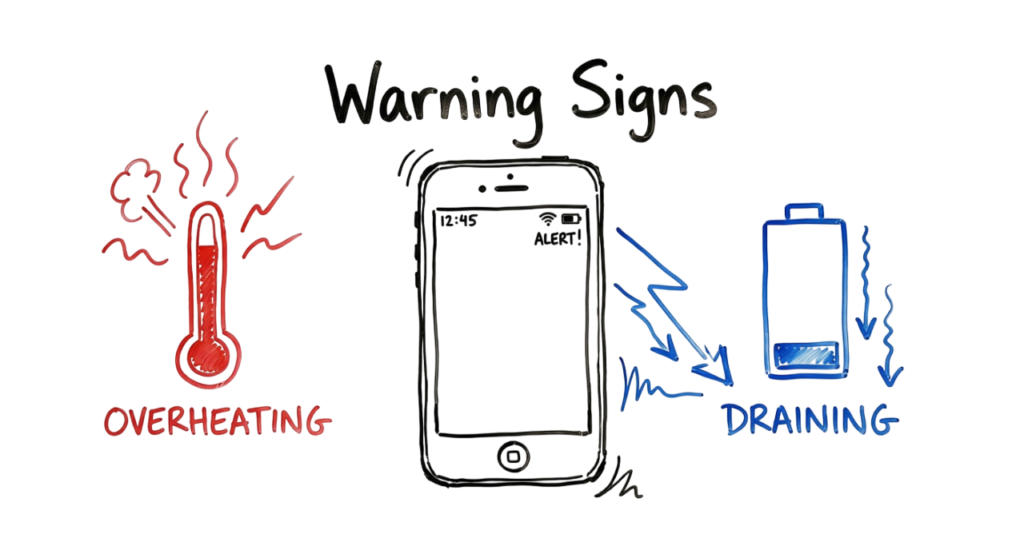
A sudden drop in battery life is one of the most common signs of a compromised smartphone. Malware running in the background can continuously consume CPU resources by stealing data, tracking your location, displaying hidden advertisements, or communicating with remote servers. As a result, your device may become unusually warm even when you are not actively using it. If your phone frequently overheats while idle, it could indicate unauthorized background activity.
2. Unusual Mobile Data Usage
Many types of malware communicate with Command and Control (C2) servers to receive instructions or transmit stolen information. Check your phone’s Data Usage settings regularly. If you notice unusually high background data consumption, especially during hours when you are not using your device, it may indicate that malicious software is sending sensitive information such as contacts, photos, messages, or other personal data to remote servers.
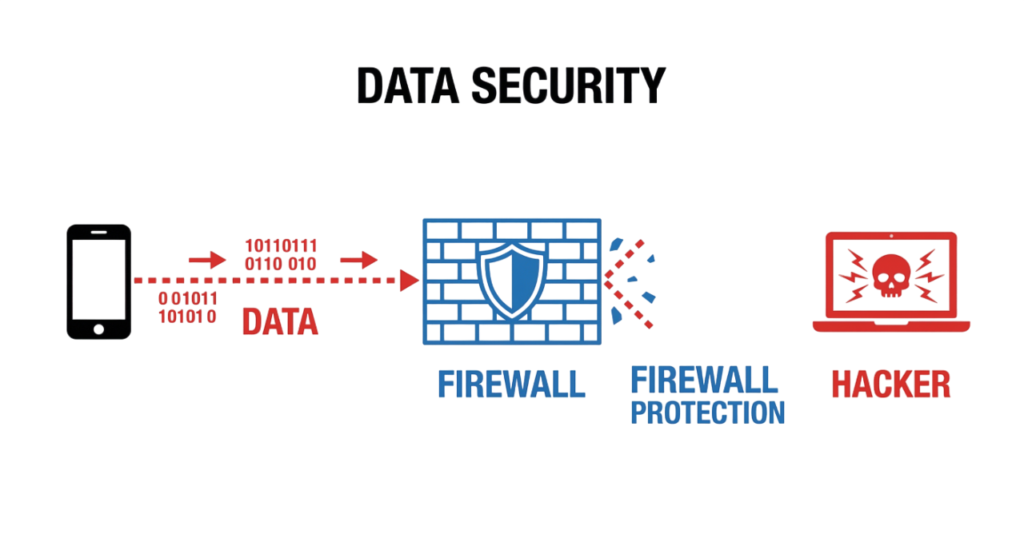
Keeping your iPhone or Android device updated with the latest security patches is one of the most effective ways to protect against newly discovered vulnerabilities and mobile threats.
Strange “Live Updates” and Notification Cooldowns
One way to know if your phone is hacked is by watching for unusual Live Updates or unexpected notification behavior. Modern Android and iPhone devices include features that manage notifications intelligently, so repeated glitches or unexplained alerts may indicate suspicious activity.
If you are wondering how to know if your phone is hacked, pay attention to apps showing Live Updates even when you have not opened them. Unexpected notification cooldowns, fake system alerts, or persistent background notifications can be warning signs that malicious software is attempting to hide its activity.
These are also common signs your phone is hacked. If you notice these symptoms on an Android hacked device or suspect your iPhone hacked, review your installed apps, check notification permissions, update your operating system, and run a trusted mobile security scan. Monitoring these unusual behaviors is an important part of maintaining strong mobile security.
The Hidden Architecture of Mobile Exploits on Android and iPhone
If you want to know if your phone is hacked, it is important to understand how modern mobile attacks work. Learning how to know if your phone is hacked starts with understanding the security architecture behind Android and iPhone devices.
Modern mobile security is built around two different approaches. Apple’s iPhone follows a closed ecosystem, often called a “walled garden,” where apps must meet strict security requirements before they are available through the App Store. Android follows a more open ecosystem, giving users greater flexibility to install applications from multiple sources, but also increasing the risk of malicious software if proper security precautions are not followed.
Whether your Android hacked device was compromised through a malicious app or you suspect your iPhone hacked after clicking a suspicious link, understanding these architectural differences helps explain how attackers target mobile devices. Recognizing these attack methods is one of the first steps in improving mobile security and identifying the signs your phone is hacked before serious damage occurs.

Kernel-Level vs. User-Space Attacks
Understanding the difference between user-space and kernel-level attacks can help you know if your phone is hacked and why some mobile threats are much harder to detect.
User-Space Attacks
Most mobile malware operates in user space, where it disguises itself as a legitimate application such as a utility, cleaner, flashlight, or document scanner. After installation, it requests permissions like Accessibility Services, Notification Access, or Screen Overlay to monitor user activity, capture sensitive information, or perform unauthorized actions.
If you notice unexpected permission requests, unfamiliar apps, or unusual device behavior, these may be signs your phone is hacked. Reviewing app permissions regularly is an important step in maintaining mobile security.
Kernel-Level Attacks
Kernel-level attacks are far more advanced and target the core operating system instead of individual applications. By exploiting vulnerabilities in the operating system or device firmware, attackers attempt to gain root privileges on Android or system-level access on iPhone, allowing malicious software to bypass many traditional security protections.
Although these attacks are uncommon, they can be difficult to detect because the malware operates with elevated privileges. If you suspect an Android hacked device or believe your iPhone hacked despite having trusted security software installed, a kernel-level compromise may require a complete device reset or professional forensic analysis.
Understanding the difference between user-space and kernel-level attacks helps you know if your phone is hacked, recognize suspicious activity earlier, and strengthen your overall mobile security.
Examine the settings on your iPhone to confirm no unauthorized apps have been installed.
NPU Sandboxing Vulnerabilities
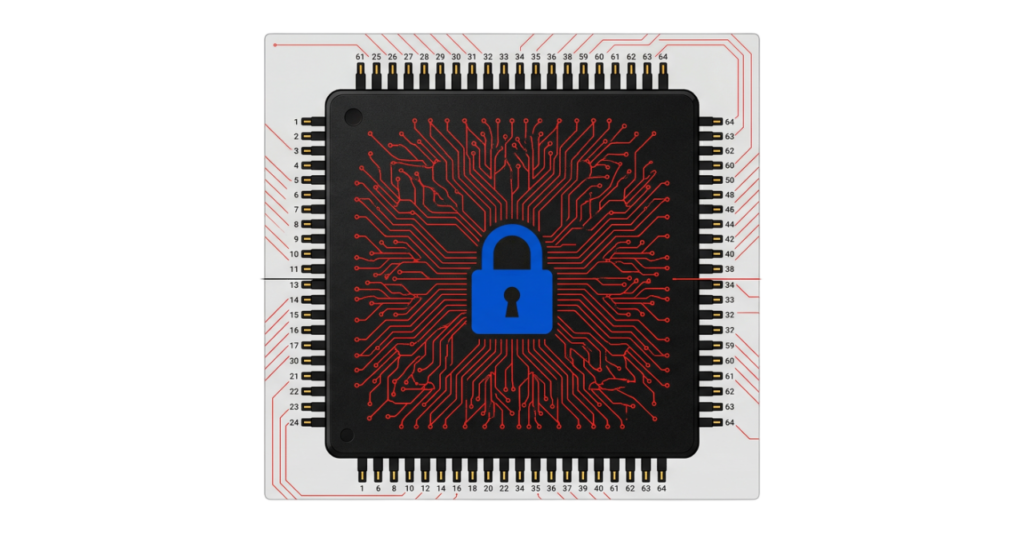
Modern smartphones increasingly use a Neural Processing Unit (NPU) to perform artificial intelligence tasks directly on the device. Features such as facial recognition, voice assistants, image enhancement, and real-time language translation rely on the NPU to improve performance while reducing dependence on cloud processing.
As AI capabilities continue to evolve, security researchers are also studying new attack methods that target AI systems. In theory, attackers could attempt to exploit weaknesses in AI models or the software controlling the NPU to interfere with security features such as biometric authentication.
Although these attacks are highly sophisticated and not commonly seen in everyday mobile threats, they highlight the importance of keeping your device updated with the latest operating system and security patches. Mobile operating system vendors continuously improve AI security, strengthen sandboxing mechanisms, and release updates to address newly discovered vulnerabilities.
As mobile AI technology advances, protecting both the operating system and the hardware responsible for AI processing will remain an important part of overall smartphone security.

How to Run a Professional Security Audit on Android and iPhone
If your Android or iPhone starts behaving unusually, do not panic or immediately perform a factory reset. Unexpected pop-ups, unfamiliar settings changes, excessive battery drain, or suspicious app activity may indicate a security issue, but they do not always mean your device has been hacked.
Instead, perform a systematic security audit to identify the source of the problem. A structured inspection helps you determine whether the issue is caused by malicious software, an unauthorized application, incorrect settings, or a legitimate system process. Identifying the root cause not only helps remove the threat but also reduces the chances of the same attack occurring again.
The following security checks will help you inspect your device, identify suspicious activity, and determine whether additional remediation steps are necessary.
Check for Unauthorized Device Administrators
One of the first signs your phone is hacked is the presence of unknown administrator profiles or device management settings.
For Android:
Go to Settings > Security > Device Admin Apps (the exact path may vary depending on your device manufacturer).
For iPhone:
Go to Settings > General > VPN & Device Management.
If you find an unknown device management profile, enterprise certificate, or administrator app that you did not install, your Android or iPhone may have been compromised. Remove any suspicious profiles immediately unless they were installed by your employer or school.
Check Microphone and Camera Permissions
Another way to determine how to know if your phone is hacked is by reviewing camera and microphone activity. Both Android and iPhone display privacy indicators whenever an app accesses these sensitive features.
If the microphone or camera indicator appears when you are not using an application, review your Privacy Dashboard (Android) or Privacy & Security settings (iPhone) to identify which app recently accessed your hardware. Unexpected access may indicate spyware or another malicious application running in the background.
Regularly reviewing app permissions, installed profiles, and privacy settings can help you detect suspicious activity early and improve your overall mobile security.

Analyzing Process Exports
Perform an Advanced Security Check (Android)
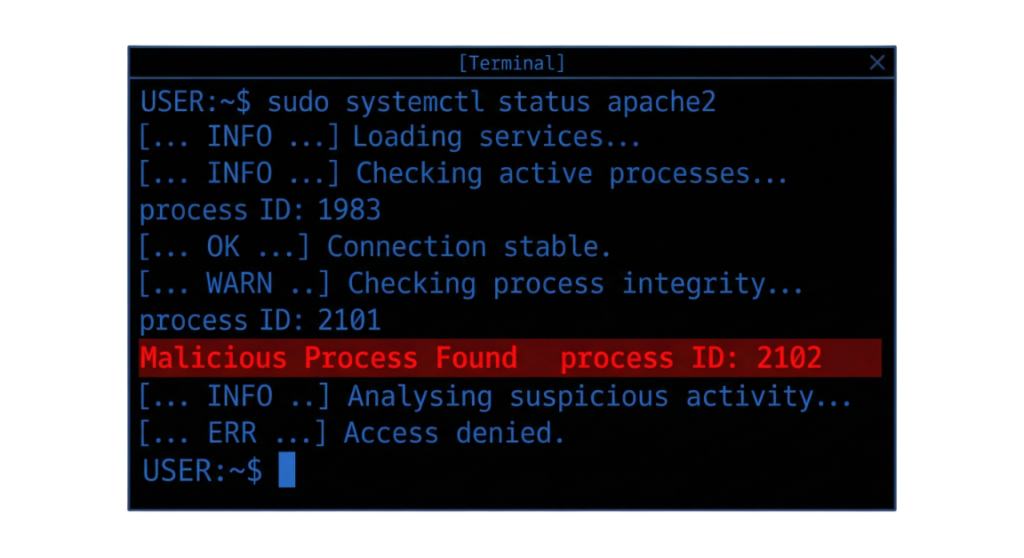
If you’re still unsure how to know if your phone is hacked, you can perform a more advanced inspection using Android Debug Bridge (ADB). ADB is a command-line tool that allows developers and security professionals to examine connected Android devices, including installed applications, running services, and system logs.
Using ADB, you can review installed packages, active processes, and system activity to identify unknown or suspicious applications. While this method requires technical knowledge, it can help detect malware or unauthorized software that may not be visible through the standard Android interface.
For most users, reviewing installed apps, device administrator settings, app permissions, and security updates is sufficient. However, security professionals and enterprise administrators often use ADB as part of a detailed forensic analysis when investigating whether an Android device has been hacked or compromised.
Note: ADB is available only for Android devices. iPhone users can review installed profiles, app permissions, and security settings, but iOS does not provide an equivalent tool for inspecting running system processes.
Enterprise-Level Recovery Steps for Android and iPhone
If your security checks confirm that your Android or iPhone is hacked, act quickly to prevent further data loss and unauthorized access. Follow these recommended steps to secure your device and protect your personal information.
Step 1: Disconnect Your Phone from the Internet
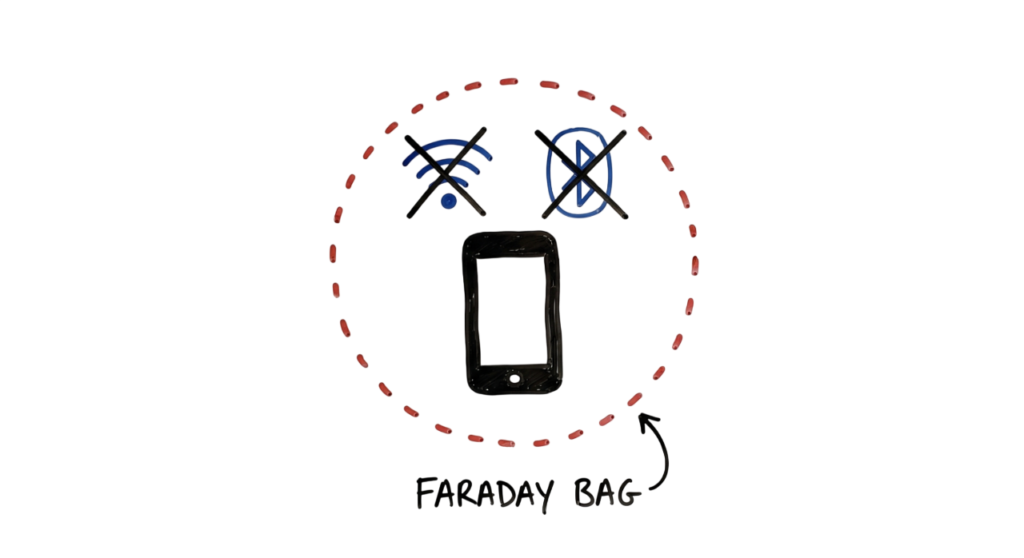
The first step is to isolate your device from the internet. Enable Airplane Mode and turn off Wi-Fi, Bluetooth, and mobile data. This helps stop malicious apps from communicating with remote Command and Control (C2) servers, reducing the risk of additional data theft or unauthorized remote access.
Avoid reconnecting your device to the internet until you have completed the remaining security checks. If you suspect sensitive information has already been compromised, use another trusted device to change your passwords and enable multi-factor authentication (MFA) on your important accounts.
Temporarily disconnecting your phone gives you time to investigate the issue and begin the recovery process before the attacker can cause further damage.
Step 2: Remove Apps Installed from Unknown Sources
If you’re learning how to know if your phone is hacked, checking for apps installed from untrusted sources is an important step. Cybercriminals often distribute malware through unofficial app stores, fake download websites, and malicious APK files.
For Android:
- Open Settings > Apps > Special App Access > Install Unknown Apps (the menu may vary depending on your device).
- Review which apps have permission to install applications.
- Disable Install Unknown Apps for any browser or app that does not require this permission.
- Uninstall any applications that were downloaded from unofficial sources or that you do not recognize.
For iPhone:
Review Settings > General > VPN & Device Management and remove any unknown configuration profiles or enterprise certificates that you did not intentionally install. Also, delete any suspicious apps that were installed outside your normal usage.
Downloading apps only from the Google Play Store or the Apple App Store significantly reduces the risk of malware infections. Regularly reviewing installed apps and removing unused or suspicious applications is an effective way to improve your mobile security and protect your personal data.

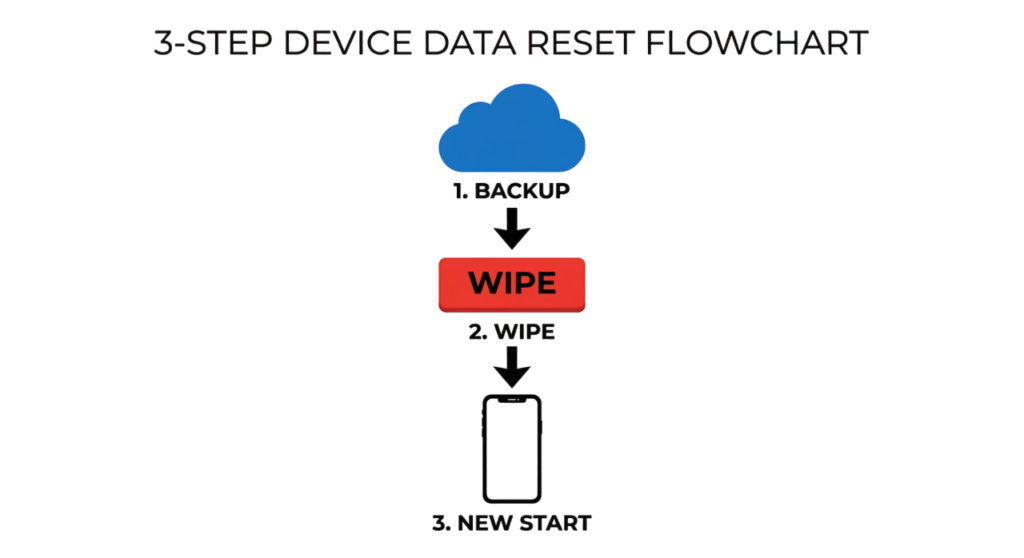
Step 3: Perform a Factory Reset (Last Resort)
If you still suspect your iPhone is hacked or your Android device remains compromised after removing suspicious apps, a factory reset may be the most effective way to remove persistent malware and restore your device to its original state.
Before resetting your phone, back up only your essential personal data, such as photos, videos, contacts, and important documents. Avoid restoring unknown applications, configuration profiles, or unnecessary system settings, as they could reintroduce the same security issue after the reset.
After completing the factory reset, immediately install the latest operating system updates and security patches available for your device. Once your phone is fully updated, reinstall apps only from the Google Play Store or the Apple App Store. Finally, change the passwords for important accounts such as your email, banking apps, cloud storage, and social media accounts to help secure your personal information.
Performing a factory reset should be considered a last resort, but it is often the most effective solution when you are unsure how to know if your phone is hacked or when malware continues to affect your device after other troubleshooting steps.
Real-World Enterprise Example: The “Tech Naga” Breach Simulation
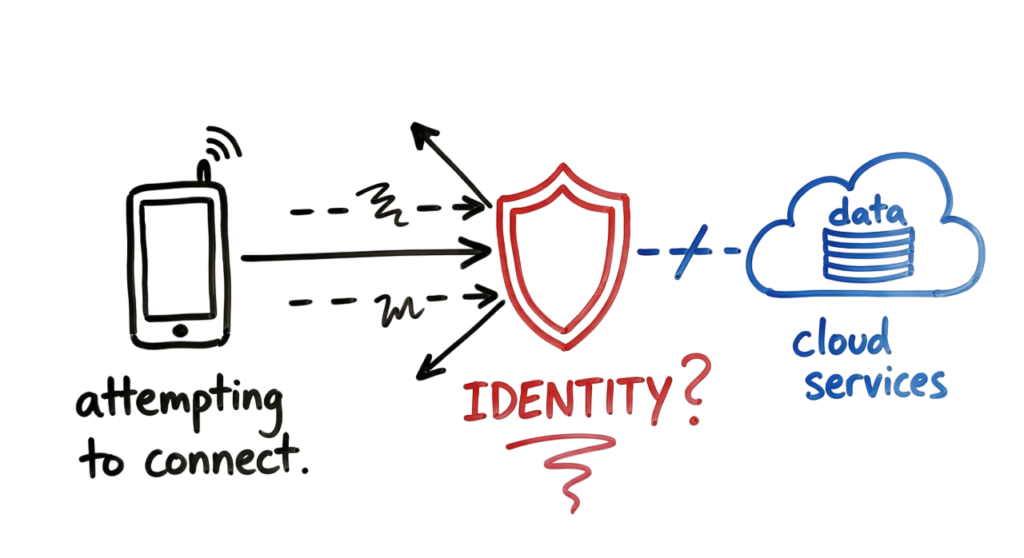
Let’s look at a 2026 enterprise scenario. A high-level executive at a global tech firm had their device compromised. The attacker used a Zero-Trust bypass.
- Real-World Example: Responding to a Hacked Mobile Device
- A company executive unknowingly installed a malicious application from an unofficial app source after receiving a fake software update notification. The malware attempted to steal sensitive business data and establish communication with a remote Command and Control (C2) server.
- The organization’s security team detected suspicious network activity through its Mobile Device Management (MDM) solution and network security monitoring tools. Security alerts showed that the compromised device was attempting to communicate with a known malicious IP address, indicating a possible malware infection.
- To contain the threat, the security team immediately blocked the malicious connection, remotely isolated the device using the organization’s MDM platform, and performed a remote wipe to remove sensitive corporate data. Before allowing the user to reconnect to company resources, the device was reset, updated with the latest security patches, and verified to comply with the organization’s security policies.
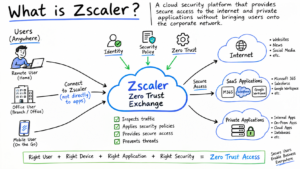
- This example highlights why organizations should use mobile security, Mobile Device Management (MDM), and Zero Trust security practices to protect Android and iPhone devices from cyber threats. Regular software updates, installing apps only from trusted sources, and monitoring devices for unusual activity can significantly reduce the risk of a successful mobile attack.
Frequently Asked Questions (FAQs)
Q1: How to know if your phone is hacked?
Answer: Common signs include unusual battery drain, excessive mobile data usage, unknown apps, frequent pop-ups, unexpected account activity, overheating, and changes to your phone’s settings. Running a security check and reviewing installed apps and permissions can help confirm whether your Android or iPhone has been compromised.
Q2: Can an iPhone be hacked without jailbreaking?
Answer: Yes. Although iPhones have strong built-in security, they can still be compromised through phishing attacks, malicious websites, fake apps, or previously unknown software vulnerabilities. Keeping iOS updated and installing apps only from the Apple App Store helps reduce the risk.
Q3: Can Android phones be hacked?
Answer: Yes. Android devices can be compromised through malicious apps, fake APK files, phishing messages, unsafe Wi-Fi networks, and software vulnerabilities. Downloading apps only from the Google Play Store and keeping Android updated are important security practices.
Q4: How can I tell if spyware is installed on my phone?
Answer: Spyware may cause unusual battery drain, increased data usage, slow performance, overheating, or unexpected microphone and camera activity. Review installed apps, app permissions, and device administrator settings for anything suspicious.
Q5: What should I do if my phone is hacked?
Answer: Disconnect your phone from the internet, uninstall suspicious apps, run a security scan, change your passwords using another trusted device, enable multi-factor authentication (MFA), and perform a factory reset if the problem persists.
Q6: Can a factory reset remove malware?
Answer: In most cases, yes. A factory reset removes installed apps, settings, and most types of malware. Before resetting your phone, back up only important personal files such as photos, contacts, and documents, and avoid restoring suspicious apps.
Q7: Can hackers access my banking apps?
Answer: If your phone is compromised, attackers may attempt to steal login credentials, intercept authentication codes, or monitor sensitive information. Contact your bank immediately if you suspect unauthorized access and change your passwords as soon as possible.
Q8: How can I protect my Android or iPhone from hackers?
Answer: Keep your device updated, install apps only from trusted app stores, enable multi-factor authentication, avoid clicking suspicious links, use strong passwords, and regularly review app permissions and security settings.
Q9: Can hackers access my phone through public Wi-Fi?
Answer: Public Wi-Fi networks can increase security risks if they are unsecured or malicious. Avoid accessing sensitive accounts on unknown networks, and use a trusted VPN when connecting to public Wi-Fi.
Q10: Is mobile antivirus software necessary?
Answer: Android users can benefit from reputable mobile security applications, especially when downloading many apps. iPhone users generally rely on Apple’s built-in security features, but should still practice safe browsing, install updates promptly, and avoid suspicious links or downloads.
Common Mistakes When Securing a Hacked Phone
Common Mistakes to Avoid After Your Phone Is Hacked
Even if your iPhone is hacked or your Android device has been compromised, avoiding these common mistakes can help protect your personal data and improve your mobile security.
1. Changing Passwords on the Compromised Device
If your phone is infected with spyware or a keylogger, changing your passwords directly on the compromised device may expose your new credentials to attackers. Instead, use a trusted computer or another secure device to update passwords for your email, banking, social media, and other important accounts.
2. Installing Unknown Antivirus Apps
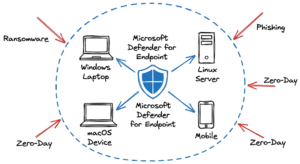
After an Android hacked incident or suspected malware infection, many users search for free antivirus apps. However, some fake security apps may collect personal data or display misleading alerts. Download security software only from trusted vendors such as Microsoft Defender, Bitdefender, Malwarebytes, or other well-known cybersecurity companies.
3. Ignoring SIM Card or Network Errors
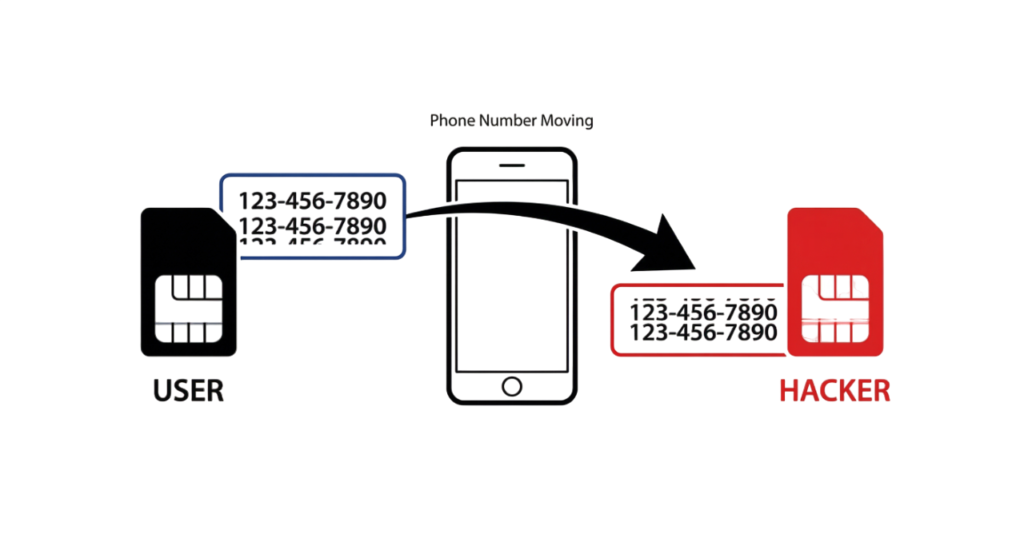
Unexpected messages such as “SIM Not Provisioned”, sudden loss of mobile service, or unexplained authentication failures could indicate a SIM swap attack. In this type of attack, cybercriminals transfer your phone number to another SIM card to intercept one-time passwords (OTPs) and bypass SMS-based authentication. Contact your mobile carrier immediately if you suspect unauthorized SIM activity.
Following these best practices can help you recover more safely if your iPhone is hacked or your Android device is compromised while strengthening your overall mobile security.
Best Practices to Protect Your Phone from Hackers
If you’ve learned how to know if your phone is hacked, the next step is preventing future attacks. Following these mobile security best practices can significantly reduce the risk of your Android or iPhone being compromised.
Use Passkeys Instead of Passwords
Whenever possible, use passkeys instead of traditional passwords or SMS-based verification codes. Passkeys use public-key cryptography and are securely stored on your device, making them highly resistant to phishing attacks and credential theft.
Use a Trusted VPN on Public Wi-Fi
When connecting to public Wi-Fi, use a reputable Virtual Private Network (VPN) to encrypt your internet traffic and protect your personal data. A VPN helps reduce the risk of eavesdropping and other network-based attacks on unsecured wireless networks.
Enable Advanced Device Security Features
If you are a journalist, business executive, government employee, or another high-risk user, consider enabling advanced security features such as Apple Lockdown Mode. These features restrict certain functions that attackers commonly exploit, providing an additional layer of protection against sophisticated cyber threats.
Keep Your Device Updated
Install the latest operating system and security updates as soon as they become available. Software updates often fix security vulnerabilities that attackers use to compromise Android and iPhone devices.
Download Apps Only from Trusted Sources
Install applications only from the Google Play Store or the Apple App Store. Avoid downloading apps from unknown websites or unofficial app stores, as they may contain malware or spyware.
Review App Permissions Regularly
Check which apps have access to your camera, microphone, location, contacts, and files. Remove unnecessary permissions and uninstall apps you no longer use to improve your mobile security and protect your personal information.
Future Trends in Mobile Security
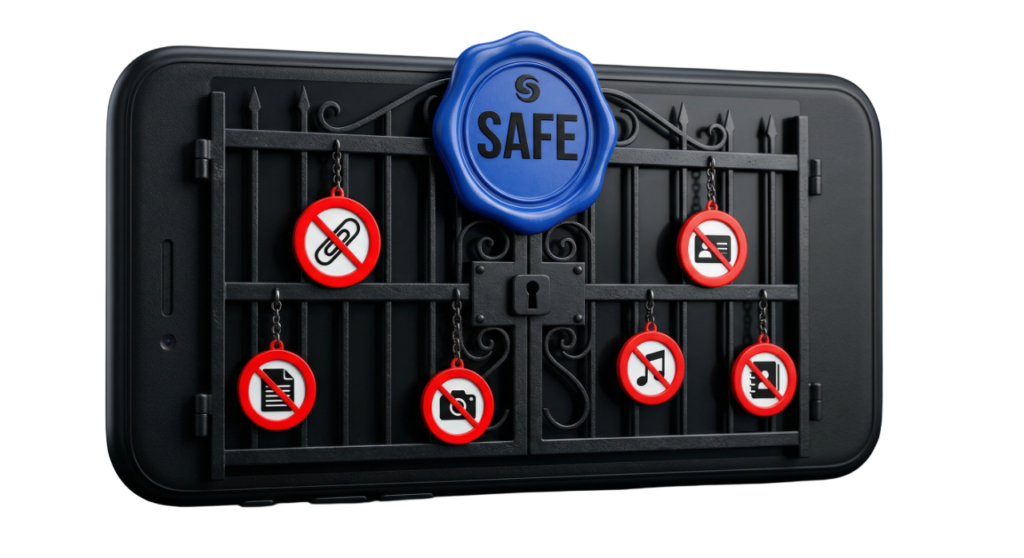
Mobile security continues to evolve as cyber threats become more sophisticated. While no one can predict every future development, several technologies are expected to play a major role in protecting Android and iPhone users over the next few years.
Post-Quantum Cryptography
As quantum computing advances, technology companies are preparing to adopt post-quantum cryptography (PQC) to protect sensitive data from future quantum attacks. New encryption algorithms are being standardized to secure smartphones, cloud services, and online communications against next-generation threats.
AI-Powered Threat Detection
Artificial intelligence is expected to play a larger role in mobile security by identifying unusual device behavior, detecting malware, and responding to threats more quickly. AI-based security features can help recognize suspicious applications and unauthorized activity before significant damage occurs.
Stronger Hardware Security
Modern smartphones continue to improve hardware-based security through technologies such as secure enclaves, trusted execution environments, and hardware-backed encryption. These features help protect passwords, biometric information, encryption keys, and other sensitive data from unauthorized access.
Better Privacy Controls
Both Android and iPhone continue to introduce stronger privacy features, giving users more control over app permissions, camera access, microphone access, location sharing, and background activity. Regularly reviewing these privacy settings is an important part of protecting your personal information.
As cyber threats continue to evolve, keeping your device updated, using strong authentication methods such as passkeys, and following mobile security best practices will remain the most effective ways to protect your smartphone from future attacks.

Mobile Security Interview Questions
1. What is a mobile hack?
A mobile hack is unauthorized access to a smartphone, its operating system, applications, or personal data. Attackers may use malware, phishing attacks, spyware, or software vulnerabilities to compromise a device.
2. How do you know if your phone is hacked?
Common signs include rapid battery drain, unusual data usage, unknown apps, unexpected pop-ups, overheating, unauthorized account activity, and changes to your device settings.
3. What are the most common ways hackers compromise smartphones?
Hackers commonly use phishing messages, malicious apps, fake websites, unsafe public Wi-Fi networks, spyware, and software vulnerabilities to gain unauthorized access to mobile devices.
4. What should you do if your Android or iPhone is hacked?
Disconnect the device from the internet, remove suspicious apps, change your passwords using another trusted device, enable multi-factor authentication (MFA), and perform a factory reset if necessary.
5. What is spyware?
Spyware is malicious software that secretly monitors user activity and may collect personal information such as passwords, messages, location data, browsing history, and financial information.
6. What is Mobile Device Management (MDM)?
Mobile Device Management (MDM) is a security solution that allows organizations to manage, monitor, secure, and remotely wipe smartphones, tablets, and other mobile devices.
7. Why are software updates important for mobile security?
Software updates fix security vulnerabilities, improve device stability, and protect smartphones from newly discovered cyber threats and malware.
8. What is phishing on mobile devices?
Mobile phishing is a cyberattack where attackers trick users into revealing passwords, banking details, or other sensitive information through fake emails, SMS messages (smishing), phone calls (vishing), or malicious websites.
9. How can you protect your phone from hackers?
Install apps only from trusted app stores, keep your operating system updated, enable multi-factor authentication, review app permissions regularly, avoid suspicious links, and use strong passwords or passkeys.
10. What is the difference between malware and spyware?
Malware is a broad term for malicious software designed to damage or compromise devices. Spyware is a specific type of malware that secretly monitors user activity and steals sensitive information.
11. Can a factory reset remove malware?
Yes. In most cases, a factory reset removes installed malware and restores the device to its default settings. However, users should avoid restoring suspicious apps or infected backups.
12. What is the role of a VPN in mobile security?
A Virtual Private Network (VPN) encrypts internet traffic, helping protect user data when connecting to public Wi-Fi networks and reducing the risk of network-based attacks.
Conclusion
Conclusion
Learning how to know if your phone is hacked is an essential part of protecting your personal information in today’s digital world. Whether you use an Android device or an iPhone, recognizing the warning signs early and responding quickly can help prevent data theft, financial fraud, and unauthorized access to your accounts.
By following the security checks, recovery steps, and mobile security best practices covered in this guide, you can significantly reduce the risk of malware, spyware, phishing attacks, and other cyber threats. Keep your device updated, install apps only from trusted sources, review app permissions regularly, enable multi-factor authentication (MFA) or passkeys, and back up your important data.
Mobile threats continue to evolve, but practicing good mobile security habits is the best way to stay protected. Regularly monitoring your device and following trusted cybersecurity guidance will help keep your Android or iPhone secure for years to come.
What Is Cybersecurity and Why It Is Important Today
https://technaga.com/what-is-cybersecurity-and-why-it-is-important-today/Complete Network Security Basics Guide for Beginners 2026
https://technaga.com/what-is-networks-and-network-security-basics-2026/What Is Firewall in Cybersecurity? Types, Examples and How It Works
https://technaga.com/what-is-firewall-in-cybersecurity-types-examples-and-how-it-works/
Apple Support – Recognize and Avoid Phishing Messages
https://support.apple.com/102568
Apple Support – Lockdown Mode
https://support.apple.com/105120
Google Android Security Center
https://security.googleblog.com/
Google Play Protect
https://support.google.com/googleplay/answer/2812853
OWASP Mobile Application Security
https://owasp.org/www-project-mobile-top-10/
CISA Cybersecurity Resources
https://www.cisa.gov/cybersecurity
NIST Cybersecurity Framework
https://www.nist.gov/cyberframework
Microsoft Security Best Practices
https://learn.microsoft.com/security/
Cloudflare Learning Center – Phishing
https://www.cloudflare.com/learning/access-management/phishing-attack/
Kaspersky Mobile Security Resource Center
https://www.kaspersky.com/resource-center
Important Note: This article is based on hands-on cybersecurity experience and research from reliable sources. While every effort has been made to ensure accuracy, you should validate the information based on your specific environment and security requirements before applying it.