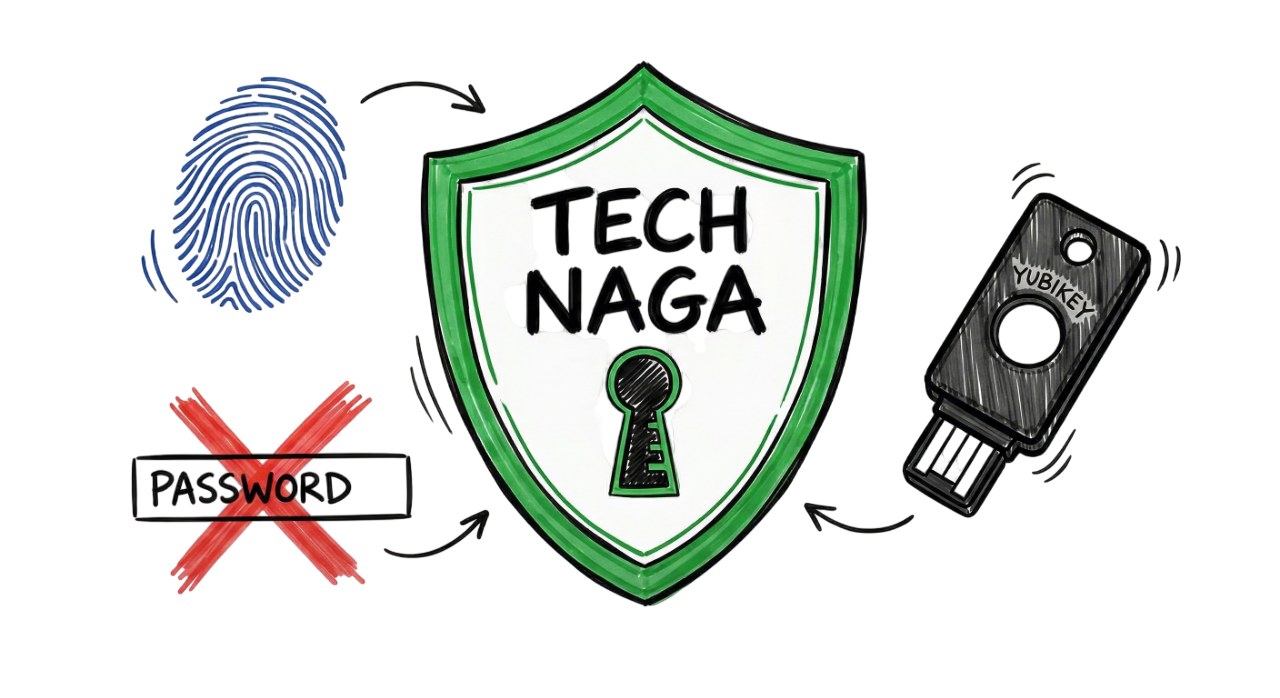
Welcome to the Password Security Guide 2026, your complete resource for protecting your online accounts in today’s rapidly evolving cyber threat landscape. In 2026, your digital identity is one of your most valuable assets. Cybercriminals now use artificial intelligence, automated password-cracking tools, and stolen credential databases to compromise weak passwords within seconds.
If you still use passwords based on your name, birthday, mobile number, or common words, your accounts could be at serious risk. Whether you use social media, online banking, cloud storage, or workplace applications, strong Password Security is essential for protecting your personal information.
This Ultimate Password Security Guide explains how hackers steal passwords, why traditional password practices are no longer enough, and the latest Password Security Tips recommended by cybersecurity experts. You’ll also learn modern Password Management techniques, how password managers and passkeys work, and the best practices to secure your accounts in 2026 and beyond.
What is Password Security?
Password Security refers to the practices, technologies, and security controls used to protect online accounts from unauthorized access. It involves creating strong, unique passwords, storing them securely, enabling multi-factor authentication (MFA), and using modern authentication methods such as passkeys.
Effective Password Management means every account should have a different password that is difficult to guess but easy to manage using a trusted password manager. Modern password managers generate long, random passwords and store them in an encrypted digital vault, eliminating the need to remember dozens of complex passwords.
In 2026, Password Security also includes passwordless authentication through Passkeys, allowing users to sign in using fingerprint recognition, facial recognition, or other biometric authentication instead of traditional passwords. These technologies provide stronger protection against phishing, credential theft, and password reuse attacks.
This Password Security Guide 2026 will help you build secure authentication habits, understand modern cyber threats, and apply practical Password Security Tips that protect both your personal and professional accounts.
Why Traditional Passwords Are Failing in 2026
Traditional passwords are no longer sufficient to defend against modern cyber threats. For many years, users were advised to create passwords using uppercase letters, lowercase letters, numbers, and special characters while changing them every few months. Today, cybersecurity standards have evolved, and organizations such as the National Institute of Standards and Technology (NIST) recommend focusing on longer, unique passwords instead of frequent password changes.
The AI Password-Cracking Revolution
Artificial intelligence has dramatically changed how attackers perform password attacks. Modern password-cracking tools can analyze billions of password combinations every second while learning common password patterns from previous data breaches.
For example, passwords such as John@123, Welcome2026!, or Password@1 follow predictable structures that AI-powered tools can identify almost instantly. Attackers also use credential stuffing, dictionary attacks, and brute-force attacks to compromise accounts that reuse weak passwords.
This is why Password Security and effective Password Management have become more important than ever. Following modern Password Security Tips, such as using unique passwords, enabling multi-factor authentication, and adopting passkeys, significantly reduces the risk of account compromise in 2026..
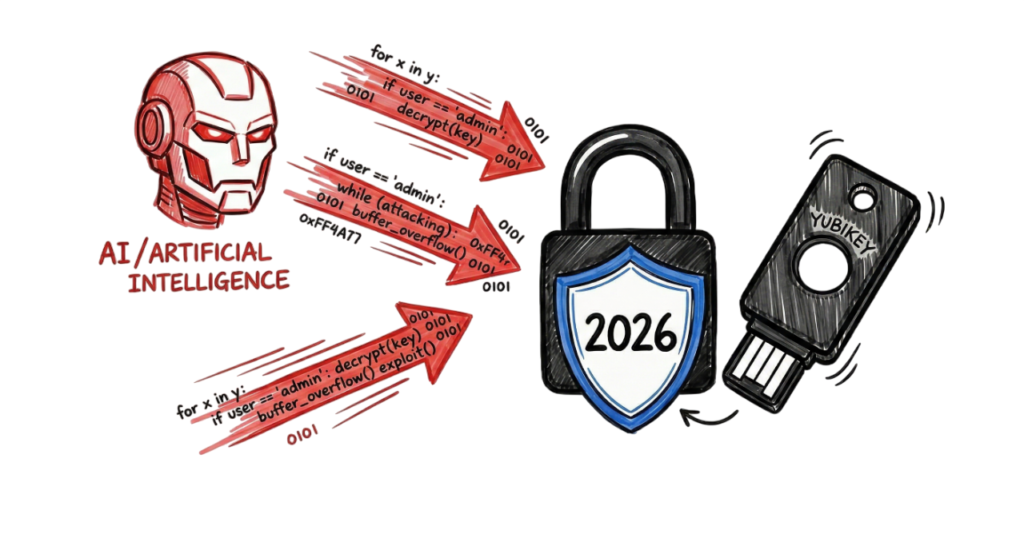
Infostealer Malware: The Silent Password Thief
One of the fastest-growing cyber threats in 2026 is Infostealer malware. Unlike traditional malware that attempts to guess your password, Infostealers silently monitor your device and steal login credentials, browser cookies, authentication tokens, and saved passwords.
When you sign in to a website, the malware captures your login session and sends it to the attacker. In many cases, cybercriminals can access your accounts without ever knowing your actual password, making this one of the biggest challenges in modern Password Security.
This is why the Password Security Guide 2026 recommends keeping your operating system updated, avoiding suspicious downloads, and enabling multi-factor authentication to reduce the impact of credential theft.
The Problem with Human Memory
The average internet user now manages well over 100 online accounts, including banking, email, shopping, social media, streaming services, and workplace applications. Remembering a unique, complex password for every account is almost impossible without proper Password Management.
As a result, many people reuse the same password across multiple websites. This practice, known as password reuse, is one of the most common causes of account compromise. If attackers obtain your password from one breached website, they can automatically test it on other services such as Gmail, Facebook, Microsoft, Amazon, or your online banking account.
The Ultimate Password Security Guide strongly recommends using a trusted password manager to generate and securely store a different password for every online account.
How to Create an Uncrackable Password
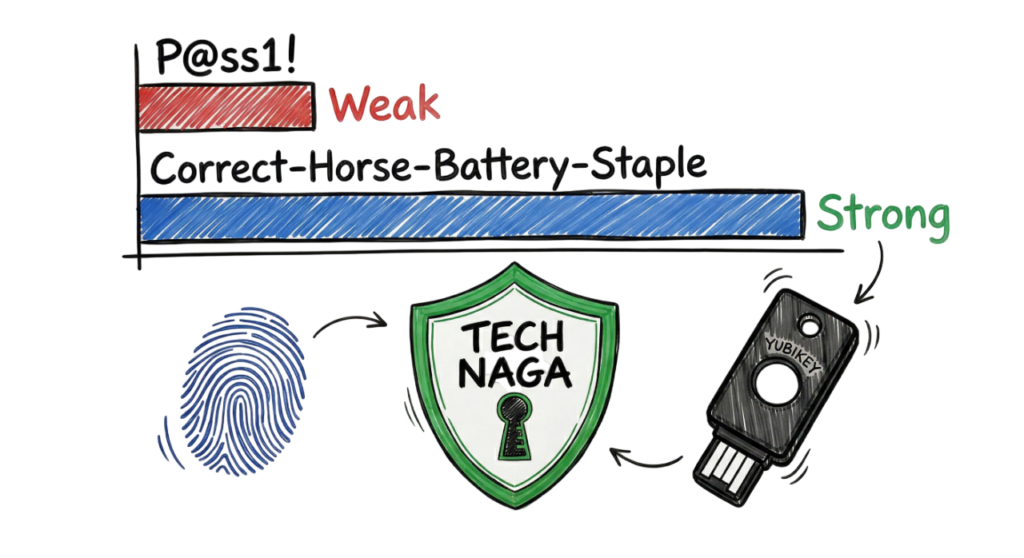
One of the most important Password Security Tips is to prioritize length over complexity. Modern cybersecurity research shows that a long passphrase is significantly more secure than a short password filled with symbols and numbers.
For example:
Weak Password
Welcome@123Strong Passphrase
CoffeeRiverSunsetMountain2026Long passphrases are easier for people to remember but far more difficult for attackers and AI-powered password-cracking tools to break.
The Password Security Guide 2026 recommends creating passphrases that:
- Use at least 16 to 20 characters.
- Combine unrelated words.
- Avoid names, birthdays, and dictionary phrases.
- Use a unique password for every account.
- Store passwords securely using a password manager.
- Enable multi-factor authentication wherever available.
Understanding Password Entropy
One of the most important concepts in Password Security is entropy, which measures how unpredictable or random a password is. The higher the entropy, the more difficult it is for attackers to guess or crack the password using brute-force or AI-powered password-cracking tools.
Think of a shuffled deck of cards. If the cards are arranged in order, predicting the next card is easy. After a thorough shuffle, predicting the next card becomes nearly impossible. Strong passwords work the same way. Greater randomness makes them significantly more secure.
As explained throughout this Password Security Guide 2026, creating highly random passwords is one of the most effective ways to defend against modern cyber attacks.
The Diceware Method: Creating Secure Passphrases
One of the most trusted Password Security Tips for creating a strong master password is the Diceware method. Instead of choosing predictable words, Diceware generates a truly random passphrase using physical dice and a predefined word list.
How the Diceware Method Works
- Take a standard six-sided die.
- Roll the die five times and record the numbers (for example: 2-4-1-5-3).
- Look up that five-digit number in an official Diceware word list.
- Record the corresponding word.
- Repeat the process until you have six or seven random words.
- Combine the words into a single passphrase.
Example Passphrase
rocket coffee jungle sunset bridge planetA Diceware passphrase is much easier to remember than a random string such as Jx#9P!4Lm$2Q, while providing excellent protection against brute-force attacks.

Example of a Strong Passphrase
A passphrase such as:
apple-window-bicycle-ocean-mountain-coffeeis much easier to remember than a random string of characters while providing excellent security. Because it combines multiple unrelated words, it contains high randomness and would take an attacker an extremely long time to crack using modern password-cracking techniques.
Why You Should Avoid Predictable Patterns
Many people create passwords using personal information such as their pet’s name, birthday, child’s name, favorite sports team, or home address. Unfortunately, this information is often publicly available through social media profiles or previous data breaches.
Cybercriminals routinely collect publicly available information from platforms such as Facebook, Instagram, LinkedIn, and X (formerly Twitter) to guess passwords or answer security questions.
To create stronger passwords:
- Avoid names, birthdays, anniversaries, and phone numbers.
- Don’t use favorite sports teams, movie titles, or common phrases.
- Never include information that can be found on your social media profiles.
- Use unrelated words or randomly generated passwords instead.
A simple rule is: If someone can learn it about you online, it should not be part of your password.
Why You Should Use a Password Manager
Managing dozens or even hundreds of unique passwords is difficult without the right tools. A password manager securely stores all your login credentials in an encrypted digital vault, so you only need to remember a single master password.
Most password managers can also:
Synchronize passwords securely across multiple devices.
Generate long, random passwords automatically.
Save and autofill login credentials securely.
Alert you if one of your passwords is weak or reused.
Notify you when your credentials appear in a known data breach.
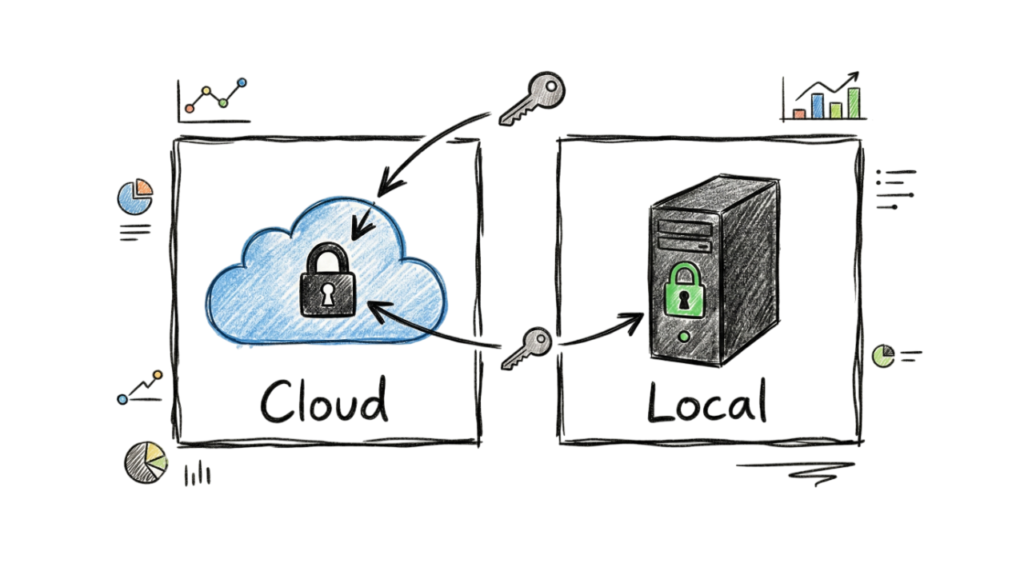
Cloud Managers vs. Local Managers
Types of Password Managers
Password managers help you securely store, organize, and access your passwords across different devices. Instead of remembering dozens of unique passwords, you only need to remember one strong master password.
Cloud-Based Password Managers
Cloud-based password managers, such as Bitwarden and 1Password, are among the most popular options. They securely synchronize your passwords across your smartphone, tablet, and computer, making it easy to access your accounts from anywhere.
Most trusted cloud password managers use zero-knowledge encryption, meaning your passwords are encrypted before leaving your device. Even the service provider cannot view your stored credentials.
Local Password Managers
Local password managers, such as KeePassXC, store your encrypted password database only on your own device. Since your passwords are not automatically synchronized through cloud services, they offer an additional level of privacy.
However, you are responsible for backing up and transferring the encrypted database if you want to use it on multiple devices.
Recommended Password Managers for 2026
Bitwarden
Bitwarden is an open-source password manager that offers strong security, cross-platform support, and a generous free plan. It is widely trusted because its source code is publicly available for independent security reviews.
1Password
1Password is a feature-rich password manager suitable for individuals, families, and businesses. It includes features such as secure password sharing, Watchtower security alerts, and Travel Mode, which temporarily hides sensitive vaults while traveling.
Keeper
Keeper is widely used by organizations because of its enterprise security features, centralized administration, compliance support, and advanced identity protection capabilities.
How to Set Up a Password Manager Safely
When creating your password manager account, choose a strong and memorable master password. A long passphrase made from unrelated words provides excellent security while remaining easy to remember.
You should also securely store your recovery key or emergency recovery information in a safe physical location, such as a locked drawer or home safe. If you lose both your master password and your recovery information, recovering your password vault may not be possible.
How Websites Store Your Passwords
Many people wonder whether website administrators can see their passwords after creating an account. Secure websites do not store your password in plain text. Instead, they use cryptographic techniques that protect your credentials even if the database is compromised.
Understanding Password Hashing
A hash is a one-way cryptographic function that converts your password into a fixed-length string of characters called a hash value.
For example:
Password
password123
Hash
482c811da5d5b4bc6d497ffa98491e38
When you log in, the website hashes the password you enter and compares it with the stored hash. If both values match, authentication succeeds. Because hashing is a one-way process, the original password cannot be retrieved directly from the hash.
What Is Password Salting?
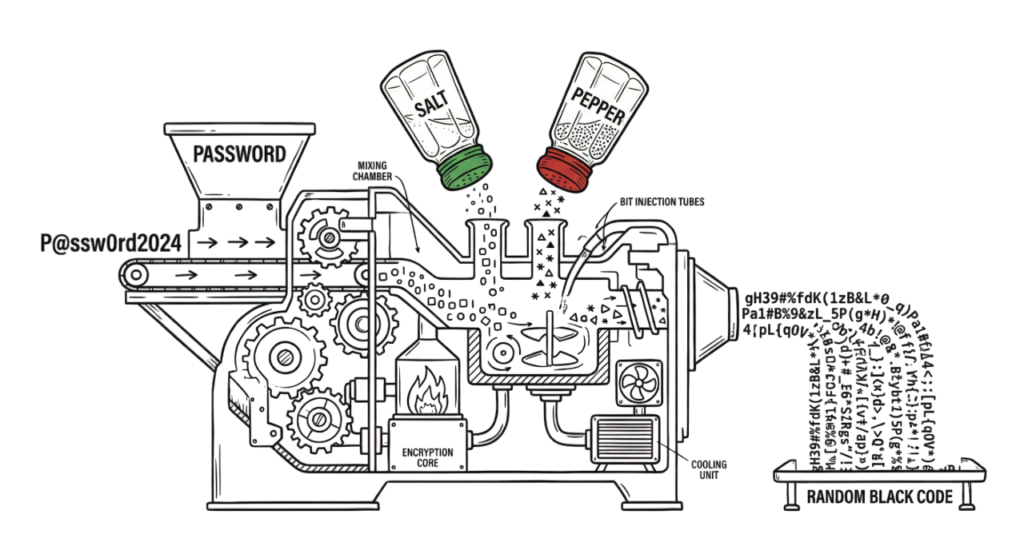
A salt is a unique random value added to every password before hashing. Even if two users choose the same password, adding different salts produces completely different hash values.
Benefits of salting include:
- Prevents identical passwords from producing identical hashes.
- Protects against rainbow table attacks.
- Makes large-scale password cracking significantly more difficult.
What Is Peppering?
A pepper is an additional secret value used during password hashing. Unlike a salt, which is stored alongside the password hash, a pepper is stored separately in a secure server or hardware security module.
Even if attackers obtain a website’s password database, they cannot successfully verify password guesses without access to the secret pepper, providing another layer of protection for user accounts.
Together, hashing, salting, and peppering form the foundation of modern password storage and are widely used to protect user credentials across secure web applications.
Professional Password Hashing Standard: Argon2id
Modern websites rely on advanced password hashing algorithms to protect user credentials. In 2026, Argon2id is widely recognized as one of the most secure password hashing algorithms and is recommended by cybersecurity professionals for protecting stored passwords.
Unlike older algorithms, Argon2id is intentionally designed to require significant processing power and memory. Although this makes password verification slightly slower for legitimate users, it dramatically increases the cost and difficulty of large-scale password-cracking attacks.
Because each password guess requires substantial computing resources, attackers cannot efficiently test billions of password combinations using brute-force techniques. This makes Argon2id highly effective at protecting user credentials, even if a password database is compromised.
Why Argon2id Is Recommended
- Resistant to brute-force attacks.
- Uses memory-hard computation to slow password cracking.
- Provides stronger protection than many legacy hashing algorithms.
- Recommended by modern cybersecurity standards for secure password storage.
Real-World Enterprise Example: How Zscaler Protects User Authentication
Large cybersecurity organizations such as Zscaler follow a Zero Trust Security model, where no user, device, or application is trusted automatically.
Instead of relying only on a password, every authentication request is continuously evaluated using multiple security factors before access is granted.
These security controls may include:
- Multi-Factor Authentication (MFA)
- Device identity and compliance checks
- User identity verification
- Device posture assessment
- Risk-based authentication
- Continuous session monitoring
- Conditional access policies
For example, if an employee successfully enters the correct password but attempts to sign in from an unknown device, unusual location, or high-risk network, the Zero Trust platform may require additional verification or block access entirely.
This layered security approach significantly reduces the risk of credential theft, account takeover, and unauthorized access, demonstrating why modern organizations no longer depend on passwords alone to secure sensitive systems and data.
The Multi-Layered Approach to Authentication
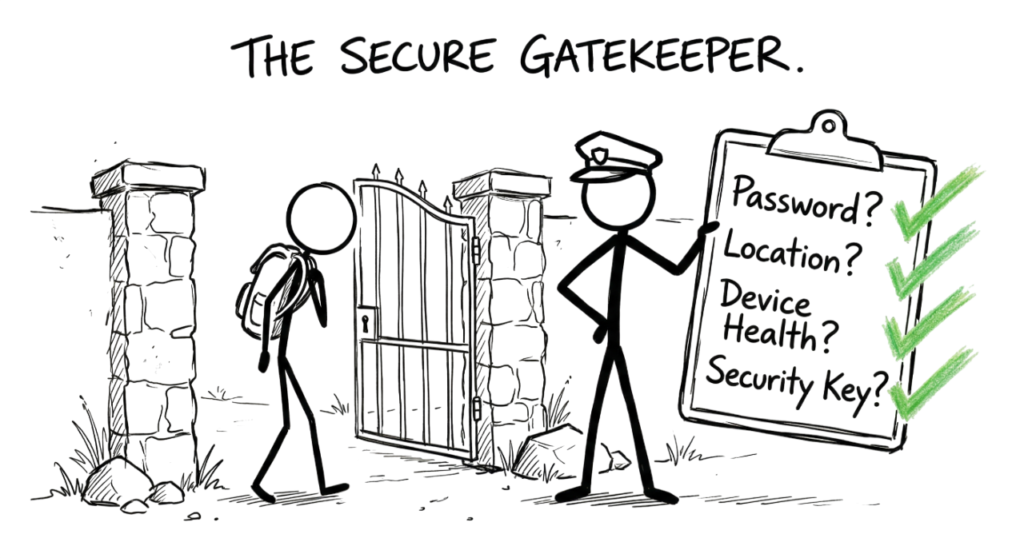
Modern organizations no longer rely on passwords alone to protect sensitive systems. Instead, they use a layered authentication model, where multiple security checks are performed before access is granted.
A professional security platform typically verifies:
What You Know
Your password or passphrase remains the first layer of authentication. A strong, unique password helps prevent unauthorized access but should never be the only security measure.
What You Have
Many organizations require a physical security device, such as a YubiKey, hardware token, or authentication application, to verify the user’s identity. Even if a password is compromised, attackers cannot log in without this second authentication factor.
Where You Are
Modern identity systems evaluate the location of every login attempt. If you normally sign in from Hyderabad but suddenly attempt to access your account from another country, the system may request additional verification or block the login.
Device Security
Before granting access, many Zero Trust platforms verify the health of your device by checking:
- Operating system updates
- Security patch level
- Endpoint protection status
- Disk encryption
- Device compliance policies
If any of these security checks fail, access may be denied even when the correct password is entered.
This layered authentication approach is considered one of the most effective methods for protecting enterprise systems against credential theft and unauthorized access.
Common Password Security Mistakes
Even if you follow the recommendations in a password security guide, small mistakes can still expose your accounts to cyber attacks. Avoid these common password security errors.
- Reusing the same password across multiple accounts.
- Creating short or predictable passwords.
- Using personal information such as birthdays, names, or phone numbers.
- Sharing passwords through email or messaging applications.
- Saving passwords in unsecured notes or text files.
- Ignoring security breach notifications.
- Not enabling Multi-Factor Authentication (MFA).
- Using outdated or unsupported password management tools.
- Entering passwords on phishing websites.
- Failing to update passwords after a known data breach.
Avoiding these mistakes significantly improves your overall account security and reduces the likelihood of credential theft or account compromise.
Even users who follow good cybersecurity practices can make mistakes that weaken their account security. Avoiding these common errors can significantly reduce the risk of unauthorized access.
Saving Passwords in Your Browser
Modern browsers such as Google Chrome, Microsoft Edge, and Safari can save passwords for convenience. While this feature is useful, browser-stored passwords may become accessible if malware or an infostealer compromises your device.
A dedicated password manager provides stronger protection through encryption, secure password generation, and additional security features.
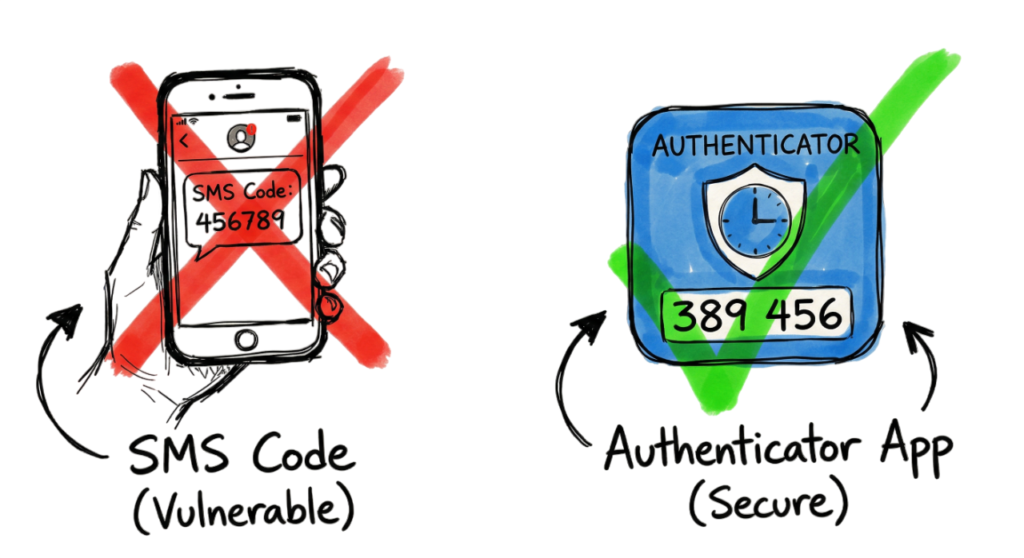
Relying Only on SMS-Based Multi-Factor Authentication
Although SMS verification is better than using only a password, it is vulnerable to SIM swap attacks and mobile number hijacking. Whenever possible, use an authenticator application such as Google Authenticator or Microsoft Authenticator, or use a hardware security key for stronger account protection.
Ignoring Data Breach Notifications
Many websites notify users when their data has been exposed in a security breach. If you receive a breach notification, change your password immediately, especially if you have reused the same password on other websites.
Sharing Passwords Through Email or Messaging Apps
Never send passwords through email, SMS, or instant messaging applications. If you need to share credentials with family members or colleagues, use the secure sharing feature available in trusted password managers.
Cybersecurity Interview Questions and Answers
Password security is a common topic during cybersecurity, system administration, and identity management interviews. Here are a few frequently asked questions.
Q1. Why is password length considered more important than password complexity?
Answer:
Long passwords or passphrases provide significantly more protection against brute-force attacks than short passwords containing special characters. Every additional character dramatically increases the number of possible combinations, making password-cracking attacks much more difficult.
Q2. What is a Passkey, and why is it more secure than a traditional password?
Answer:
A passkey uses public key cryptography instead of a shared password. The website stores only a public key, while the private key remains securely stored on the user’s device. Since no password is transmitted or stored on the server, passkeys provide strong protection against phishing, credential theft, and database breaches.
Q3. Why is Argon2id recommended for password hashing?
Answer:
Argon2id is a modern password hashing algorithm designed to resist brute-force attacks by requiring significant memory and processing power. Its memory-hard design makes password cracking using GPUs and specialized hardware much slower and more expensive.
Password Security Checklist for 2026
Follow this checklist to strengthen your online account security.
- □ Store all passwords in a trusted password manager.
- □ Use unique passwords for every online account.
- □ Enable passkeys wherever they are supported.
- □ Turn on Multi-Factor Authentication (MFA) for important accounts.
- □ Consider using a hardware security key for banking, email, and work accounts.
- □ Avoid selecting “Remember Me” on shared or public computers.
- □ Monitor your accounts for suspicious login activity.
- □ Check whether your email address has appeared in known data breaches using reputable breach notification services.
- □ Update passwords immediately after a security breach.
- □ Keep your operating system, browser, and password manager up to date.
By following these recommendations, you can greatly reduce the risk of account compromise and identity theft.
Future Trends in Password Security
Authentication technology continues to evolve as cyber threats become more sophisticated.
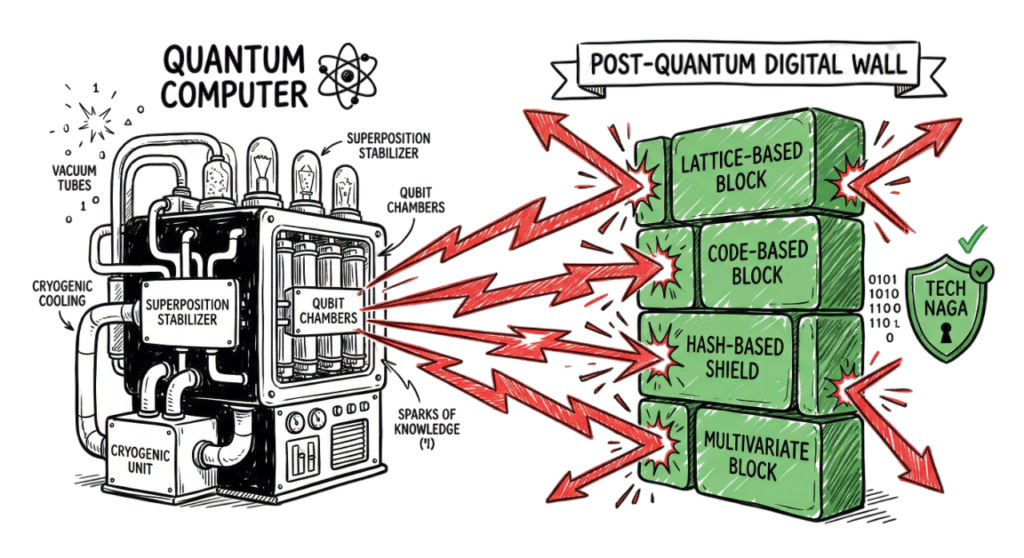
Post-Quantum Cryptography
Quantum computing has the potential to solve certain mathematical problems much faster than traditional computers. While practical large-scale quantum attacks are still under development, security researchers are already designing post-quantum cryptographic algorithms that can withstand future quantum computing capabilities.
Organizations around the world are gradually preparing for this transition by adopting quantum-resistant encryption standards to protect sensitive data for the future.
Passwordless Authentication
More organizations are moving toward passwordless authentication using passkeys, biometric verification, hardware security keys, and risk-based authentication. These technologies reduce dependence on traditional passwords while providing stronger protection against phishing and credential theft.
As these technologies become more widely adopted, password-based authentication will gradually be replaced by more secure and user-friendly authentication methods.
Future Trends in Password Security
Behavioral Biometrics
One of the biggest innovations discussed in this Password Security Guide 2026 is behavioral biometrics. Instead of relying only on fingerprints or facial recognition, modern security systems analyze how you naturally interact with your device.
They continuously monitor behaviors such as:
- Typing speed and rhythm
- Mouse movements
- Touch gestures
- Device handling patterns
If someone else attempts to use your computer or smartphone, the system can detect the unusual behavior and request additional verification or automatically block access. This technology adds another powerful layer of protection beyond traditional passwords.
The End of Traditional Passwords
Cybersecurity experts predict that passwords will gradually disappear over the next few years. By 2030, many online services are expected to rely on passkeys, biometric authentication, hardware security keys, and passwordless login technologies instead of traditional passwords.
As explained throughout this Password Security Guide 2026, adopting passwordless authentication significantly reduces the risks associated with phishing, credential theft, and password reuse.
The recommendations in this Password Security Guide 2026 will help you prepare for this transition while keeping your online accounts secure today.
Frequently Asked Questions (FAQ)
1. Is it safe to use a free password manager?
Yes. Reputable password managers such as Bitwarden offer secure free plans that include strong encryption and essential security features. Their business and enterprise subscriptions help fund the continued development of their free products. Choosing a trusted password manager is one of the key recommendations in this Password Security Guide 2026.
2. What should I do if my phone is stolen?
If your phone is lost or stolen, immediately sign in to your password manager from another trusted device and remove authorization for the lost device. If available, use your recovery key or emergency recovery options to regain access to your accounts. Following this Password Security Guide 2026 before an incident occurs makes account recovery much easier.
3. Can I reuse the same password for multiple accounts?
No. Password reuse is one of the leading causes of account compromise. If attackers obtain your password from one breached website, they will often test the same credentials on banking, email, shopping, and social media accounts. This Password Security Guide 2026 strongly recommends using a unique password for every account.
Following the best practices outlined in this Password Security Guide 2026 can significantly reduce your risk of credential theft, phishing attacks, and unauthorized account access.
Conclusion
Protecting your online accounts does not have to be complicated. By following the recommendations in this Password Security Guide 2026, you can build stronger security habits and stay ahead of modern cyber threats.
Start with one simple step today. Install a trusted password manager, create a strong master passphrase, enable multi-factor authentication, and replace weak or reused passwords with unique ones. Small improvements today can prevent major security incidents tomorrow.
At Tech Naga, our mission is to help you stay informed and secure in an increasingly connected world. This Password Security Guide 2026 provides a practical roadmap for protecting your digital identity, whether you are a beginner, IT professional, or business user.
Remember that cybersecurity is an ongoing process, not a one-time task. Review your accounts regularly, monitor security alerts, and continue following the recommendations in this Password Security Guide 2026 as new technologies and threats emerge.
By applying the strategies covered in this Password Security Guide 2026, you can greatly reduce the risk of account compromise, protect your personal information, and confidently navigate the digital world. Let this Password Security Guide 2026 be your long-term reference for building safer online habits and securing every account you own.
Password & Identity Security
What Is Cybersecurity and Why It Is Important Today
Multi-Factor Authentication (MFA): Critical Guide to Secure Your Systems (2026)
Identity and Access Management in 2026: A Practical Guide for Cloud Security Professionals
Top 10 Cybersecurity Best Practices for 2026
How to Identify Phishing Attacks in 2026 (Complete Guide)
Essential Steps: Hacked Android, iPhone Guide 2026
https://technaga.com/android-iphone-mobile-hack-remediation
15 Common Online Scams in India: Complete Guide 2026
https://technaga.com/tech-naga-com-online-scams-india-2026-guide
9 Essential Ways to Stop UPI Fraud: Complete Guide 2026
https://technaga.com/upi-fraud-complete-guide-2026
Zero Trust Security in 2026: Architecture, Real Examples, and Implementation Guide
Preventing Agentic AI Cyber Attacks in 2026
Security Information and Event Management (SIEM): Complete Guide 2026
Essential Endpoint Security Guide 2026 for Every Organization
External References
National Institute of Standards and Technology (NIST)
NIST Digital Identity Guidelines (SP 800-63B)
https://pages.nist.gov/800-63-3/
Password Guidelines (SP 800-63B)
https://pages.nist.gov/800-63-3/sp800-63b.html
OWASP
OWASP Authentication Cheat Sheet
https://cheatsheetseries.owasp.org/cheatsheets/Authentication_Cheat_Sheet.html
OWASP Password Storage Cheat Sheet
https://cheatsheetseries.owasp.org/cheatsheets/Password_Storage_Cheat_Sheet.html
OWASP Transport Layer Security Cheat Sheet
https://cheatsheetseries.owasp.org/cheatsheets/Transport_Layer_Security_Cheat_Sheet.html
Password Manager Resources
Bitwarden
https://bitwarden.com/
1Password
https://1password.com/
Keeper Security
https://www.keepersecurity.com/
KeePassXC
https://keepassxc.org/
Authentication Standards
FIDO Alliance (Passkeys)
https://fidoalliance.org/
Passkeys.dev
https://passkeys.dev/
Password Security Testing
Have I Been Pwned
https://haveibeenpwned.com/
Cryptography
Argon2 Password Hashing
https://argon2.online/
OWASP Cryptographic Storage Cheat Sheet
https://cheatsheetseries.owasp.org/cheatsheets/Cryptographic_Storage_Cheat_Sheet.html
Enterprise Security
Zscaler
https://www.zscaler.com/
YubiKey
https://www.yubico.com/
Google Authenticator
https://support.google.com/accounts/answer/1066447
Microsoft Authenticator
https://www.microsoft.com/security/mobile-authenticator-app








4 thoughts on “Password Security Guide 2026: 10 Essential Tips”