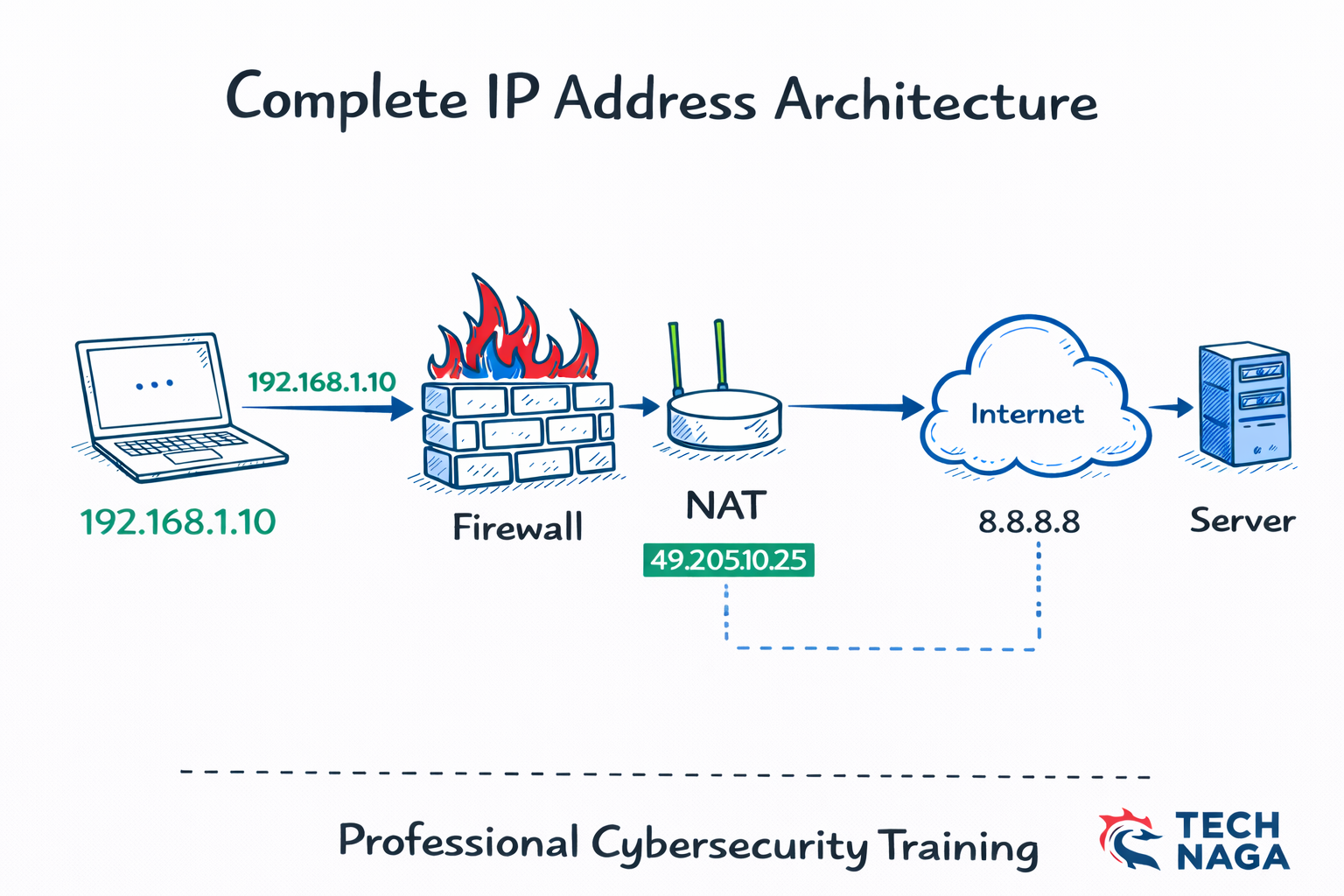
IP Address Explained: An IP Address (Internet Protocol Address) is the unique identifier that enables devices to communicate over the internet and private networks. Every computer, smartphone, server, and IoT device uses an IP address to send and receive data, making it a fundamental component of networking and cybersecurity.
Without an IP address, devices cannot access websites, communicate across networks, or connect to cloud services. Understanding how an IP address works, the difference between public and private IP addresses, and IPv4 vs IPv6 is essential for anyone learning networking, cybersecurity, or cloud computing.
In this Tech Naga guide, you’ll learn IP Address Explained with simple examples, explore the different types of IP addresses, understand NAT (Network Address Translation), discover how IP addresses are used in enterprise environments, and prepare with interview questions and frequently asked questions.
Definition of IP Address
What Is an IP Address?
IP Address Explained: An IP Address (Internet Protocol Address) is a unique numerical identifier assigned to every device connected to a network. It allows devices to identify each other, communicate across networks, and exchange data over the internet.
An IP address performs four essential functions:
- Device Identification: Uniquely identifies a device on a network.
- Network Location: Indicates where the device is located within a network.
- Data Communication: Enables devices to send and receive information.
- Internet Routing: Helps routers deliver data packets to the correct destination.
Example of an IP Address
- IPv4:
192.168.1.10 - IPv6:
2001:db8::1
Think of an IP Address as the postal address of your computer or smartphone. Just as a postal address helps deliver letters to the correct home, an IP address ensures that data reaches the correct device on a network. Understanding IP Address Explained, IPv4 vs IPv6, and Public IP Address vs Private IP Address is essential for networking, cybersecurity, and cloud computing.er.
How IP Address Works
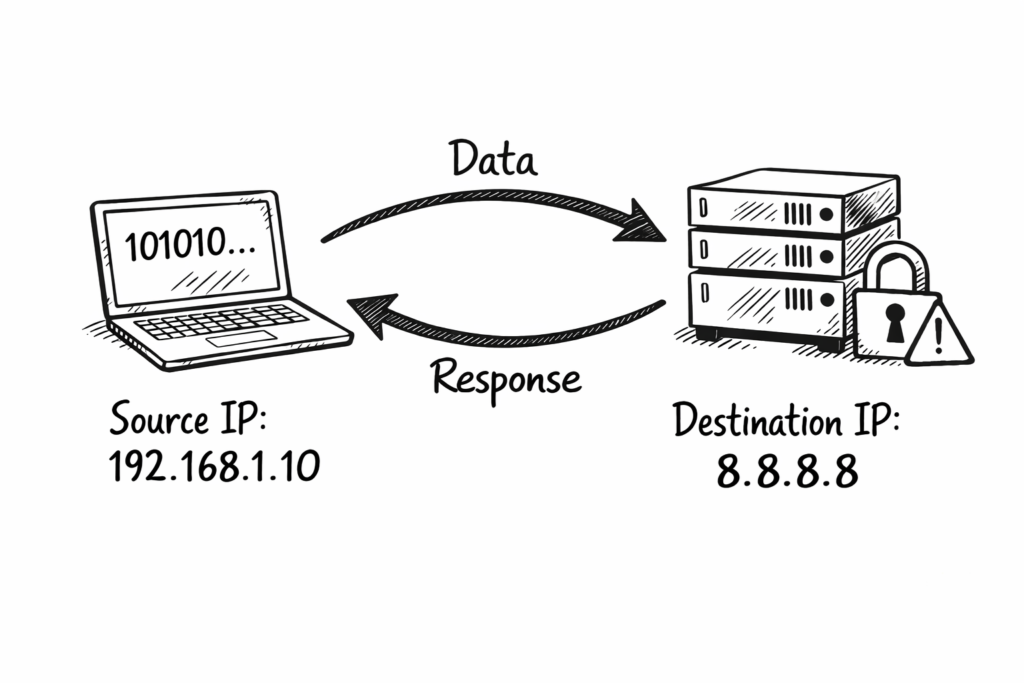
When you open a website, your device sends a request to the destination server. The request contains your device’s IP address along with the destination IP address. The destination server uses this information to send the requested data back to your device.
As the data travels across the internet, routers examine the source and destination IP addresses contained in each packet. Using routing tables, routers determine the best available path and forward the packets toward their destination. Before the traffic reaches the server, it may also pass through security devices such as firewalls, which inspect the traffic and allow or block it based on configured security policies.
This entire process typically takes only a few milliseconds, allowing billions of devices around the world to communicate quickly, reliably, and efficiently.
Step-by-Step Example
Step 1: Device Sends a Request
Your computer requests access to a website.
- Source IP Address:
192.168.1.10 - Destination IP Address:
142.250.183.14
Step 2: Router Forwards the Packet
The router reads the destination IP address, checks its routing table, and forwards the packet along the most efficient path.
Step 3: Firewall Inspects the Traffic
A firewall examines the incoming and outgoing traffic to determine whether it complies with the organization’s security policies. Suspicious or unauthorized traffic is blocked.
Step 4: Server Sends the Response
The destination server processes the request and sends the requested web page or data back to your device using your IP address.
From the moment you click a website link until the page loads, this entire communication process usually completes within a few milliseconds.
Structure of IP Address
An IPv4 IP Address contains four numbers separated by dots. Each number ranges from zero to twIPv4 vs IPv6 Structure
An IP address exists in two main versions: IPv4 and IPv6. While both perform the same function of identifying devices on a network, they differ in their format, size, and available address space.
IPv4 Structure
IPv4 uses a 32-bit address divided into four octets, with each octet represented in decimal format and separated by periods.
Example:
192.168.1.10
Each IPv4 address consists of two parts:
- Network Portion: Identifies the network.
- Host Portion: Identifies a specific device within that network.
The subnet mask determines where the network portion ends and the host portion begins.
| Part | Example | Purpose |
|---|---|---|
| Network Portion | 192.168 | Identifies the network |
| Host Portion | 1.10 | Identifies the device |
IPv4 Features
- 32-bit address length
- Four octets
- Decimal notation
- Limited address space
IPv6 Structure
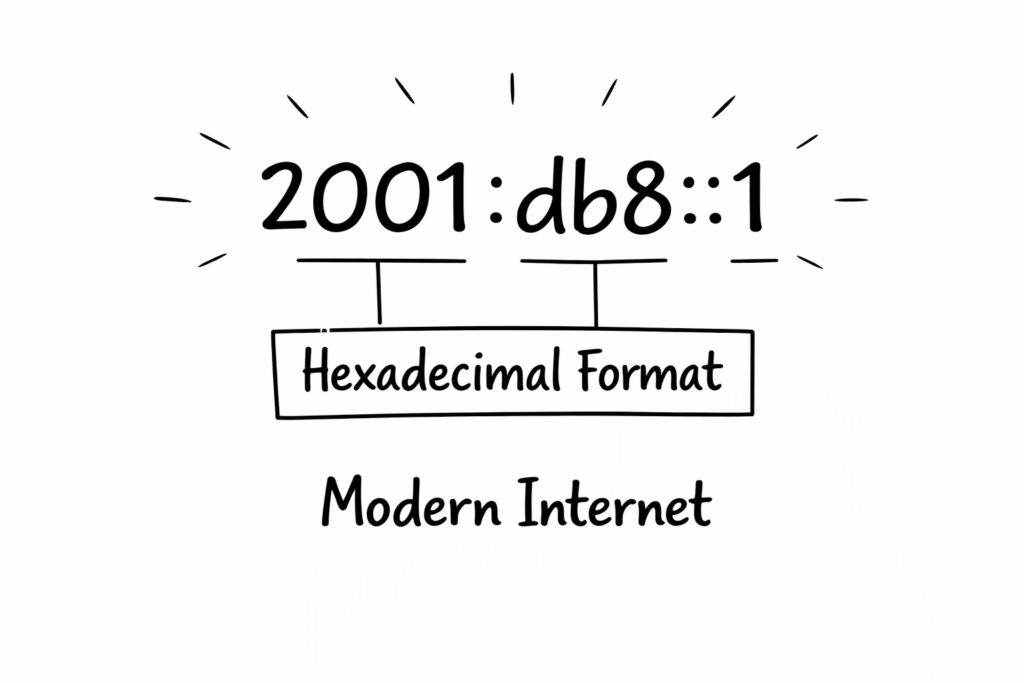
IPv6 uses a 128-bit address represented in hexadecimal format and separated by colons.
Example:
2001:db8::1
IPv6 was introduced to overcome the limitations of IPv4 by providing a significantly larger address space. It supports modern technologies such as cloud computing, the Internet of Things (IoT), and large-scale enterprise networks.
IPv6 Features
- 128-bit address length
- Hexadecimal notation
- Vast address space
- Improved scalability
- Better support for modern networking
IPv6 addresses solve the IPv4 address exhaustion problem and provide enough unique addresses for billions of connected devices worldwide.
Types of IP Address
IP addresses are classified into different types based on how they are assigned and where they are used. Understanding these types helps you learn how devices communicate within local networks and over the internet.
Public IP Address
A Public IP Address is assigned by an Internet Service Provider (ISP) and is globally unique. It allows devices, websites, servers, and cloud services to communicate over the internet. Every internet-facing network typically has at least one public IP address.
Example: 203.0.113.25
Common Uses
- Accessing websites and online services
- Hosting web servers
- Remote access
- Cloud connectivity
Private IP Address
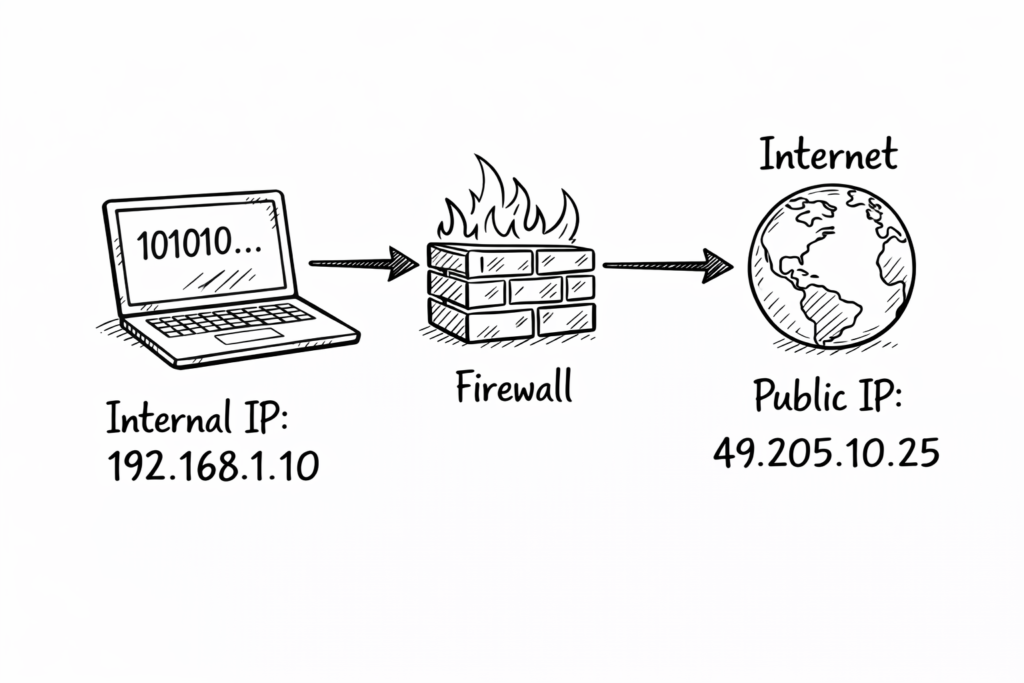
A Private IP Address is used within local area networks (LANs), such as homes, offices, schools, and businesses. Private IP addresses cannot communicate directly with the internet. Instead, a router or firewall uses Network Address Translation (NAT) to translate the private IP address into a public IP address before sending traffic to the internet.
Example: 192.168.1.10
Common Uses
- Home Wi-Fi networks
- Office networks
- Internal servers
- Printers and network devices
Static IP Address
A Static IP Address is manually assigned and remains the same unless it is changed by a network administrator. Because the address does not change, it is commonly used for servers and devices that require a consistent network identity.
Common Uses
- Web servers
- Email servers
- Firewall management
- Remote desktop services
- CCTV and IP cameras
Dynamic IP Address
A Dynamic IP Address is assigned automatically by a DHCP (Dynamic Host Configuration Protocol) server. Most laptops, smartphones, tablets, and desktop computers receive dynamic IP addresses because they simplify network management and reduce administrative effort.
Common Uses
- Home users
- Mobile devices
- Office workstations
- Guest Wi-Fi networks
Public vs Private IP Address
| Feature | Public IP Address | Private IP Address |
|---|---|---|
| Assigned By | Internet Service Provider (ISP) | Router or DHCP Server |
| Internet Access | Direct | Through NAT |
| Uniqueness | Globally Unique | Unique only within the local network |
| Visibility | Visible on the Internet | Visible only inside the local network |
| Example | 203.0.113.25 | 192.168.1.10 |
Static vs Dynamic IP Address
| Feature | Static IP Address | Dynamic IP Address |
|---|---|---|
| Assignment | Manual | Automatic (DHCP) |
| Changes Over Time | No | Yes |
| Best For | Servers and network devices | User devices |
| Administration | Requires manual configuration | Automatically managed |
| Example Devices | Web Server, Firewall | Laptop, Smartphone, Tablet |
Public IP Address
Used on the internet.
Example:
49.205.10.25
Assigned by ISP.
Private IP Address
Used inside LAN.
Example ranges:
- 192.168.x.x
- 10.x.x.x
- 172.16.x.x
Used internally.
Loopback IP Address
Example:
127.0.0.1
Used for testing.
Public vs Private IP Address
Private IP Address
Used inside a company network.
Example:
10.10.10.5
Cannot access the internet directly.
Public IP Address
Used outside the network.
Example:
103.25.100.5
Accessible globally.
Why Private IP is used?
Benefits:
- Security
- Cost saving
- IP conservation
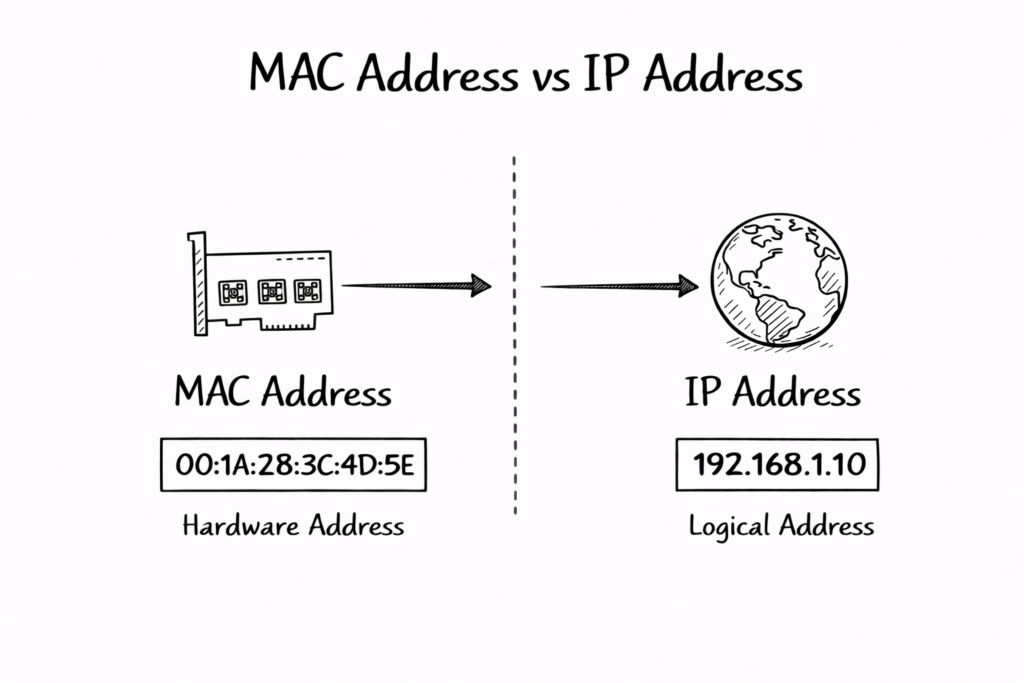
MAC Address vs IP Address
Definition
MAC Address: Physical address of device.
IP Address: Logical address of device.
MAC Address is the physical address assigned to a network card by the manufacturer. It identifies devices within the local network and operates at Layer two of the OSI networking model.
IP Address is a logical address assigned by a network administrator or DHCP server. It identifies devices across different networks and operates at Layer three of the OSI networking model.
MAC Address never changes normally, but IP Address can change depending on the network. Both MAC Address and IP Address work together to enable successful communication between devices globally.
Key Differences
| Feature | IP Address | MAC Address |
| Layer | Layer 3 | Layer 2 |
| Type | Logical | Physical |
| Change | Yes | No |
| Example | 192.168.1.10 | 00:1A:2B:3C:4D:5E |
Enterprise Architecture Explanation
Enterprise Network Components
Typical enterprise network includes:
- User Laptop
- Switch
- Firewall
- Router
- Internet
Real-World Enterprise Example
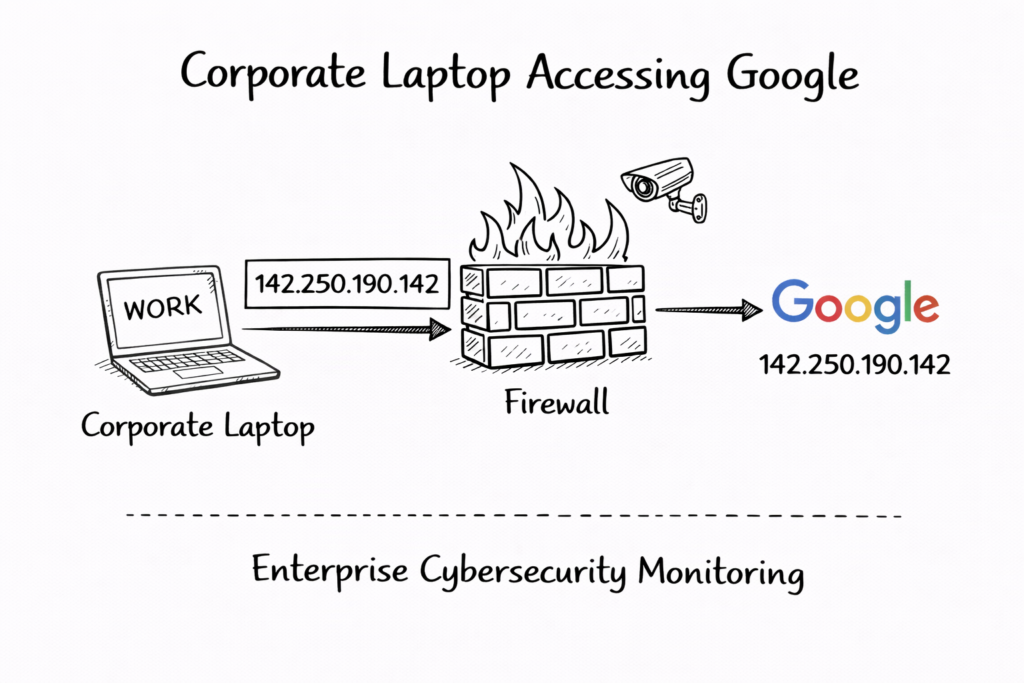
In corporate environment, user laptop receives private IP Address like 10.10.10.5. Firewall translates it into public IP Address before allowing internet access through secure NAT translation process.
Firewall logs record IP Address activity for security monitoring. Cybersecurity teams analyze IP Address logs to detect malicious traffic, unauthorized access attempts, and potential data breach indicators quickly.
Companies implement IP Address-based access control policies. Only authorized IP Address ranges can access sensitive applications, servers, and management systems, improving overall enterprise security posture significantly.
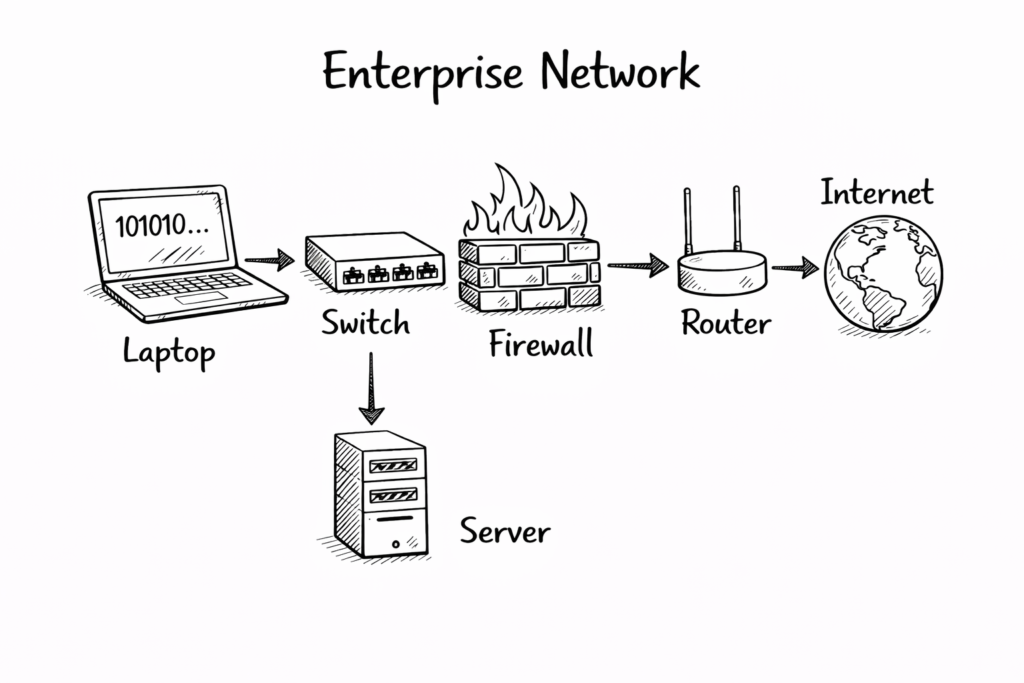
Architecture Flow
User Laptop → Firewall → Router → Internet → Server
Firewall monitors IP Address traffic.
Cybersecurity Importance
Security tools like firewall, SIEM, and antivirus monitor IP Address traffic. Suspicious IP Address connections trigger alerts, allowing security teams to investigate and prevent cyberattacks effectively immediately.
IP Address helps identify attacker location, source, and behavior patterns. Security analysts use IP Address intelligence to block malicious IP Address and protect organization infrastructure proactively.
Zero Trust security model uses IP Address as one of identity factors. Combined with authentication and device verification, IP Address helps enforce strong access control policies everywhere.
Security teams monitor:
- Source IP Address
- Destination IP Address
- Threat IP Address
Used in:
- SIEM
- Firewall logs
- Zscaler
- Endpoint security
NAT and IP Address Translation
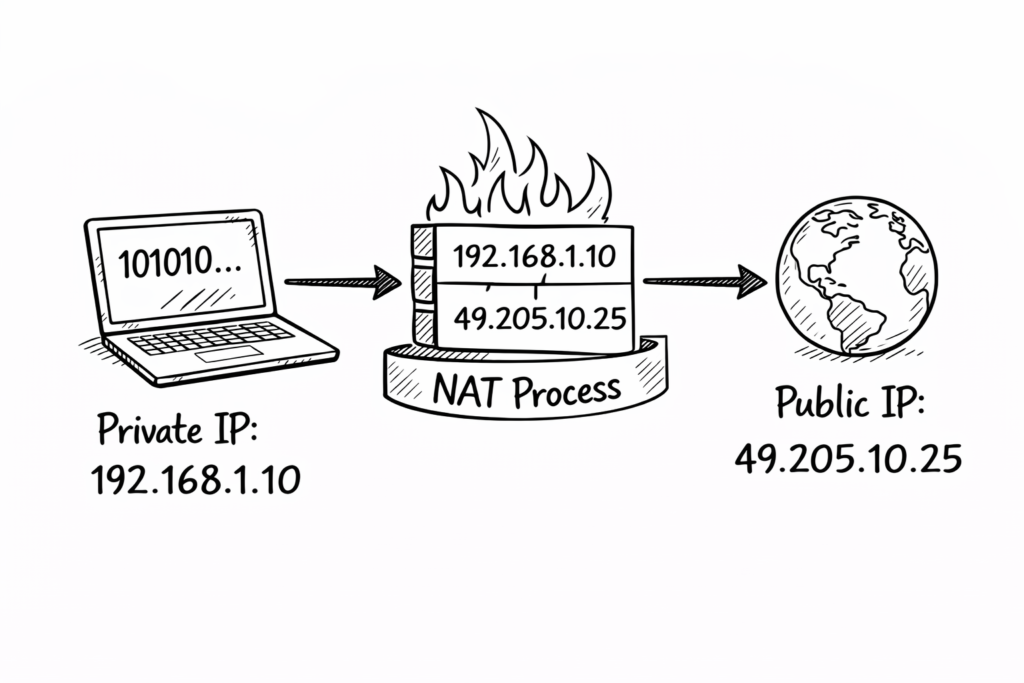
What is NAT
Network Address Translation converts private IP Address into public IP Address. This allows multiple internal devices to share a single public IP Address while accessing the internet securely and efficiently.
Firewall maintains a translation table mapping private IP Address and public IP Address. When the response returns, the firewall forwards traffic to correct internal devices using IP Address mapping information.
NAT improves security because internal IP Addresses remain hidden. Attackers cannot directly access private IP Address, reducing risk of unauthorized access and improving enterprise network protection significantly.
NAT converts private IP Address into public IP Address.
Example:
Private IP:
192.168.1.10
Converted into:
49.205.10.25
Why NAT is required
Benefits:
- Security
- Hide internal network
- Save IP addresses
Where NAT happens
NAT configured on:
- Firewall
- Router
Example:
Firewall like Palo Alto Networks firewall performs NAT.
Static vs Dynamic IP Address
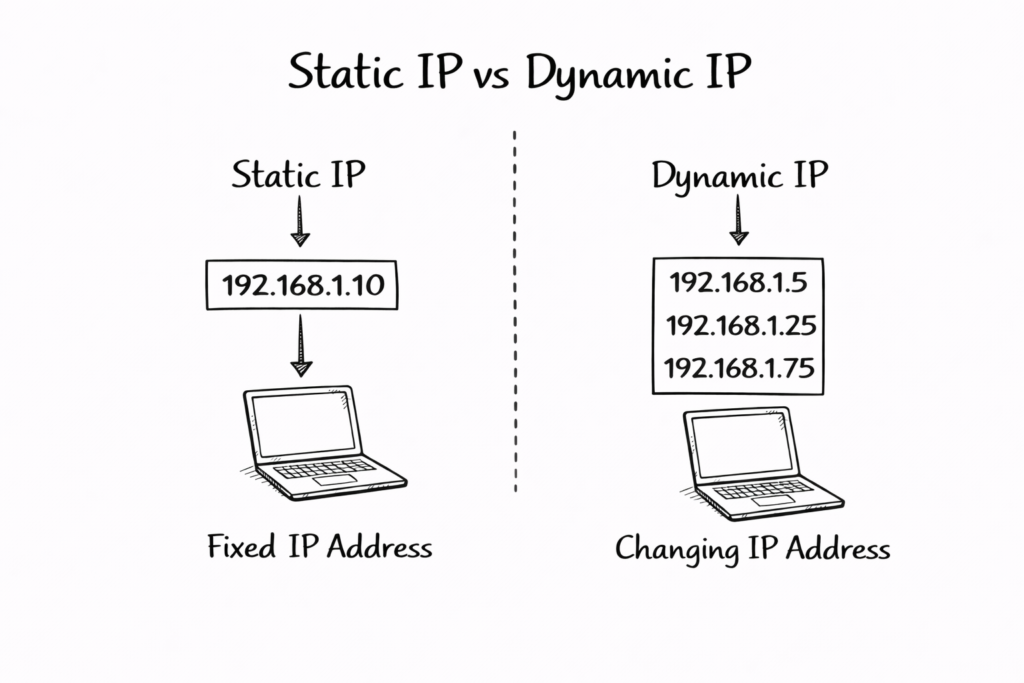
Static IP Address
Fixed IP.
Used for:
- Servers
- Firewall
- Printers
Example:
10.10.10.5
Dynamic IP Address
Changes automatically.
Assigned by DHCP.
Used for:
- Users
- Laptops
Example:
192.168.1.20
Real-World Enterprise Example
Corporate Network Example
Company: Tech Naga Pvt Ltd
Laptop IP:
10.10.10.5
Firewall Public IP:
103.25.100.5
Traffic Flow
Step 1:
Laptop sends request
Step 2:
Firewall converts IP using NAT
Step 3:
Internet sends response
Step 4:
Firewall logs IP Address
Security Monitoring
Security team monitors:
- Malicious IP Address
- Unknown IP Address
- Suspicious IP Address
Using tools like:
- SIEM
- Microsoft Defender
- Cloudflare security
Advantages and Disadvantages of IP Address
IP Address enables communication between devices across the internet and networks. Without IP Address, global connectivity, cloud computing, and online services would not function properly today.
IP Address helps network administrators monitor, manage, and troubleshoot network problems. Logs and monitoring tools use IP Address to identify issues quickly and resolve efficiently.
IP Address supports scalability of the internet. Millions of devices connect daily, and IP Address ensures each device communicates correctly without conflict or communication errors globally.
Advantages
1. Communication
Devices communicate using IP Address.
2. Identification
Identifies devices.
3. Security Monitoring
Helps detect attacks.
4. Routing
Helps data routing.
Disadvantages
1. Can be tracked
Attackers track IP Address.
2. Security risk
Public IP Address exposed.
Common Mistakes
Using the wrong subnet mask can break communication. Incorrect subnet configuration prevents IP Address from reaching the correct network, causing connectivity failure and application access problems frequently.
Exposing a public IP Address without firewall protection increases security risk. Attackers can target exposed IP Address using scanning tools and exploit network vulnerabilities easily.
Not monitoring IP Address logs reduces security visibility. Organizations may miss suspicious activities, allowing attackers to remain undetected and cause damage over time silently.
Mistake 1: Wrong subnet mask
Causes network issues.
Mistake 2: Exposing public IP Address
Security risk.
Mistake 3: No monitoring
Leads to cyber attacks.
Best Practices
Best Practice 1: Use Private IP internally
Improves security.
Best Practice 2: Use firewall
Protect network.
Best Practice 3: Use NAT
Hide internal IP Address.
Best Practice 4: Monitor IP logs
Detect threats.
Interview Questions and Answers
Question 1: What is an IP Address?
Answer:
IP Address identifies devices on the network.
Question 2: Difference between public and private IP Address?
Answer:
Public IP used on the internet.
Private IP used internally.
Question 3: What is NAT?
Answer:
NAT converts private IP Address into public IP Address.
Question 4: Why is IP Address important in cybersecurity?
Answer:
Used to monitor threats.
Question 5: What happens when a user opens a website?
Answer:
Request sent using IP Address.
Future Trends 2026
1. IPv6 Adoption
IPv6 is increasing.
2. Cloud Networking
Cloud uses IP Address.
3. Zero Trust Security
Uses IP monitoring.
4. AI Security
AI analyzes IP Address traffic.
FAQ Section
What is an IP Address example?
Example:
192.168.1.1
Can IP Address change?
Yes.
Dynamic IP Address changes.
Is an IP Address unique?
Yes.
Each device has a unique IP Address.
Why is an IP Address used?
For communication.
Conclusion
An IP Address is the foundation of modern networking, cybersecurity, and internet communication. Every device connected to a network relies on an IP Address for identification, routing, and secure data transmission across local networks, enterprise environments, and the global internet.
Understanding how an IP Address works enables professionals to configure firewalls, monitor network traffic, troubleshoot connectivity issues, and protect enterprise infrastructure from cyber threats. Security tools such as firewalls, SIEM platforms, endpoint protection, and Zero Trust solutions depend heavily on IP Address visibility to detect and prevent unauthorized access.
Mastering IP Address concepts is a fundamental skill for careers in cybersecurity, networking, and cloud computing. It helps professionals analyze traffic flow, implement NAT, investigate security incidents, and design secure network architectures.
Key areas where IP Address knowledge is essential include:
- Firewall configuration and policy implementation
- Cybersecurity monitoring and threat detection
- Network troubleshooting and connectivity analysis
- Enterprise and cloud infrastructure deployment
For cybersecurity professionals, a strong understanding of IP Address plays a critical role in working with enterprise firewalls, SIEM tools, cloud security platforms, and Zero Trust architectures in 2026 and beyond.
In real-world enterprise environments and technical interviews, IP Address is one of the most frequently tested and practically used networking concepts. Learning it deeply builds a strong technical foundation and accelerates career growth in cybersecurity.
What Is Cybersecurity and Why It Is Important Today
https://technaga.com/what-is-cybersecurity-and-why-it-is-important-today/Complete Network Security Basics Guide for Beginners 2026
https://technaga.com/what-is-networks-and-network-security-basics-2026/What Is Firewall in Cybersecurity? Types, Examples and How It Works
https://technaga.com/what-is-firewall-in-cybersecurity-types-examples-and-how-it-works/
External References
- Internet Assigned Numbers Authority (IANA) – IPv4 Address Space
https://www.iana.org/assignments/ipv4-address-space - Internet Assigned Numbers Authority (IANA) – IPv6 Address Space
https://www.iana.org/assignments/ipv6-address-space - Internet Engineering Task Force (IETF) – Internet Protocol (IPv4)
https://datatracker.ietf.org/doc/html/rfc791 - Internet Engineering Task Force (IETF) – IPv6 Specification
https://datatracker.ietf.org/doc/html/rfc8200 - ICANN – Internet Governance
https://www.icann.org/ - Cisco – IP Addressing and Subnetting
https://www.cisco.com/c/en/us/support/docs/ip/routing-information-protocol-rip/13788-3.html - Cloudflare Learning Center – What Is an IP Address?
https://www.cloudflare.com/learning/dns/glossary/what-is-my-ip-address/ - Microsoft Learn – TCP/IP Fundamentals
https://learn.microsoft.com/troubleshoot/windows-server/networking/tcpip-addressing-and-subnetting - IBM – What Is an IP Address?
https://www.ibm.com/think/topics/ip-address - NIST Cybersecurity Framework
https://www.nist.gov/cyberframework
Important Note: This article is based on hands-on cybersecurity experience and research from reliable sources. While every effort has been made to ensure accuracy, you should validate the information based on your specific environment and security requirements before applying it.








2 thoughts on “IP Address: 12 Essential Concepts Ultimate Guide 2026”