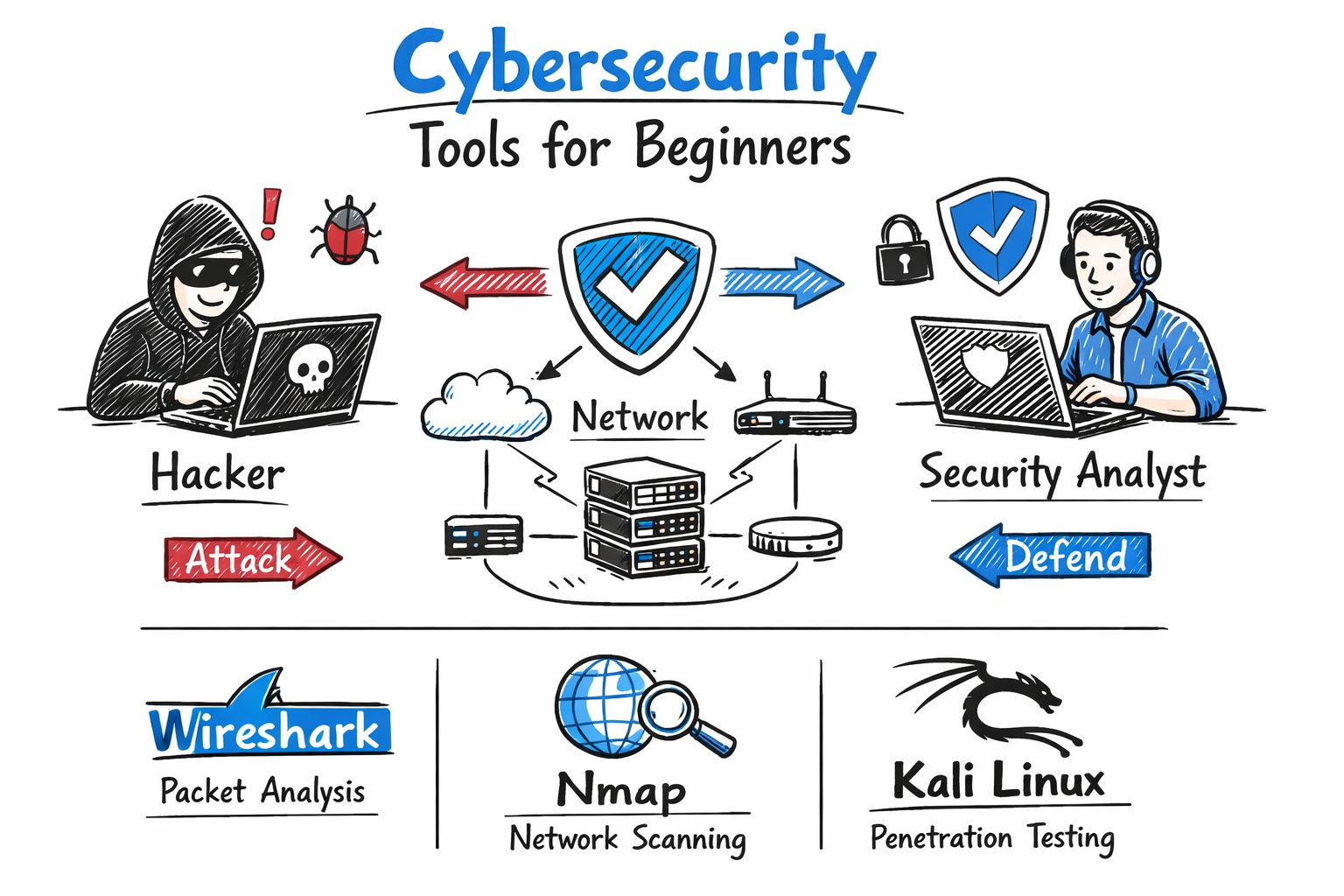
Cybersecurity tools are essential for identifying, preventing, and responding to modern cyber threats. Whether you want to become a cybersecurity professional, prepare for interviews, or strengthen your organization’s security, learning the right tools is one of the most valuable skills you can develop.
Many beginners make the same mistake. They install cybersecurity tools and immediately start scanning networks or systems without understanding how the tools work or when to use them. In real-world environments, employers expect you to understand a tool’s purpose, its key features, and how it helps solve security challenges.
This guide explores the best cybersecurity tools for beginners, explains what each tool does, provides real-world use cases, and highlights the skills you need to build hands-on experience. By practicing with these tools, you can develop practical knowledge that will help you in cybersecurity certifications, technical interviews, and real-world security roles.
What Are Cybersecurity Tools for Beginners
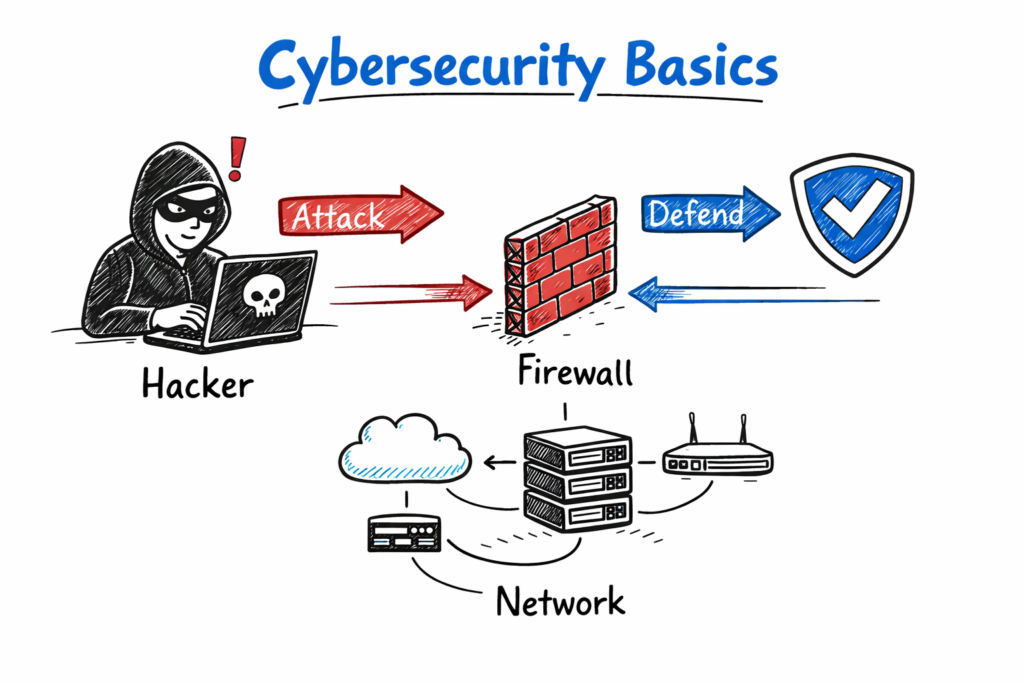
Cybersecurity tools help individuals and organizations identify, prevent, detect, and respond to cyber threats. Security analysts, ethical hackers, network engineers, and IT administrators rely on these tools to protect systems, networks, applications, and sensitive data from cyber attacks.
For beginners, cybersecurity tools provide practical experience and help build essential technical skills. They allow you to understand how security technologies work and prepare you for real-world cybersecurity tasks.
Benefits of Learning Cybersecurity Tools
- Understand how computer networks operate.
- Identify security vulnerabilities before attackers exploit them.
- Monitor network traffic and detect suspicious activity.
- Perform vulnerability assessments and security testing.
- Develop hands-on skills for cybersecurity certifications and technical interviews.
- Gain practical experience with industry-standard security tools.
Instead of treating cybersecurity tools as shortcuts, use them as learning platforms. Each tool teaches a different aspect of cybersecurity, such as network analysis, vulnerability management, penetration testing, digital forensics, or security monitoring. Building hands-on experience with these tools will strengthen your technical knowledge and prepare you for real-world cybersecurity roles.
Why Cybersecurity Tools Matter in 2026
The cybersecurity landscape continues to evolve as attackers adopt more advanced techniques. Modern cyber threats increasingly rely on automation, artificial intelligence, cloud technologies, and sophisticated attack methods to target organizations of all sizes. As a result, cybersecurity professionals need practical experience with industry-standard security tools to detect, investigate, and respond to these threats effectively.
Current Cybersecurity Trends
- Increased use of AI and automation in cyber attacks.
- Rapid adoption of cloud and hybrid infrastructure.
- More complex web applications and enterprise environments.
- Expanding attack surfaces due to remote work, IoT devices, and cloud services.
- Greater demand for proactive threat detection and incident response.
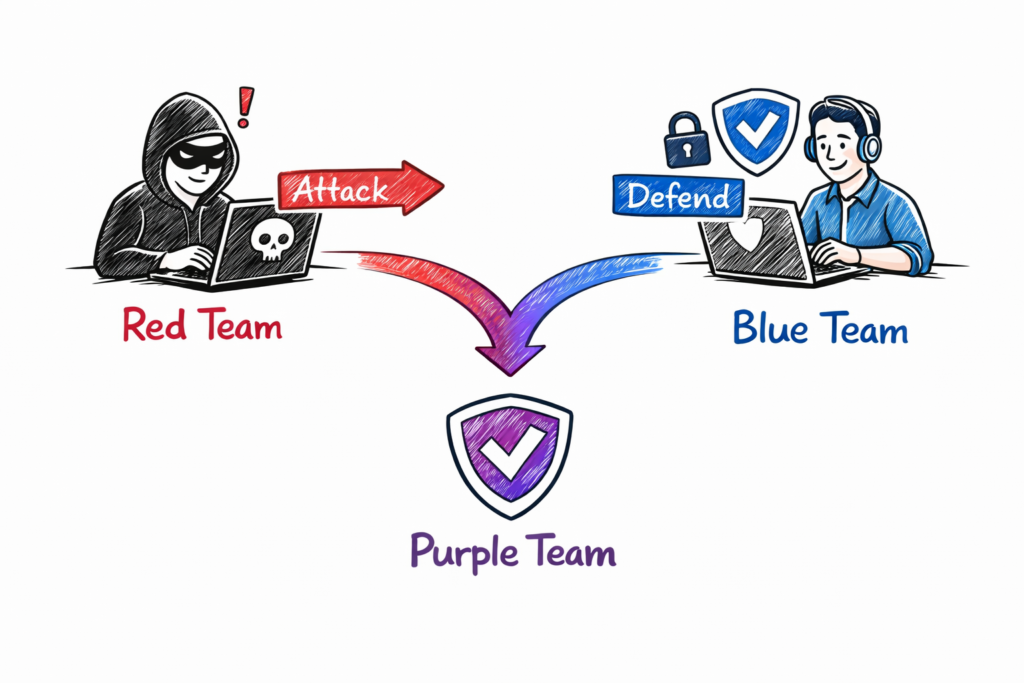
Because of these changes, many organizations have adopted a Purple Team approach. Purple Teaming combines the skills of Red Teams (offensive security) and Blue Teams (defensive security) to improve an organization’s overall security posture. Understanding both attack techniques and defensive controls helps cybersecurity professionals identify weaknesses and strengthen security.
Real-World Example
If you understand how a SQL injection attack works, you can use tools such as Burp Suite to identify vulnerable web applications during security testing. Security teams can then fix the vulnerability before attackers exploit it, reducing the risk of data breaches and improving application security.
Learning cybersecurity tools alongside the attack techniques they are designed to detect gives you practical skills that are valuable for cybersecurity certifications, technical interviews, and real-world security roles.t.
Top 10 Cybersecurity Tools for Beginners
1. Wireshark (Network Traffic Analysis Tool)
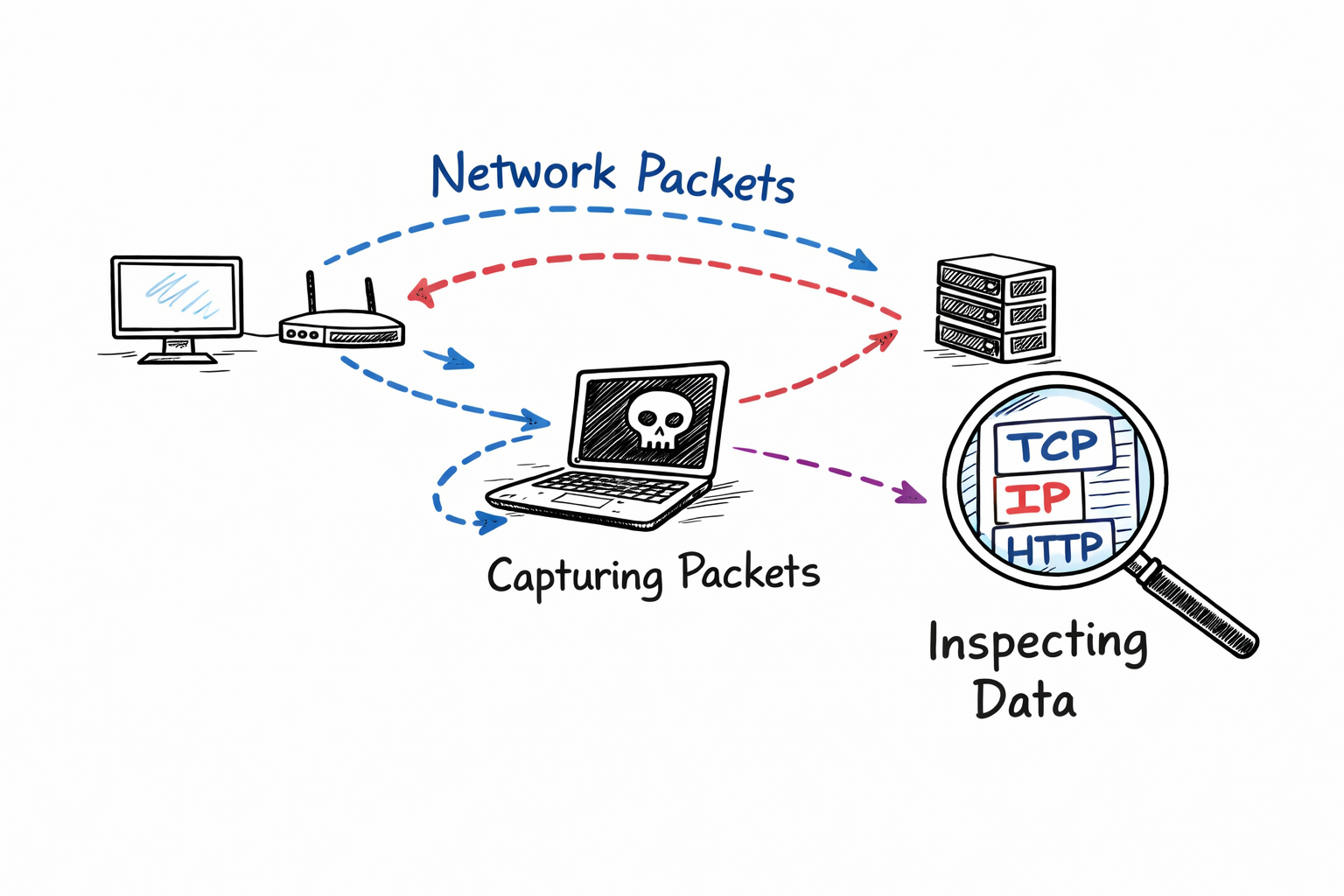
Wireshark is one of the most popular cybersecurity tools for capturing and analyzing network traffic. It allows security professionals to inspect every packet transmitted across a network, making it an essential tool for troubleshooting network issues, investigating security incidents, and learning how network protocols work.
Wireshark captures live network traffic and displays detailed information such as source and destination IP addresses, protocols, port numbers, packet contents, and communication sessions. This visibility helps analysts identify suspicious activity, diagnose connectivity problems, and detect potential cyber threats.
Key Features
- Captures live network packets in real time.
- Analyzes hundreds of network protocols.
- Filters traffic using powerful display filters.
- Detects network errors and abnormal traffic.
- Supports Windows, Linux, and macOS.
Real-World Example
A security analyst receives an alert about unusual outbound network traffic from an employee’s computer. Using Wireshark, the analyst captures the network packets and discovers repeated connections to an unknown external IP address over an uncommon port. After investigating the captured traffic, the analyst identifies malware communicating with a remote server and takes action to isolate the infected system before the attack spreads.
Skills You Will Learn
- Packet analysis
- Network troubleshooting
- TCP/IP protocol analysis
- DNS, HTTP, HTTPS, and TCP communication
- Basic incident investigation
Best For: Beginners, Network Engineers, SOC Analysts, Security Analysts, and Ethical Hackers.
2. Nmap (Network Scanning Tool)
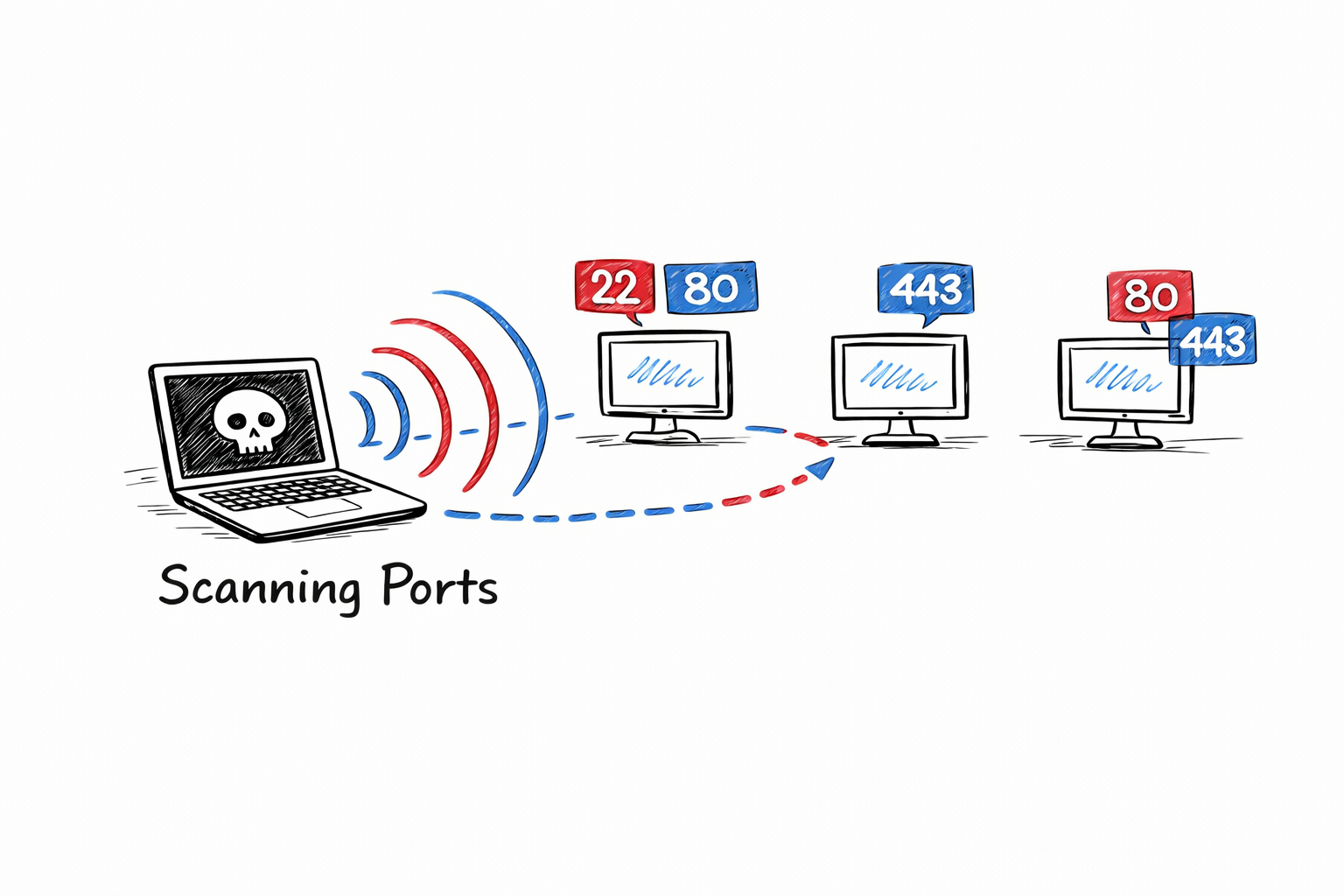
Nmap (Network Mapper) is one of the most widely used cybersecurity tools for discovering devices, identifying open ports, detecting running services, and gathering information about systems connected to a network. It is an essential tool for beginners, network administrators, ethical hackers, and security analysts.
Nmap works by sending specially crafted packets to a target device and analyzing the responses. Based on the information it receives, Nmap can identify active hosts, open and closed ports, running services, operating systems, and other valuable network details.
How Nmap Works
Nmap scans a target system and analyzes its responses to identify:
- Open TCP and UDP ports
- Running network services
- Service versions
- Operating system information
- Active devices on the network
Common Use Cases
- Discover devices connected to a network
- Perform security audits
- Identify unauthorized or unknown systems
- Verify firewall configurations
- Detect open ports that could be exploited by attackers
- Create a network inventory
Real-World Example
A security administrator performs a routine network scan using Nmap to identify exposed services. The scan reveals that Port 22 (SSH) is open on several Linux servers and Port 443 (HTTPS) is running on a public web server. It also identifies an unexpected device with multiple open ports that was not listed in the organization’s asset inventory. After investigation, the unauthorized device is removed from the network, reducing the organization’s security risk.
Advanced Concept
Nmap supports TCP/IP fingerprinting, which analyzes how a device responds to network packets to estimate its operating system. It can also perform service version detection, helping security teams identify outdated software that may contain known vulnerabilities.
Skills You Will Learn
- Network discovery
- Port scanning
- Service enumeration
- Operating system detection
- Basic vulnerability assessment
- Firewall verification
Best For: Beginners, Network Engineers, SOC Analysts, Security Analysts, Penetration Testers, and Ethical Hackers.
3. Burp Suite (Web Security Testing Tool)
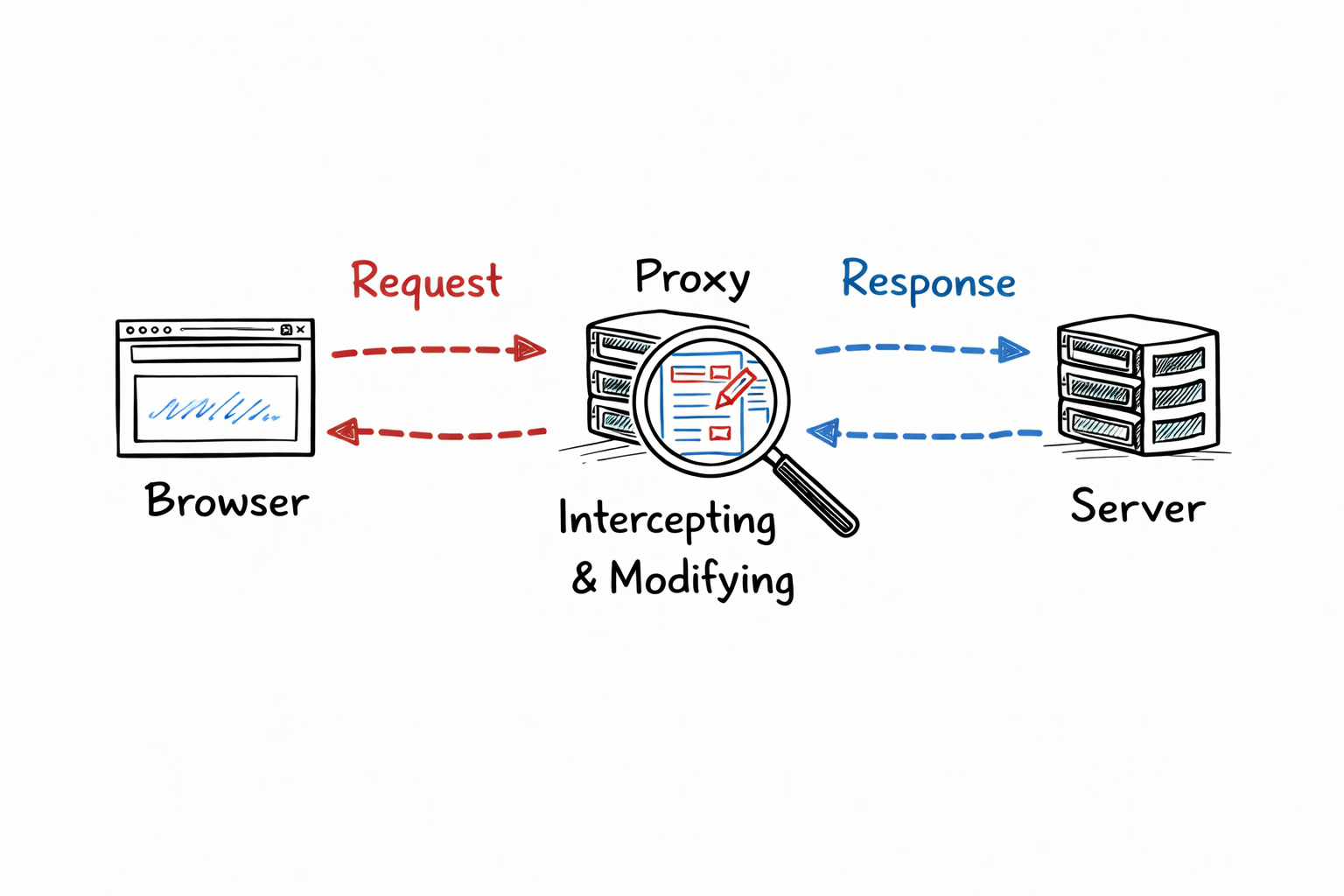
Burp Suite is one of the most widely used cybersecurity tools for testing the security of web applications. It acts as an intercepting proxy between your web browser and the target web server, allowing you to inspect, modify, and analyze HTTP and HTTPS requests before they reach the application.
Security professionals, penetration testers, and ethical hackers use Burp Suite to identify vulnerabilities such as SQL injection, Cross-Site Scripting (XSS), insecure authentication, and other common web application security issues.
How Burp Suite Works
Burp Suite captures web traffic between your browser and the target application. It allows you to:
- Intercept HTTP and HTTPS requests
- Modify request headers, parameters, and cookies
- Replay requests to the server
- Analyze responses returned by the application
- Test web application security in a controlled environment
Common Use Cases
- Testing login forms
- Detecting SQL Injection vulnerabilities
- Identifying Cross-Site Scripting (XSS)
- Analyzing API requests and responses
- Testing session management and authentication
- Finding security misconfigurations in web applications
Real-World Example
A security tester is evaluating a company’s login portal. Using Burp Suite, they intercept the login request and observe the parameters sent to the server. By modifying the request during an authorized security assessment, they discover that the application does not properly validate user input, revealing a SQL injection vulnerability. The development team fixes the issue before the application is deployed, reducing the risk of a real-world attack.
Important Features
- Proxy: Captures and intercepts web traffic.
- Repeater: Sends modified requests multiple times to analyze application responses.
- Intruder: Automates customized requests for authorized security testing.
- Decoder: Encodes and decodes common data formats.
- Comparer: Compares requests and responses to identify differences.
Skills You Will Learn
- Web application security testing
- HTTP and HTTPS protocol analysis
- API security testing
- Authentication and session analysis
- Input validation testing
- Basic penetration testing techniques
Best For: Beginners, Web Application Testers, Penetration Testers, Security Analysts, and Ethical Hackers.
Note: Use Burp Suite only on applications you own or have explicit permission to test. Unauthorized testing of websites or systems may violate laws or organizational policies.
4. Aikido Security (Application Security Platform)
Aikido Security is an all-in-one application security platform that helps developers identify and fix security issues throughout the software development lifecycle. Instead of using multiple security tools, Aikido Security combines several security testing capabilities into a single platform, making it easier for development and DevSecOps teams to secure applications.
It automatically scans source code, dependencies, cloud environments, and repositories to identify vulnerabilities before applications are deployed into production.
Key Features
- Static Application Security Testing (SAST): Detects security vulnerabilities in source code.
- Software Composition Analysis (SCA): Identifies vulnerable third-party libraries and dependencies.
- Secret Detection: Finds exposed API keys, passwords, tokens, and other sensitive credentials.
- Container Security: Scans container images for known vulnerabilities.
- Cloud Security: Monitors cloud environments for security risks and misconfigurations.
Common Use Cases
- Scanning source code during development
- Detecting vulnerable open-source libraries
- Preventing accidental exposure of API keys and secrets
- Securing CI/CD pipelines
- Improving DevSecOps workflows
Real-World Example
A developer accidentally commits a private API key to a Git repository. During the security scan, Aikido Security detects the exposed credential and alerts the development team before the code is deployed. The API key is revoked and replaced, preventing unauthorized access to production resources.
Advantages
- Combines multiple security tools into one platform.
- Integrates with popular Git repositories and CI/CD pipelines.
- Prioritizes high-risk vulnerabilities to reduce alert fatigue.
- Helps developers fix security issues early in the software development lifecycle.
- Simplifies application security for development teams.
Skills You Will Learn
- Secure software development
- DevSecOps fundamentals
- Source code security
- Dependency management
- Secret management
- Application vulnerability assessment
Best For: Developers, DevSecOps Engineers, Application Security Engineers, Security Analysts, and beginners interested in secure software development.
5. OWASP ZAP (Web Vulnerability Scanner)
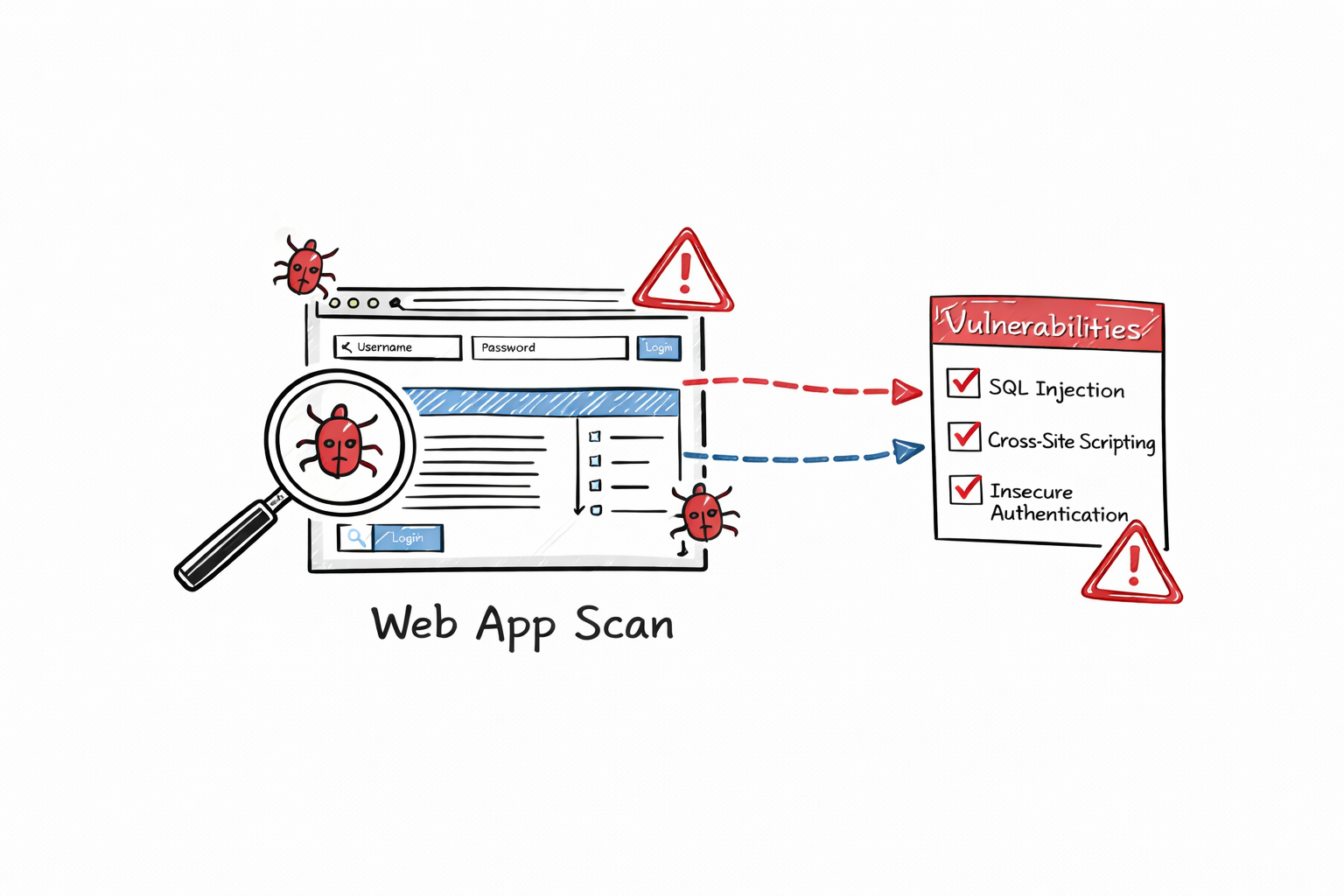
OWASP ZAP (Zed Attack Proxy) is a free, open-source web application security testing tool developed by the Open Worldwide Application Security Project (OWASP). It helps developers, security analysts, and ethical hackers identify common web application vulnerabilities before software is deployed into production.
OWASP ZAP acts as an intercepting proxy between your browser and the web application. It automatically scans websites and APIs to detect security weaknesses, making it an excellent tool for beginners learning web application security.
How OWASP ZAP Works
OWASP ZAP intercepts HTTP and HTTPS traffic between your browser and the target application. It analyzes requests and responses, performs automated scans, and reports potential security vulnerabilities.
Common Use Cases
- Automated web application security testing
- Vulnerability scanning during development
- API security testing
- CI/CD pipeline integration
- Identifying common OWASP Top 10 vulnerabilities
- Security validation before production deployment
Real-World Example
A software development team integrates OWASP ZAP into its CI/CD pipeline. Before every application release, ZAP automatically scans the web application and detects a Cross-Site Scripting (XSS) vulnerability in a user input field. The developers fix the issue before deployment, preventing a potential security breach.
Key Features
- Free and open-source
- Automated vulnerability scanning
- Passive and active security scanning
- API security testing
- HTTP and HTTPS traffic interception
- CI/CD integration
- Detailed vulnerability reports
Skills You Will Learn
- Web application security testing
- Vulnerability assessment
- HTTP and HTTPS traffic analysis
- OWASP Top 10 vulnerabilities
- API security testing
- Secure software development
Best For: Beginners, Developers, Security Analysts, Penetration Testers, DevSecOps Engineers, and Ethical Hackers.
Note: Always use OWASP ZAP only on applications you own or have explicit permission to test. Unauthorized security testing may violate legal and organizational policies.
6. Metasploit Framework (Exploitation Tool)
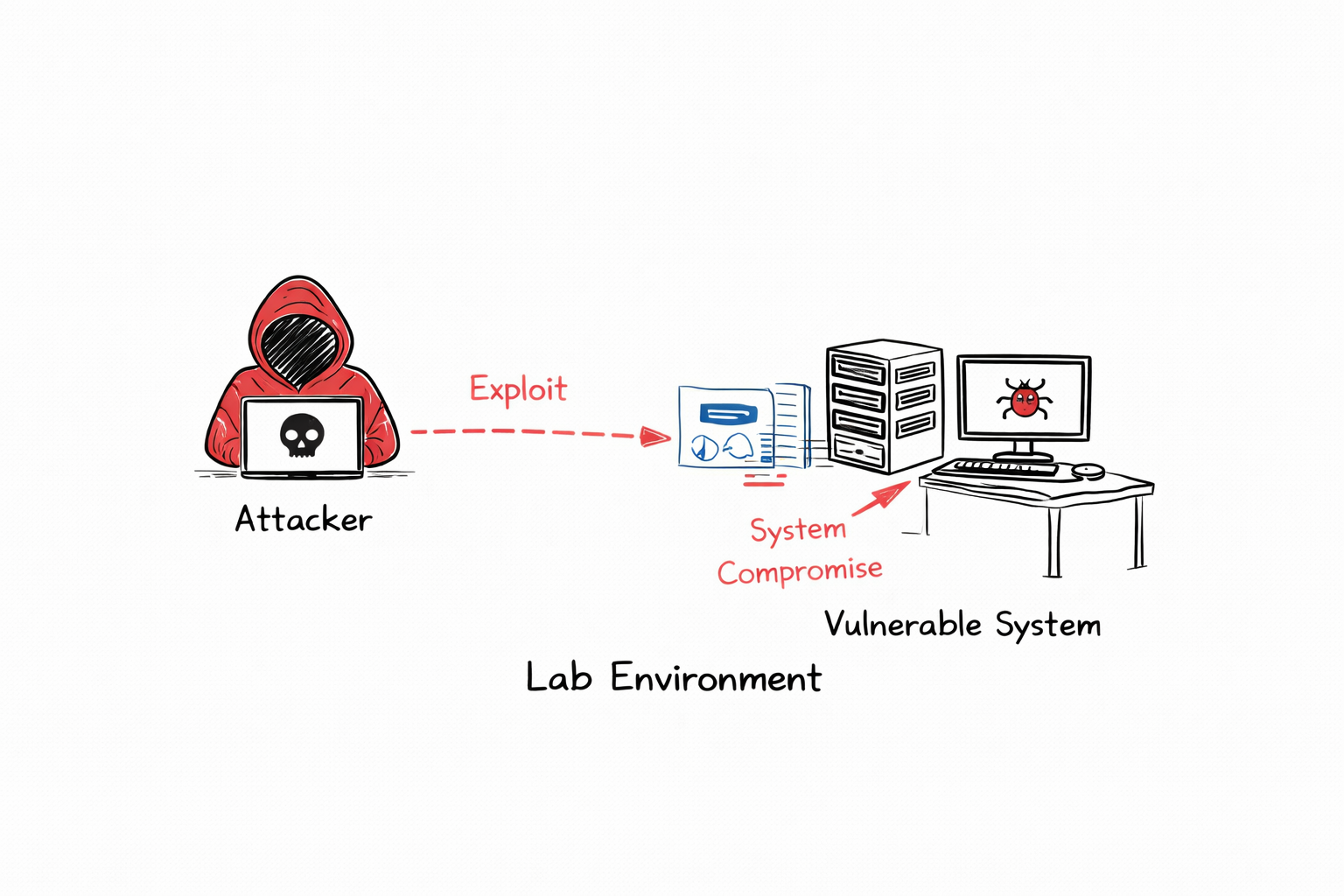
Metasploit Framework is one of the most widely used penetration testing tools for identifying, validating, and demonstrating security vulnerabilities in a controlled environment. It provides a large collection of exploit modules, payloads, and auxiliary tools that help security professionals evaluate the security of systems and applications.
Metasploit is commonly used by ethical hackers, penetration testers, and security researchers to simulate real-world cyberattacks and verify whether known vulnerabilities can be exploited. This helps organizations identify weaknesses and apply security patches before attackers can take advantage of them.
How Metasploit Works
Metasploit uses a database of pre-built exploit modules that target known vulnerabilities. During an authorized security assessment, the tester selects an appropriate exploit, configures the required options, and executes it against a test system to verify whether the vulnerability exists.
Common Use Cases
- Penetration testing
- Vulnerability validation
- Security assessments
- Learning ethical hacking techniques
- Testing patch effectiveness
- Security awareness and training
Real-World Example
A security team performs an authorized penetration test on a lab server running outdated software. Using Metasploit Framework, they verify that a known vulnerability can be exploited to gain unauthorized access. The organization immediately updates the vulnerable software and strengthens its security controls before the system is deployed to production.
Key Features
- Extensive library of exploit modules
- Built-in payload generation
- Post-exploitation modules
- Vulnerability validation
- Integration with vulnerability scanners
- Regularly updated exploit database
Skills You Will Learn
- Penetration testing fundamentals
- Vulnerability exploitation in authorized environments
- Security validation
- Post-exploitation concepts
- Risk assessment
- Ethical hacking methodologies
Best For: Beginners learning penetration testing, Ethical Hackers, Penetration Testers, Security Researchers, and Security Consultants.
Note: Use Metasploit Framework only on systems you own or have explicit written permission to test. Unauthorized exploitation of systems is illegal and unethical.
7. Security Onion (Threat Detection Platform)
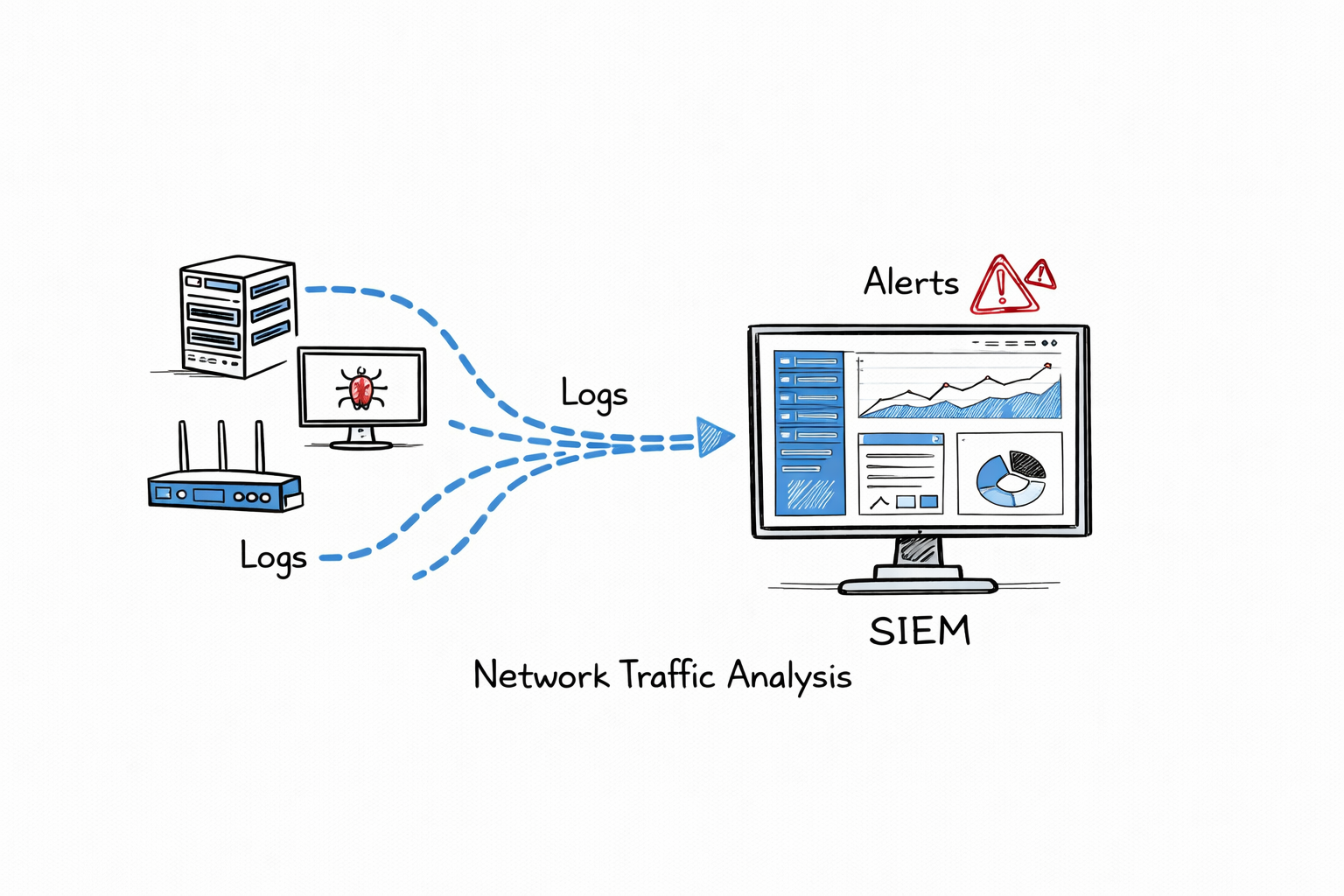
Security Onion is a free, open-source network security monitoring (NSM) and threat detection platform. It combines several powerful security tools into a single solution, enabling security teams to collect logs, monitor network traffic, detect suspicious activity, and investigate security incidents.
Security Onion is widely used in Security Operations Centers (SOCs), enterprise environments, and cybersecurity training labs because it provides comprehensive visibility into network activity and helps analysts detect cyber threats in real time.
Core Components
- Elastic Stack (ELK): Collects, stores, searches, and visualizes security logs.
- Zeek: Monitors network traffic and generates detailed metadata about network connections.
- Suricata: Detects network intrusions using signatures and protocol analysis.
- Wazuh: Provides host-based intrusion detection, log monitoring, and file integrity monitoring.
- CyberChef and other analysis tools: Assist with incident investigation and threat analysis.
Common Use Cases
- Continuous network security monitoring
- Threat detection and incident response
- Log collection and analysis
- Intrusion detection
- Security Operations Center (SOC) monitoring
- Digital forensic investigations
Real-World Example
A SOC analyst notices an unusual increase in outbound network traffic from an internal workstation. Using Security Onion, the analyst reviews Zeek network logs, Suricata alerts, and Elastic dashboards. The investigation reveals that the device is communicating with a known malicious IP address. The security team isolates the compromised system, removes the malware, and blocks further communication to prevent additional damage.
Key Features
- Real-time threat detection
- Centralized log management
- Network traffic analysis
- Intrusion Detection System (IDS)
- Interactive dashboards and visualizations
- Integration with multiple open-source security tools
Skills You Will Learn
- Network Security Monitoring (NSM)
- Security Information and Event Management (SIEM)
- Intrusion detection
- Threat hunting
- Log analysis
- Incident response
- Digital forensics
Best For: SOC Analysts, Security Analysts, Incident Responders, Threat Hunters, Network Security Engineers, and beginners interested in blue team operations.
8. OpenClaw (AI Monitoring Tool)
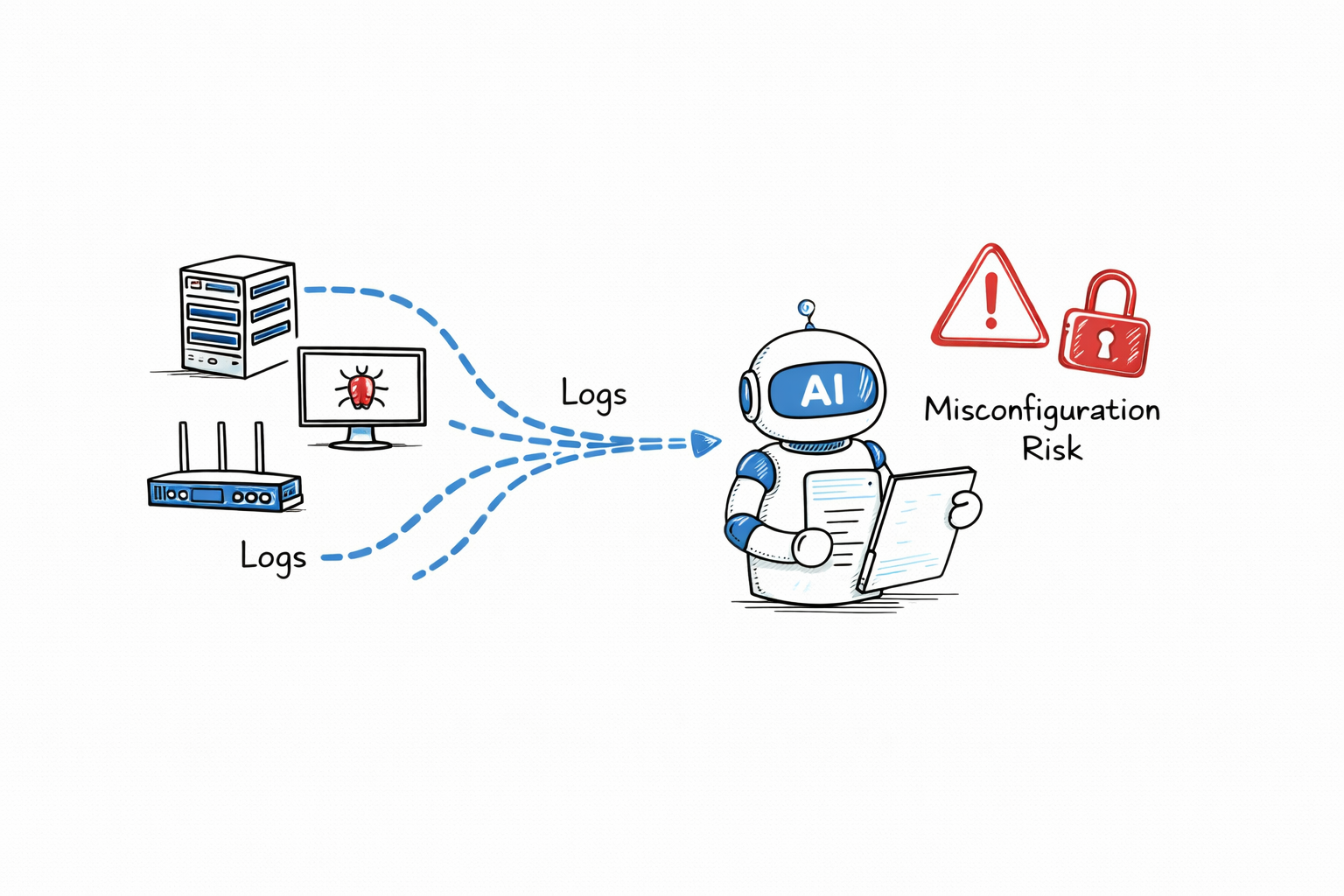
OpenClaw is an AI-powered security automation tool designed to help security teams automate repetitive cybersecurity tasks, improve operational efficiency, and accelerate incident response. It can analyze security data, process alerts, and assist analysts with investigations, allowing teams to focus on higher-priority threats.
As organizations adopt AI-driven security operations, automation tools like OpenClaw help reduce manual effort and improve the speed of detecting and responding to security incidents.
Common Use Cases
- Monitoring security logs
- Automating repetitive security tasks
- Assisting with incident response
- Correlating security events
- Generating security reports
- Supporting Security Operations Center (SOC) workflows
Real-World Example
A SOC team receives thousands of security alerts every day from firewalls, endpoint protection platforms, and SIEM solutions. OpenClaw automatically analyzes incoming alerts, prioritizes high-risk events, groups related incidents, and generates an initial investigation summary. This helps analysts respond to genuine threats more quickly while reducing time spent on repetitive tasks.
Key Features
- AI-assisted security automation
- Security log analysis
- Alert prioritization
- Workflow automation
- Incident investigation support
- Integration with security platforms
Benefits
- Reduces manual security operations
- Improves incident response time
- Increases analyst productivity
- Helps identify high-priority threats
- Simplifies repetitive security tasks
Risks and Considerations
Like any automation platform, OpenClaw should be configured and monitored carefully. Misconfigured automation rules or excessive permissions can lead to incorrect actions, missed alerts, or unnecessary operational risks. Organizations should regularly review AI-generated recommendations and maintain appropriate human oversight for critical security decisions.
Skills You Will Learn
- Security automation
- AI-assisted SOC operations
- Log analysis
- Incident response
- Workflow automation
- Security operations
Best For: SOC Analysts, Security Analysts, DevSecOps Engineers, Security Engineers, and beginners interested in AI-driven cybersecurity operations.
9. Gophish (Phishing Simulation Tool)
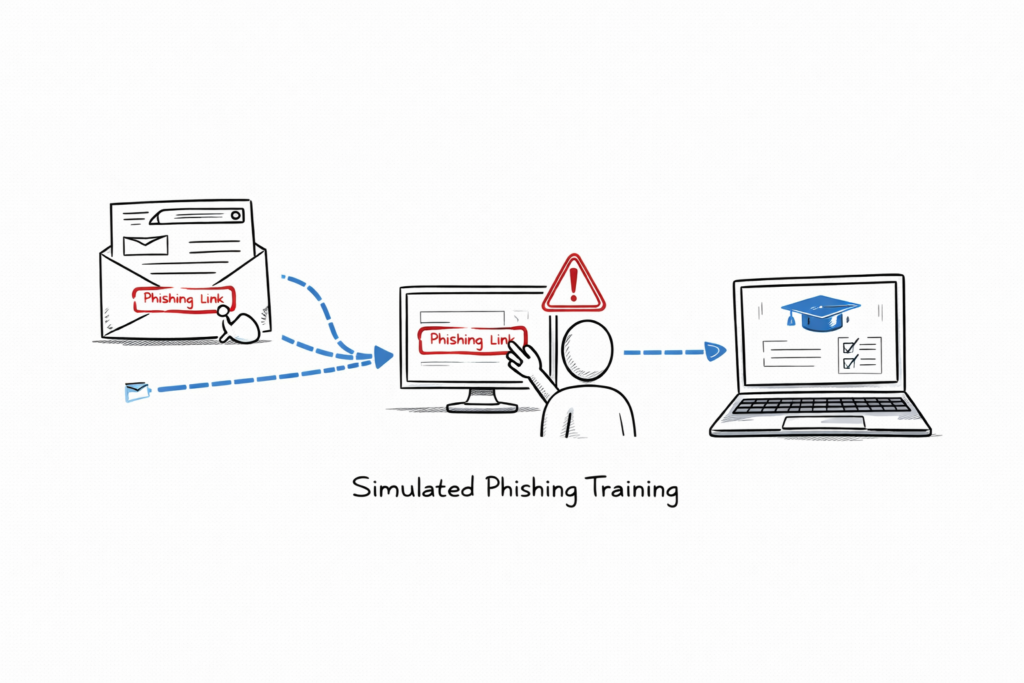
Gophish is a free, open-source phishing simulation tool used by organizations to test employee awareness and strengthen cybersecurity training programs. Instead of launching real phishing attacks, Gophish creates controlled phishing campaigns that help organizations measure how employees respond to suspicious emails.
Security teams use Gophish to identify users who may be vulnerable to phishing attacks and provide additional security awareness training to reduce the risk of credential theft and other social engineering attacks.
How Gophish Works
Gophish allows administrators to create realistic phishing email campaigns, send them to selected users, and track how recipients interact with the emails. The platform records actions such as opening the email, clicking links, and submitting credentials on simulated login pages.
Common Use Cases
- Employee phishing awareness training
- Security awareness programs
- Simulated phishing campaigns
- Measuring phishing susceptibility
- Improving organizational security culture
- Compliance and security training
Real-World Example
An organization launches a simulated phishing campaign using Gophish to evaluate employee awareness. The platform sends a realistic email that appears to come from the IT department asking users to reset their passwords. After the campaign, the security team reviews the results and identifies employees who clicked the phishing link. Those employees receive additional cybersecurity awareness training, reducing the organization’s risk of future phishing attacks.
Key Features
- Custom phishing email templates
- Landing page creation
- Campaign scheduling
- User interaction tracking
- Detailed campaign reports
- Integration with SMTP email servers
Benefits
- Improves employee security awareness
- Reduces the risk of successful phishing attacks
- Identifies high-risk users
- Supports security awareness training
- Provides detailed campaign analytics
Skills You Will Learn
- Phishing attack simulation
- Social engineering awareness
- Security awareness training
- Email security
- Campaign management
- Security reporting
Best For: Security Awareness Teams, SOC Analysts, Security Analysts, IT Administrators, and beginners learning about phishing prevention and cybersecurity awareness.
Note: Use Gophish only for authorized security awareness training within your organization or in approved lab environments. Never use phishing simulation tools for unauthorized or deceptive activities.
10. Kali Linux (Cybersecurity OS)
Kali Linux includes hundreds of security tools.
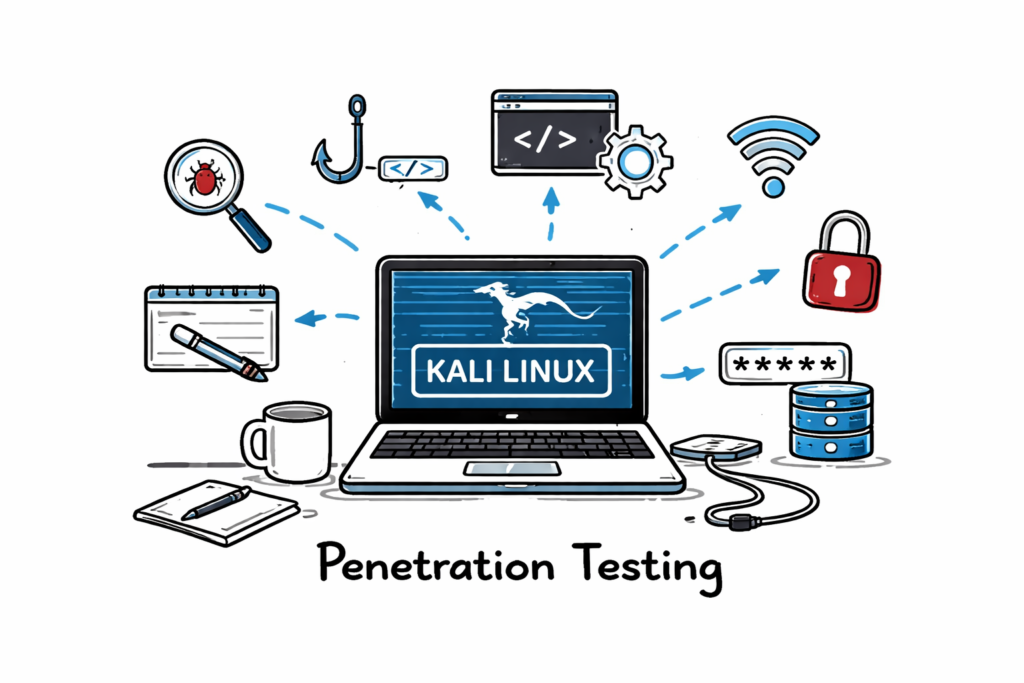
10. Kali Linux (Cybersecurity and Penetration Testing Platform)
Kali Linux is one of the most popular cybersecurity tools for beginners and professionals. It is a Linux-based operating system that comes pre-installed with hundreds of security tools used for penetration testing, vulnerability assessment, digital forensics, wireless security testing, and network analysis.
If you want to build practical cybersecurity skills, Kali Linux is one of the best cybersecurity tools for beginners because it provides a complete learning environment without requiring you to install each security tool individually.
How Kali Linux Works
Kali Linux includes hundreds of pre-configured security tools in a single operating system. Instead of downloading and configuring each application separately, you can launch the required tool directly from Kali Linux and begin practicing in a safe lab environment.
Common Use Cases
- Learning penetration testing
- Practicing ethical hacking
- Vulnerability assessments
- Wireless security testing
- Network analysis
- Digital forensics
Real-World Example
A cybersecurity student installs Kali Linux in a virtual machine and creates a home lab using intentionally vulnerable systems. They use tools such as Nmap for network discovery, Wireshark for packet analysis, Burp Suite for web application testing, and Metasploit Framework for validating vulnerabilities. This hands-on practice helps prepare them for cybersecurity certifications and technical interviews.
Key Features
- Includes more than 600 pre-installed security tools
- Supports penetration testing and ethical hacking
- Built-in tools for network analysis and vulnerability assessment
- Compatible with virtual machines, cloud platforms, and USB live boot
- Regularly updated by the Kali Linux community
Benefits
- Provides an all-in-one security testing platform
- Eliminates the need to install tools individually
- Ideal for building practical cybersecurity skills
- Widely used by security professionals worldwide
- Excellent for home labs and certification preparation
Skills You Will Learn
- Penetration testing
- Ethical hacking
- Network security
- Vulnerability assessment
- Digital forensics
- Security tool usage
Best For: Students, SOC Analysts, Security Analysts, Ethical Hackers, Penetration Testers, and anyone looking for cybersecurity tools for beginners to develop hands-on experience.
Note: Always use Kali Linux and its security tools only in authorized lab environments or on systems you own or have explicit permission to test. Unauthorized security testing is illegal and unethical.
Architecture Behind Cybersecurity Tools
Modern cybersecurity tools follow three main approaches:
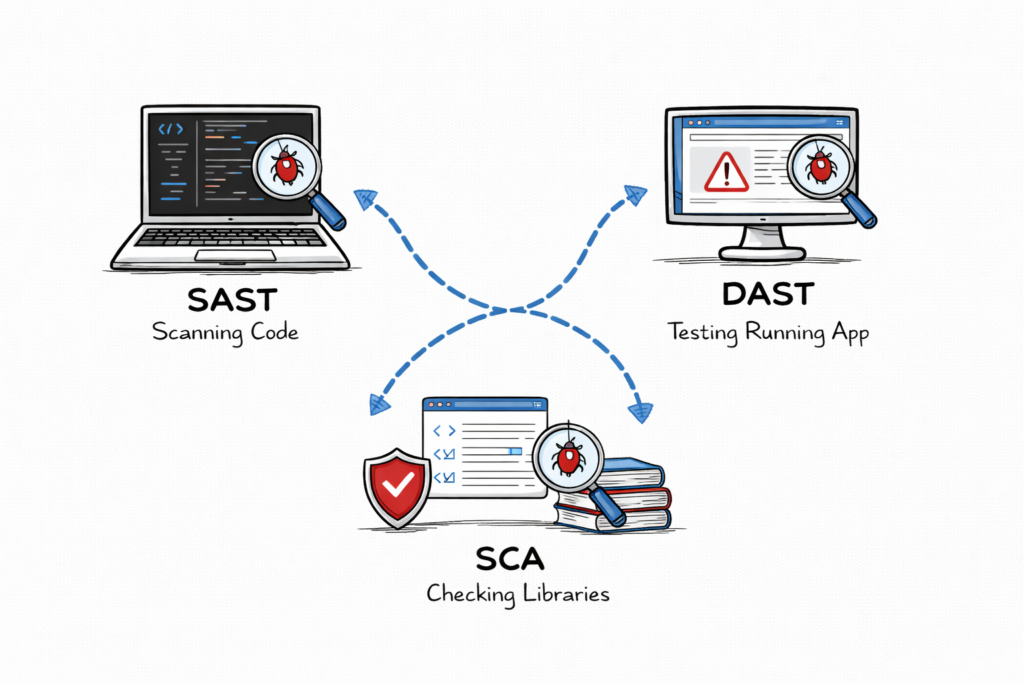
Core Security Testing Techniques Every Beginner Should Learn
Understanding modern security testing techniques is just as important as learning cybersecurity tools for beginners. Many cybersecurity tools for beginners use one or more of these testing methods to identify vulnerabilities in applications before attackers can exploit them. Learning these concepts will help you choose the right cybersecurity tools for beginners and understand how they work in real-world security assessments.
1. SAST (Static Application Security Testing)
Static Application Security Testing (SAST) analyzes an application’s source code, bytecode, or binaries without executing the application. It helps developers identify coding errors, insecure programming practices, and security vulnerabilities during the early stages of software development.
Common Use Cases
- Secure code reviews
- Detecting SQL Injection vulnerabilities
- Identifying Cross-Site Scripting (XSS)
- Finding hard-coded passwords and API keys
- Supporting secure software development
Example
A developer runs a SAST scan before committing code to the repository. The tool detects a hard-coded database password and an SQL Injection vulnerability, allowing both issues to be fixed before deployment.
2. DAST (Dynamic Application Security Testing)
Dynamic Application Security Testing (DAST) evaluates a running web application by interacting with it from the outside, just like an attacker would. It helps identify security weaknesses that may not be visible in the source code.
Common Use Cases
- Web application security testing
- Authentication testing
- Session management validation
- API security testing
- Detecting runtime vulnerabilities
Example
A security analyst uses a DAST tool to scan a staging website. The scan identifies missing security headers and a Cross-Site Scripting (XSS) vulnerability before the application is released to production.
3. SCA (Software Composition Analysis)
Software Composition Analysis (SCA) scans third-party libraries, frameworks, and open-source components used within an application. It identifies known vulnerabilities, outdated packages, and licensing issues that could introduce security risks.
Common Use Cases
- Detecting vulnerable open-source libraries
- Managing software dependencies
- License compliance checks
- Supply chain security
- DevSecOps integration
Example
A development team adds a new Java library to its project. An SCA scan detects that the library contains a critical published vulnerability. The team upgrades to a secure version before deploying the application.
Why These Techniques Matter
Many cybersecurity tools for beginners combine SAST, DAST, and SCA to provide comprehensive application security testing. Understanding these techniques helps you select the right cybersecurity tools for beginners, interpret scan results, and build practical skills for cybersecurity certifications, technical interviews, and real-world security roles.
Real-World Enterprise Example
A fintech company uses Zero Trust architecture.
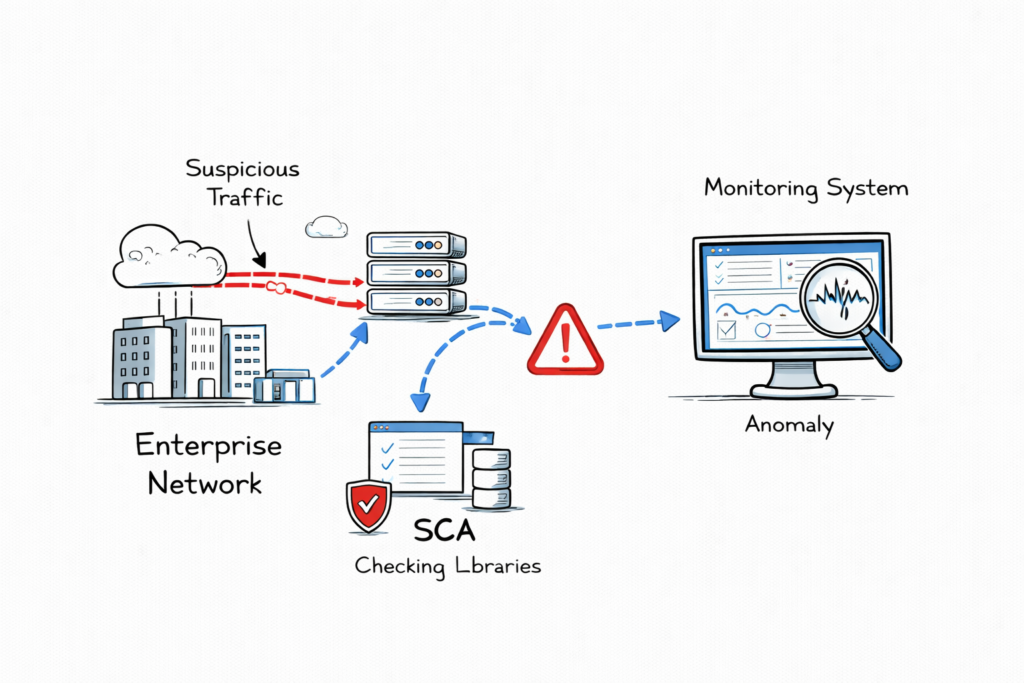
Understanding cybersecurity tools for beginners becomes much easier when you see how multiple tools work together to detect and respond to a real security incident. In enterprise environments, security teams rarely rely on a single solution. Instead, they combine several cybersecurity tools for beginners and advanced security platforms to identify, investigate, and contain cyber threats.
Problem
An employee accidentally deploys an AI-based application without implementing proper authentication or security controls. As a result, the application becomes accessible from the internal network, creating a potential security risk.
Detection
The organization’s security team uses multiple cybersecurity tools for beginners and enterprise security solutions to investigate the incident.
- Security Onion detects unusual outbound network traffic and generates a security alert.
- Nmap scans the affected server and identifies an unexpected service running on an open port.
- Wireshark captures and analyzes network packets, revealing unauthorized communication between the application and an external IP address.
This example demonstrates how cybersecurity tools for beginners are also widely used by experienced security professionals to investigate suspicious activity and validate security alerts.
Result
The security team quickly isolates the affected system from the network, blocks the unauthorized service, and prevents sensitive company data from being exposed. This practical example shows how learning cybersecurity tools for beginners prepares you to respond to real-world cybersecurity incidents.
Advantages of Learning Cybersecurity Tools
Learning cybersecurity tools for beginners provides practical skills that are valuable in security operations, penetration testing, incident response, and vulnerability management.
Advantages
- Improve visibility into network and system activity.
- Detect security vulnerabilities before attackers exploit them.
- Automate repetitive security tasks.
- Support faster incident detection and response.
- Build hands-on experience for cybersecurity certifications and interviews.
- Prepare for real-world SOC and security analyst roles.
By mastering cybersecurity tools for beginners, you gain practical knowledge that employers expect from entry-level cybersecurity professionals.
Limitations of Cybersecurity Tools
Although cybersecurity tools for beginners are extremely valuable, they are not a replacement for security knowledge and experience.
Limitations
- Require time and practice to learn effectively.
- May generate false positives that require manual verification.
- Incorrect configuration can reduce detection accuracy.
- Some advanced tools require strong networking and operating system knowledge.
- Security tools should always be used as part of a broader security strategy.
Understanding both the strengths and limitations of cybersecurity tools for beginners helps you use them more effectively and avoid common mistakes. Continuous practice in a lab environment is the best way to develop the confidence and technical skills needed for a successful cybersecurity career.
Interview Questions and Answers
Q1: What is False Positive?
A tool reports a vulnerability that does not exist.
Q2: What is True Positive?
A real vulnerability detected correctly.
Q3: How does Nmap detect OS?
Using TCP/IP fingerprinting.
Q4: What is Defense in Depth?
Multiple layers of security.
Common Mistakes Beginners Make When Using Cybersecurity Tools
Learning cybersecurity tools for beginners requires more than installing software and running scans. Many beginners make avoidable mistakes that reduce the effectiveness of security tools and limit their learning. Understanding these common errors will help you use cybersecurity tools for beginners more efficiently and build stronger practical skills.
1. Running Tools Without Understanding Their Purpose
Many beginners launch security tools without understanding how they work or what the results mean. Before using cybersecurity tools for beginners, learn the basic concepts of networking, operating systems, and cybersecurity so you can correctly interpret scan results.
2. Not Updating Security Tools
Cyber threats evolve continuously. Using outdated versions of cybersecurity tools for beginners may cause you to miss recently discovered vulnerabilities or malware. Always update your security tools and vulnerability databases before performing assessments.
3. Using Default Settings
Default configurations may not provide the most accurate or comprehensive results. Learn how to customize cybersecurity tools for beginners to match your testing environment and security objectives.
4. Testing on Unauthorized Systems
Always use cybersecurity tools for beginners in your own lab environment or on systems where you have explicit permission. Unauthorized scanning or testing may violate organizational policies and applicable laws.
5. Ignoring Scan Results
Running a scan is only the first step. Carefully analyze findings, verify false positives, and understand the associated security risks. Developing this habit helps you gain more value from cybersecurity tools for beginners.
Best Practices for Learning Cybersecurity Tools
Following best practices will help you build practical experience and improve your understanding of cybersecurity tools for beginners.
Use Virtual Labs
Practice in virtual machines using platforms such as VirtualBox, VMware, or cloud-based cybersecurity labs. A safe testing environment allows you to experiment without affecting production systems.
Keep Security Logs
Maintain records of scans, vulnerabilities, remediation steps, and lessons learned. Documenting your work improves troubleshooting skills and helps track your learning progress.
Practice Regularly
Hands-on practice is essential. The more time you spend using cybersecurity tools for beginners, the more comfortable you become with network analysis, vulnerability assessment, and incident investigation.
Learn Networking Fundamentals
Understanding TCP/IP, DNS, routing, firewalls, and operating systems makes it much easier to use cybersecurity tools for beginners effectively.
Future Trends in Cybersecurity Tools
Modern cybersecurity tools for beginners continue to evolve as organizations adopt automation, artificial intelligence, and cloud technologies. Staying current with these trends will help you prepare for future cybersecurity roles.
AI-Powered Security
Artificial intelligence is increasingly used to analyze security events, detect anomalies, prioritize alerts, and assist security analysts with faster threat detection.
Automated Vulnerability Management
Modern security platforms automatically identify vulnerabilities, prioritize risks, and recommend remediation steps, reducing manual effort and improving response times.
Self-Healing Security Systems
Organizations are beginning to adopt security technologies that can automatically isolate compromised devices, apply security policies, and respond to common threats with minimal human intervention.
Cloud-Native Security
As cloud adoption grows, cybersecurity tools for beginners increasingly include features for protecting cloud workloads, containers, Kubernetes environments, and serverless applications.
By continuously practicing with cybersecurity tools for beginners and staying informed about emerging technologies, you will build practical skills that are valuable for cybersecurity certifications, technical interviews, and real-world security careers.
FAQ
Which tool should I learn first?
Start with Nmap.
Do I need coding?
Basic Python helps.Are these tools free?
Yes, most have free versions.
Conclusion
Learning cybersecurity tools for beginners is one of the most important steps toward building a successful career in cybersecurity. While security tools are powerful, they are only effective when combined with a solid understanding of networking, operating systems, web application security, and cybersecurity fundamentals.
The cybersecurity tools for beginners covered in this guide, including Wireshark, Nmap, Burp Suite, OWASP ZAP, Metasploit, Security Onion, Kali Linux, Gophish, and Aikido Security, provide hands-on experience that is valuable for cybersecurity certifications, technical interviews, and real-world security roles.
Start by setting up a home lab, practice regularly in authorized environments, and learn how each tool works instead of simply running automated scans. As your knowledge grows, you can explore advanced topics such as penetration testing, threat hunting, incident response, digital forensics, and cloud security.
Consistent practice with cybersecurity tools for beginners will improve your technical skills, strengthen your problem-solving abilities, and prepare you for roles such as Security Analyst, SOC Analyst, Penetration Tester, Ethical Hacker, and Network Security Engineer.
The cybersecurity industry continues to evolve, and new threats emerge every day. By continuously learning, staying updated, and gaining practical experience with cybersecurity tools for beginners, you will build the confidence and expertise needed to succeed in a long-term cybersecurity career.
Internal Links (TechNaga)
- What Is Cybersecurity and Why It Is Important Today
https://technaga.com/what-is-cybersecurity-and-why-it-is-important-today/ - Complete Network Security Basics Guide for Beginners 2026
https://technaga.com/what-is-networks-and-network-security-basics-2026/ - What Is Firewall in Cybersecurity? Types, Examples and How It Works
https://technaga.com/what-is-firewall-in-cybersecurity-types-examples-and-how-it-works/ - IP Address Explained: 12 Essential Concepts Every Beginner Should Know
https://technaga.com/ip-address-essential-concepts-guide-2026/
External References (Official Documentation)
- Wireshark Documentation
https://www.wireshark.org/docs/ - Nmap Documentation
https://nmap.org/book/ - PortSwigger Burp Suite Documentation
https://portswigger.net/burp/documentation - OWASP ZAP
https://www.zaproxy.org/ - OWASP Top 10
https://owasp.org/www-project-top-ten/ - Metasploit Framework Documentation
https://docs.rapid7.com/metasploit/ - Security Onion Documentation
https://docs.securityonion.net/ - Kali Linux Documentation
https://www.kali.org/docs/ - Gophish Documentation
https://docs.getgophish.com/ - Aikido Security Documentation
https://help.aikido.dev/ - MITRE ATT&CK Framework
https://attack.mitre.org/ - NIST Cybersecurity Framework
https://www.nist.gov/cyberframework - CISA Cybersecurity Resources
https://www.cisa.gov/cybersecurity - OWASP Web Security Testing Guide
https://owasp.org/www-project-web-security-testing-guide/ - Zeek Documentation
https://docs.zeek.org/
Important Note: This article is based on hands-on cybersecurity experience and research from reliable sources. While every effort has been made to ensure accuracy, you should validate the information based on your specific environment and security requirements before applying it.