What is Firewall in Cybersecurity and How It Works?
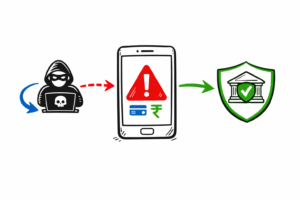
Firewall in Cybersecurity is a critical security solution that protects networks from hackers and cyber threats. Every organization depends on Firewall in Cybersecurity to secure internal systems and sensitive data.
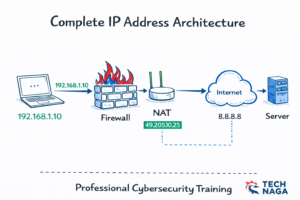
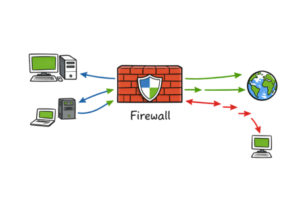
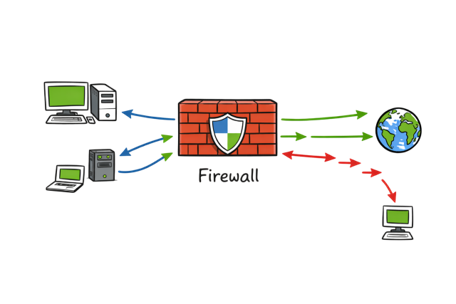
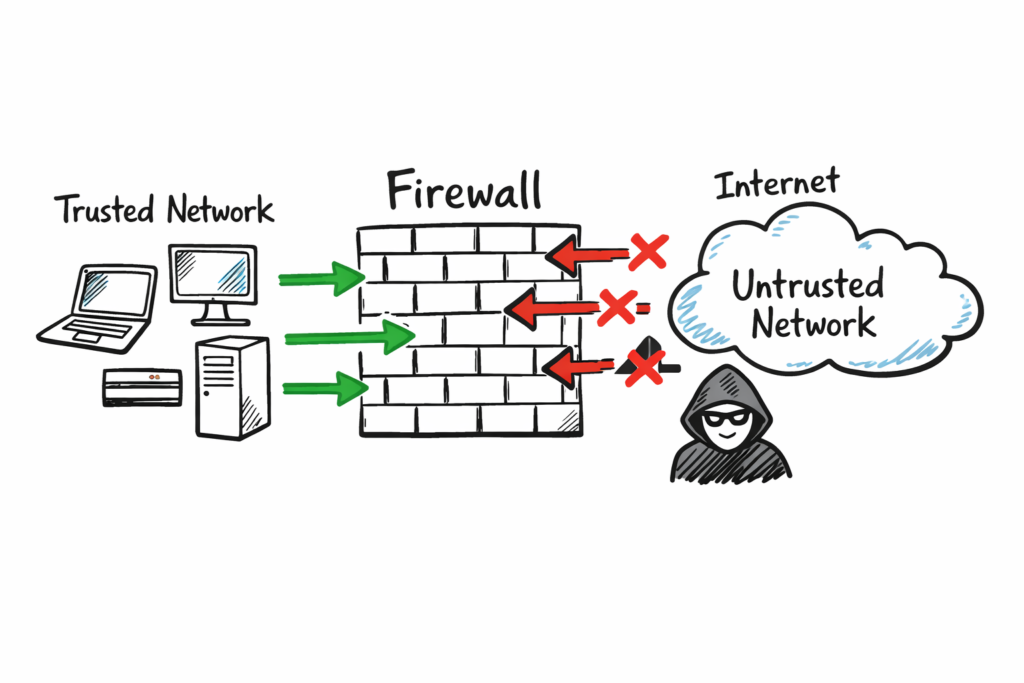
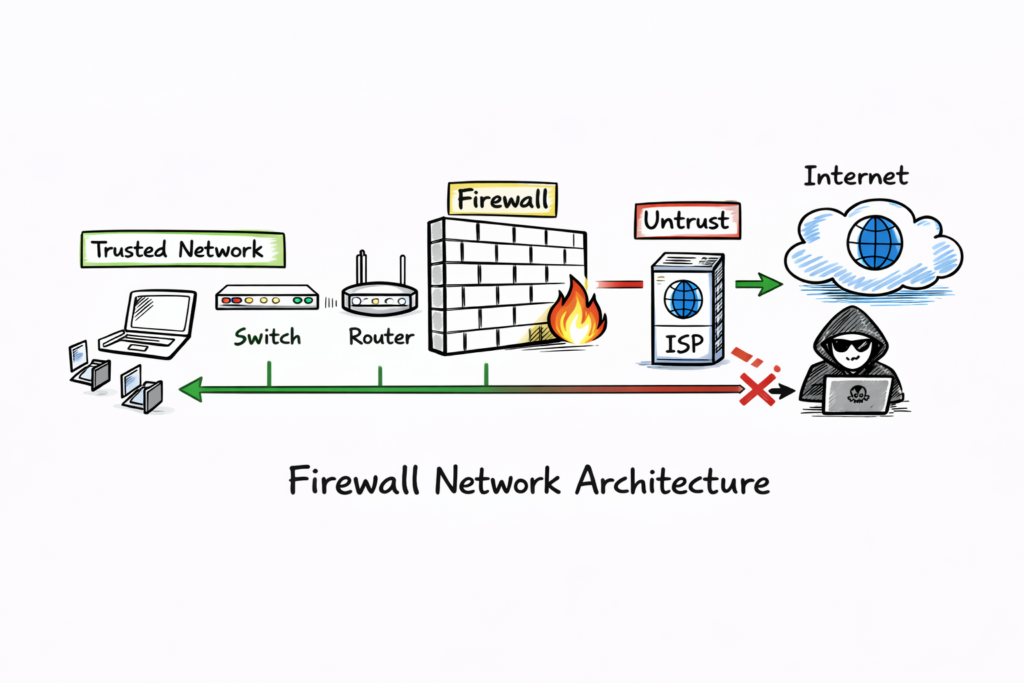
A firewall is a security barrier between trusted internal networks and untrusted external networks like the internet. It can be hardware, software, or a combination of both, and it controls traffic using predefined security rules.
Firewall in Cybersecurity inspects incoming and outgoing packets, allowing safe traffic and blocking malicious traffic based on security policies. It protects devices, servers, and users by reducing exposure to cyber attacks and unauthorized access.
Why Firewall in Cybersecurity is Important for Network Security?
Firewall in Cybersecurity helps monitor and control network traffic based on security rules. Without Firewall in Cybersecurity, attackers can easily access private networks and steal sensitive data. Firewall in Cybersecurity acts as the first line of defense by preventing unauthorized access, blocking malicious traffic, and protecting sensitive information for individuals and organizations.
Firewall in Cybersecurity also helps enforce company security policies, such as blocking social media or unsafe websites in the workplace. It supports regulatory compliance and reduces risks from phishing attacks, malware, denial-of-service (DoS) attacks, and other common network threats. By using Firewall in Cybersecurity, organizations can improve their overall security posture and protect business operations.
Types of Firewall in Cybersecurity Explained with Examples
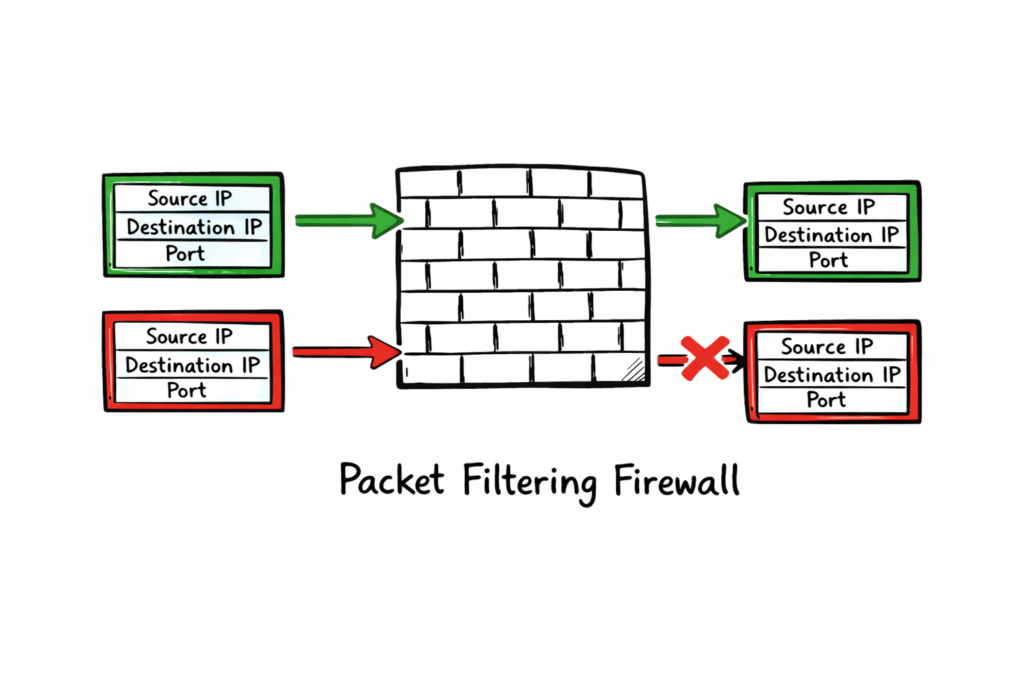
Packet-filtering Firewall in Cybersecurity is a basic and stateless firewall type that inspects packet headers at the network layer. This Firewall in Cybersecurity uses IP addresses, port numbers, and protocols to allow or deny packets without tracking the connection state. Packet-filtering Firewall in Cybersecurity is simple, fast, and efficient, but it provides limited security compared to advanced firewalls.
Real-world example: In Firewall in Cybersecurity, a company can block traffic from a known malicious IP address range or close FTP port 21 to prevent unauthorized file transfers. This type of Firewall in Cybersecurity helps stop basic network attacks at the network edge and improves overall security.
Stateful Inspection Firewall in Cybersecurity Explained
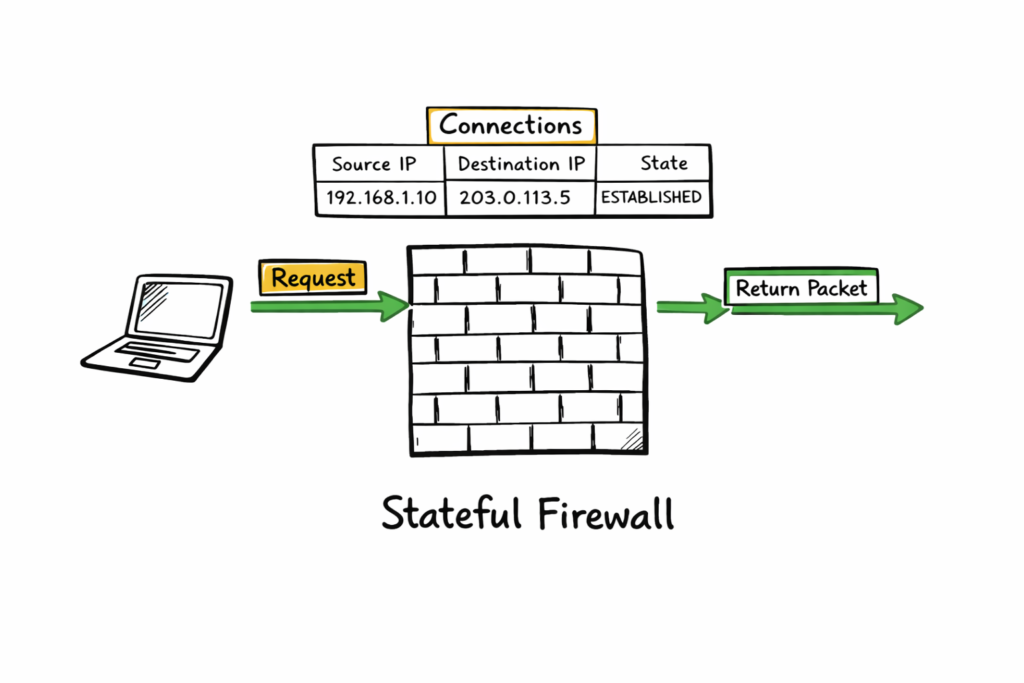
Stateful Inspection Firewall in Cybersecurity tracks active network connections and allows return traffic only when it matches an established session. This type of Firewall in Cybersecurity provides better protection than packet-filtering firewalls because it understands the connection state. A stateful Firewall in Cybersecurity is widely used today because it offers strong security while maintaining good network performance.
Example: When you visit a website, your computer sends a request through the Firewall in Cybersecurity, and the firewall records that session. When the website sends a response back, the Firewall in Cybersecurity checks the connection state and allows the traffic because it is a valid and trusted response. This process helps Firewall in Cybersecurity prevent unauthorized access and protect the network.
Proxy Firewall in Cybersecurity Explained
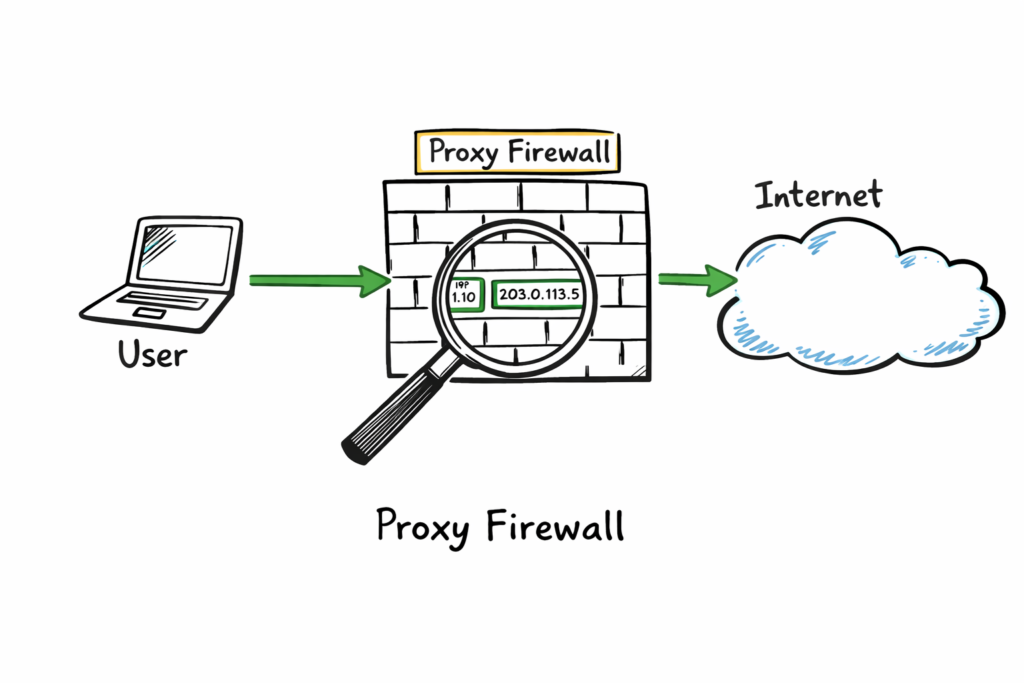
A Proxy Firewall in Cybersecurity operates at the application layer and acts as an intermediary between internal users and the internet. This type of Firewall in Cybersecurity inspects full requests and responses before forwarding them to the destination. A proxy Firewall in Cybersecurity hides internal IP addresses and enforces detailed application-level security rules, providing better control, privacy, and protection.
Real example: In Firewall in Cybersecurity, a school or company uses a proxy firewall to check student or employee web requests. The Firewall in Cybersecurity fetches the external content on behalf of the user and returns safe results. This process prevents direct communication between internal devices and the internet, and the Firewall in Cybersecurity ensures secure and controlled access.
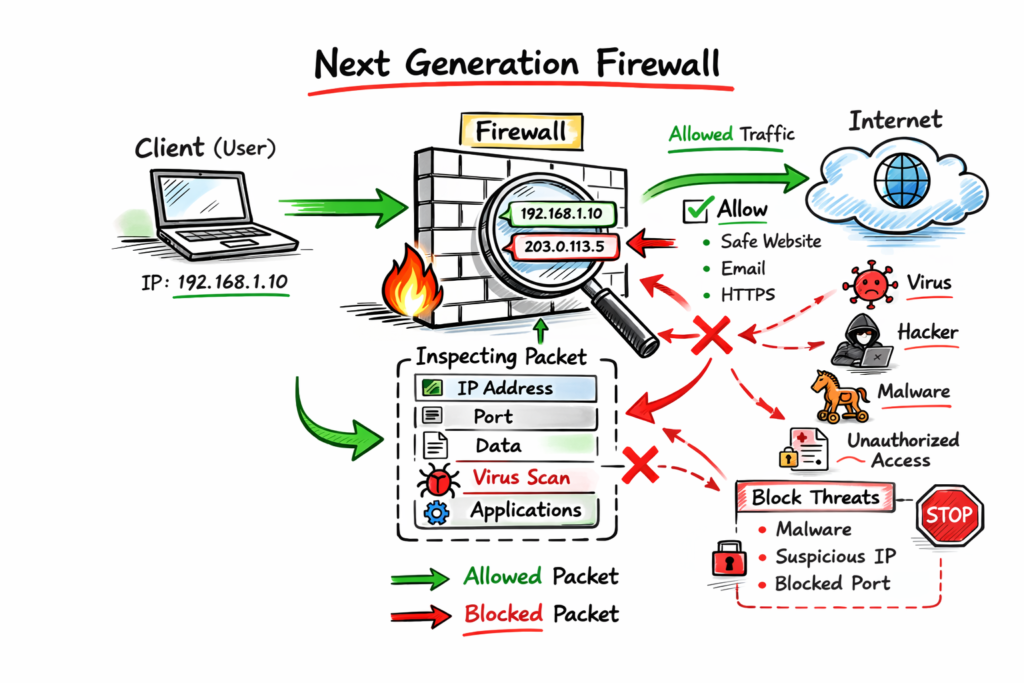
Next-Generation Firewalls combine traditional filtering with deep packet inspection, application awareness, and intrusion prevention. NGFWs can control apps, detect threats in payloads, and simplify security management for admins at scale.
Example: an NGFW permits Microsoft Teams chat but blocks its file-sharing feature, because it recognizes application sub-functions and applies granular rules for business policy enforcement protecting data without blocking productivity.
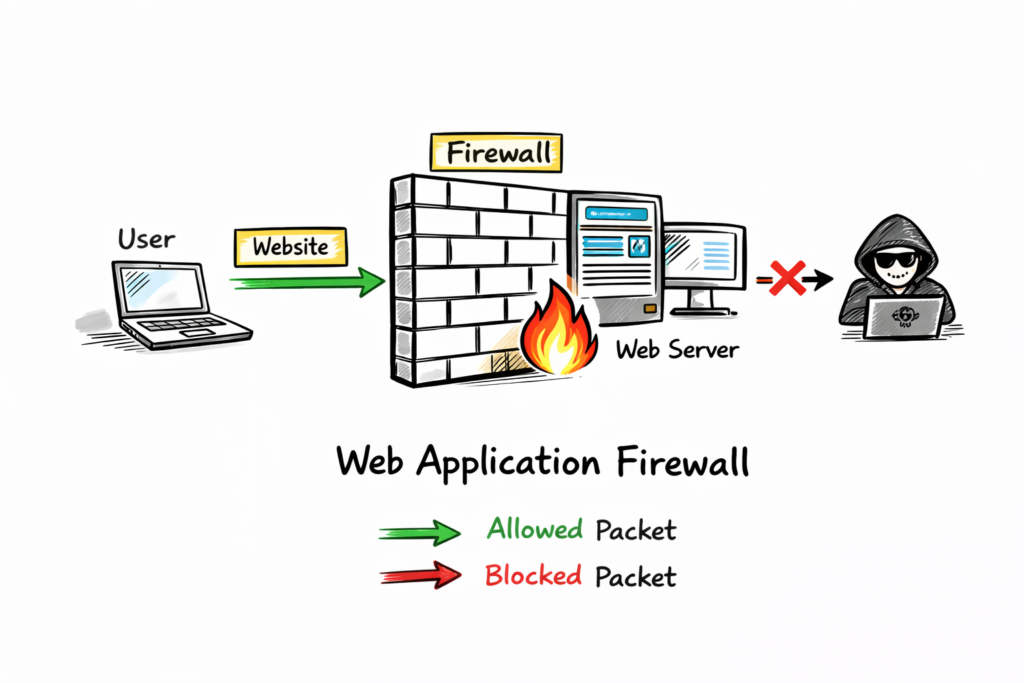
Web Application Firewalls focus on web apps and HTTP traffic. WAFs inspect payloads to block SQL injection, cross-site scripting, and other web-specific attacks before they reach servers protecting customer data.
Example: a bank’s login page uses a WAF to block malicious inputs. The WAF detects injection patterns in requests and stops the attack before the bank’s database receives harmful commands.
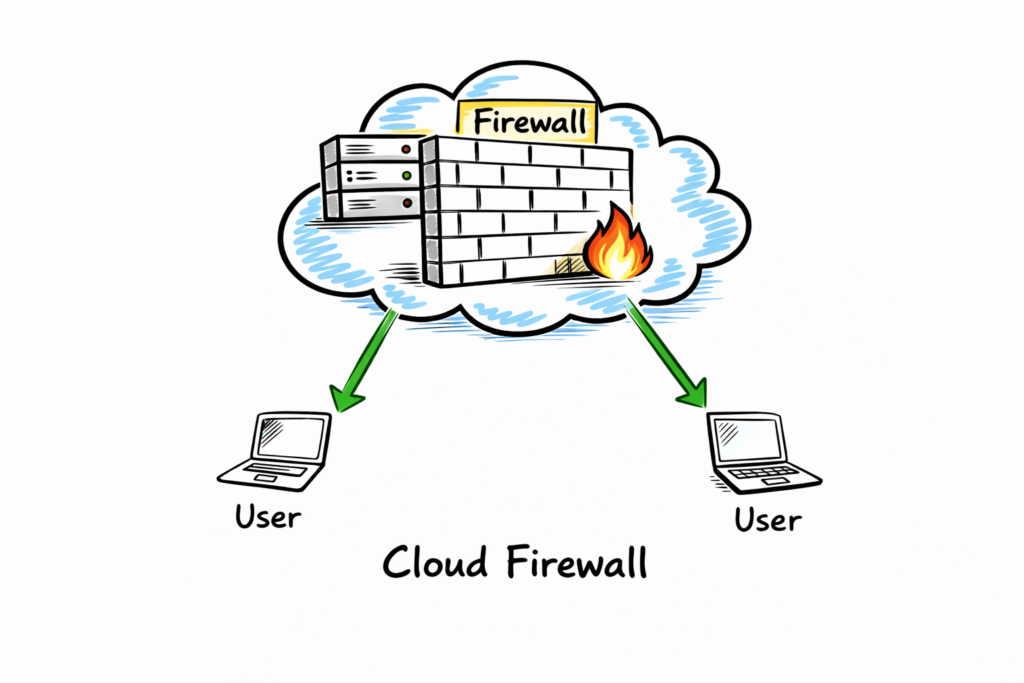
Cloud-native firewalls or FWaaS protect cloud resources and remote workers. Delivered as a service, they scale with demand and centralize policy management for multi-region cloud deployments improving consistency and security.
Example: Azure Firewall or similar services manage traffic for virtual machines and apps across regions from one console, simplifying protection for global cloud architectures and reducing operational overhead significantly today.
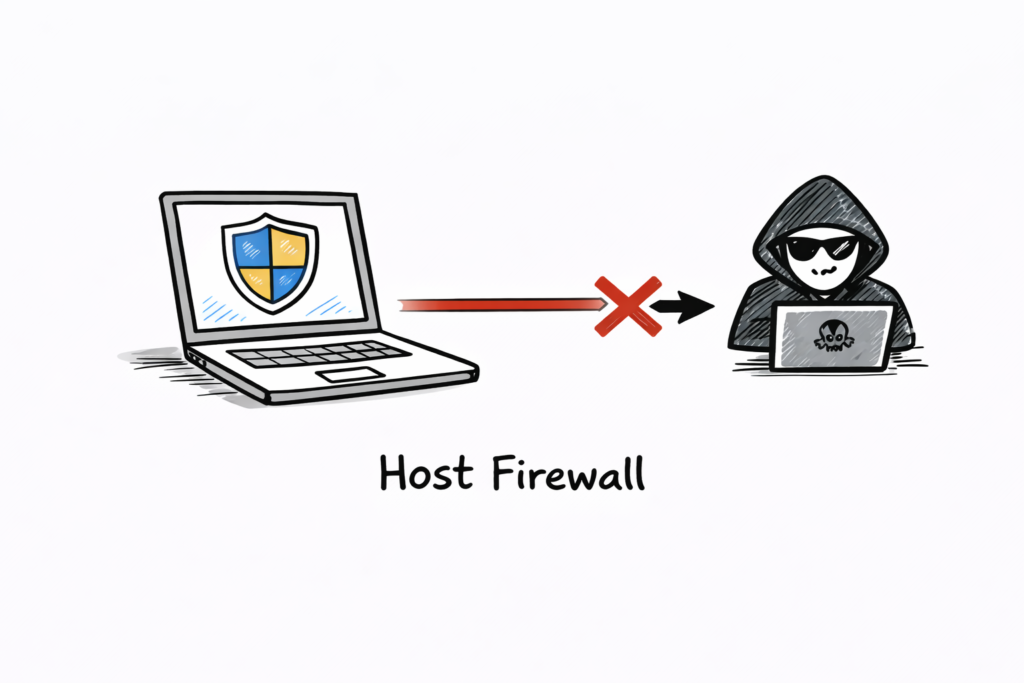
Host-based firewalls run on individual machines, protecting that host’s resources. They provide granular control over applications and ports on the device, useful on laptops and servers especially for remote work.
Firewall in Cybersecurity Architecture Explained
Network firewalls protect the entire perimeter, often deployed as hardware at an office edge. They enforce broad policies for traffic entering or leaving the corporate network and centralize security monitoring. Basic of Networks.
Understanding OSI layers helps choose the right firewall. Traditional firewalls usually operate at layers three and four, filtering IPs, ports, and protocols, while advanced systems can inspect layer seven application data.
Threats differ by layer: network firewalls block unauthorized access and DoS attacks. WAFs focus on web-specific threats like SQL injection and cross-site scripting that target applications directly requiring specialized defenses.
Sandboxing isolates suspicious files or code in a safe environment, executing them to observe behavior. This helps firewalls detect zero-day and evasive threats by analyzing real actions instead of signatures.
Modern firewalls often sandbox ZIP files, Office documents, PDFs, and scripts across multiple operating systems. Observing behavior across environments provides higher confidence before allowing files into the network or systems.
AI and machine learning enhance firewall capabilities by learning baseline traffic patterns and spotting anomalies. AI-powered systems adapt policies, detect unknown threats, and reduce false positives with behavioral models continuously.
Zero-delay threat intelligence shares new threat signatures across the provider network in seconds. This allows rapid blocking for all customers when one instance detects a novel attack pattern quickly globally.
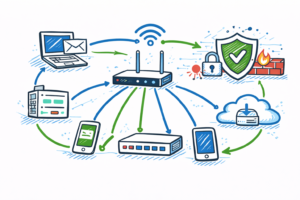
Deployment choices depend on needs. Perimeter hardware suits offices, host-based software secures endpoints, cloud firewalls serve distributed cloud workloads, and WAFs protect internet-facing applications while NGFWs combine multiple functions seamlessly.
Policy strategy matters: adopt a deny-all default and allow only required traffic. Regularly review rules, remove unused entries, and document changes to reduce attack surface and misconfigurations for better security.
Logging and monitoring are essential. Firewalls generate logs for allowed and blocked traffic; reviewing logs helps detect suspicious patterns, supports incident response, and provides audit trails for compliance and reporting.
Performance and scalability affect firewall choice. Ensure throughput, concurrent sessions, and latency meet organization needs. Cloud services and modern NGFWs provide elastic scaling for peak traffic periods and future growth.
Integration matters: connect firewalls with SIEM, endpoint protection, and threat intelligence to enrich detections. Coordinated defenses reduce response time and improve investigation accuracy during incidents through automation and alerts rapidly.
Testing and validation prevent surprises. Periodically run penetration tests, simulate attacks, and verify firewall rules behave as intended. Test failover and backup configurations for resilience and operational readiness checks regularly.
User education complements firewalls. Teach employees safe browsing, phishing detection, and secure remote access practices. Human vigilance reduces risky behavior that firewalls alone cannot fully prevent and strengthens overall security.
Small businesses can start with host-based or cloud firewalls to reduce cost and complexity. As needs grow, adopt NGFWs, central management, and integrated security services to scale protection and visibility.
Open-source and commercial options exist. Open-source firewalls offer flexibility and cost savings; commercial solutions provide support, polished features, and threat intelligence feeds for enterprises needing robust protection and faster adoption.
Choosing vendors requires evaluation. Assess feature sets, sandboxing, DPI, SSL inspection, logging, management consoles, and the vendor’s threat intelligence capabilities before committing to deployment including costs, integrations, and support contracts.
SSL/TLS inspection improves visibility by decrypting encrypted traffic for inspection. Balance privacy and compliance concerns, apply decryption selectively, and protect keys and certificates securely to avoid legal and technical issues.
Reference: Wikipedia